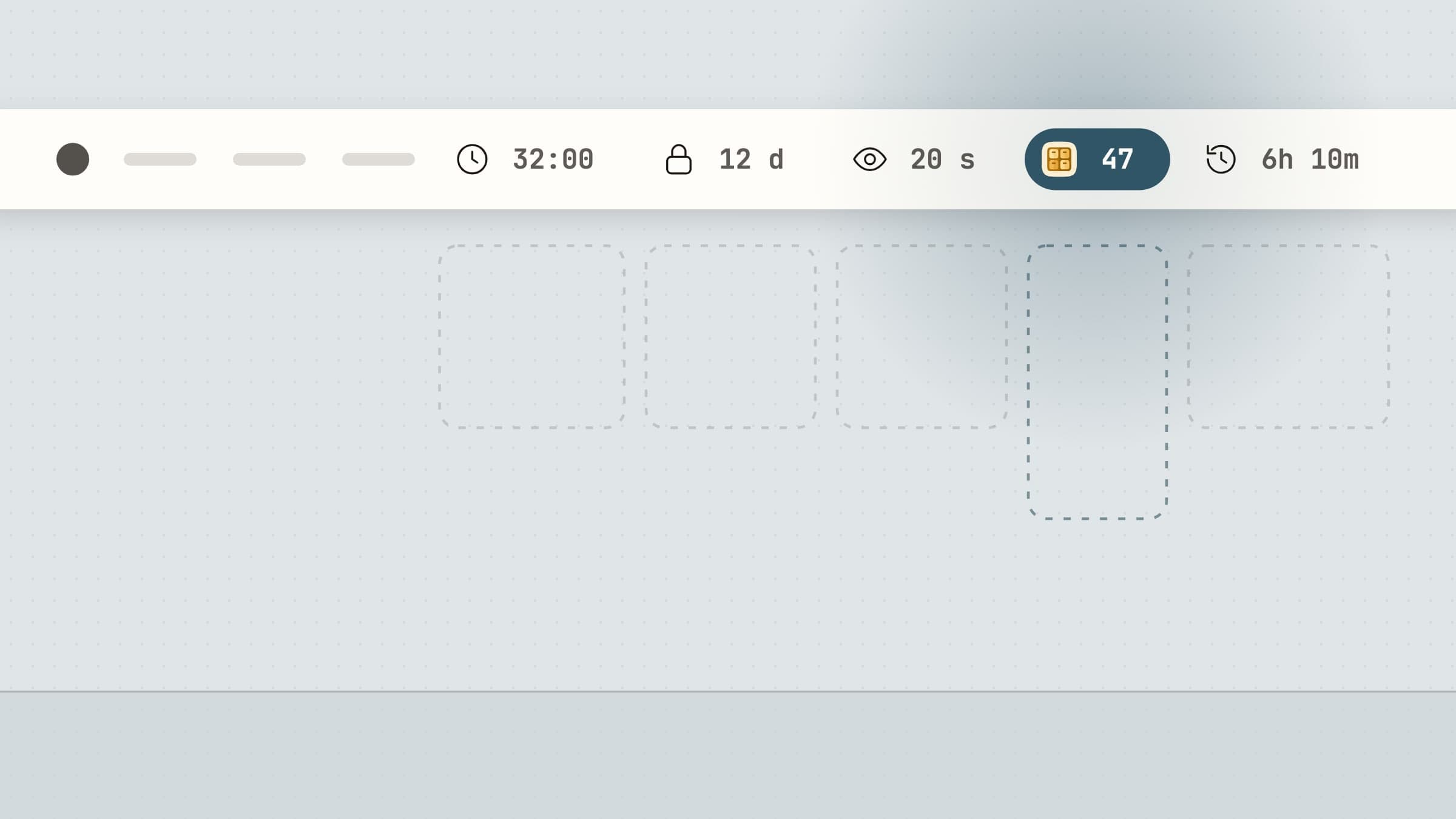
What the menu bar is for
The menu bar is the only permanently visible surface on a Mac that is not the Dock, and unlike the Dock it can show live state: a countdown, a goal filling up, a status. That makes it the right home for exactly one kind of software - something you need to be aware of continuously but almost never need to open.
It follows that a menu bar app which requires opening every day is a normal app wearing a costume. The measure of a good one is how rarely you think about it.
What to look for
It should be native. This is not purism. An Electron app ships an entire browser engine to draw an icon and a small panel, which costs hundreds of megabytes of disk and a noticeable amount of memory to do what a Swift app does in a few. On something running all day, the difference is real.
It should not need an account. A menu bar utility that shows a login screen has made itself dependent on a service for something that runs entirely on your machine.
It should survive a restart without attention. Launch at login, restore its state, and carry on. Anything you have to re-arm each morning will be abandoned.
It should be quiet. An app whose whole job is to sit in the corner should not be notifying you about itself, asking for reviews or announcing features.
Twelve small ones
The apps here cover five different kinds of chore. Three shorter roundups go deeper by job: menu bar focus apps, menu bar health reminders and menu bar time apps.
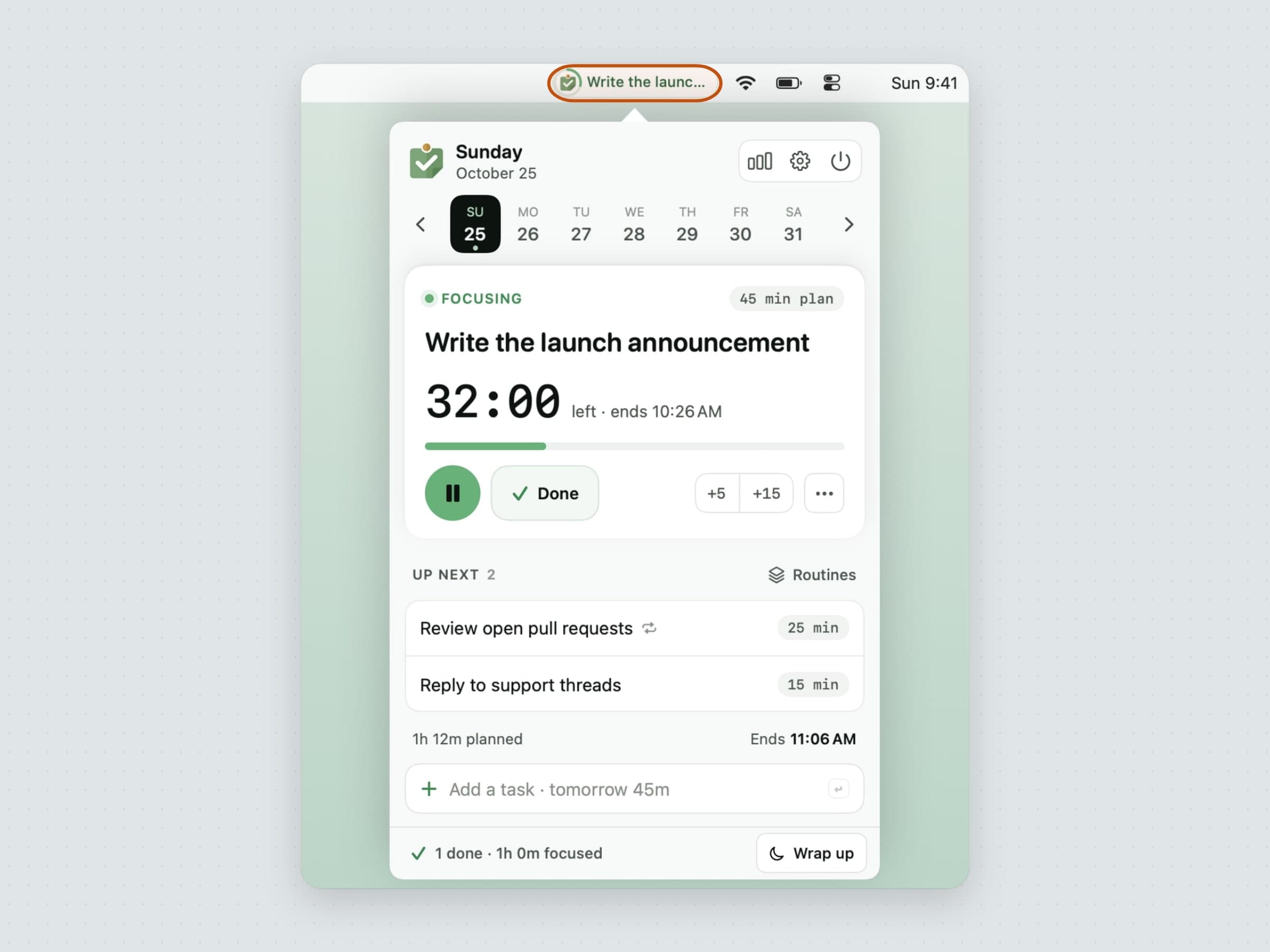
Time and attention. Anchored keeps a single task and its timer visible so the day's priority is not renegotiated hourly - it is the clearest example of the pattern, and worth a closer look. Pawodoro runs Pomodoro blocks and makes the break happen by taking the screen with a cat video. CatPod does the gentler version: a pixel cat on the desktop that a finished session feeds.
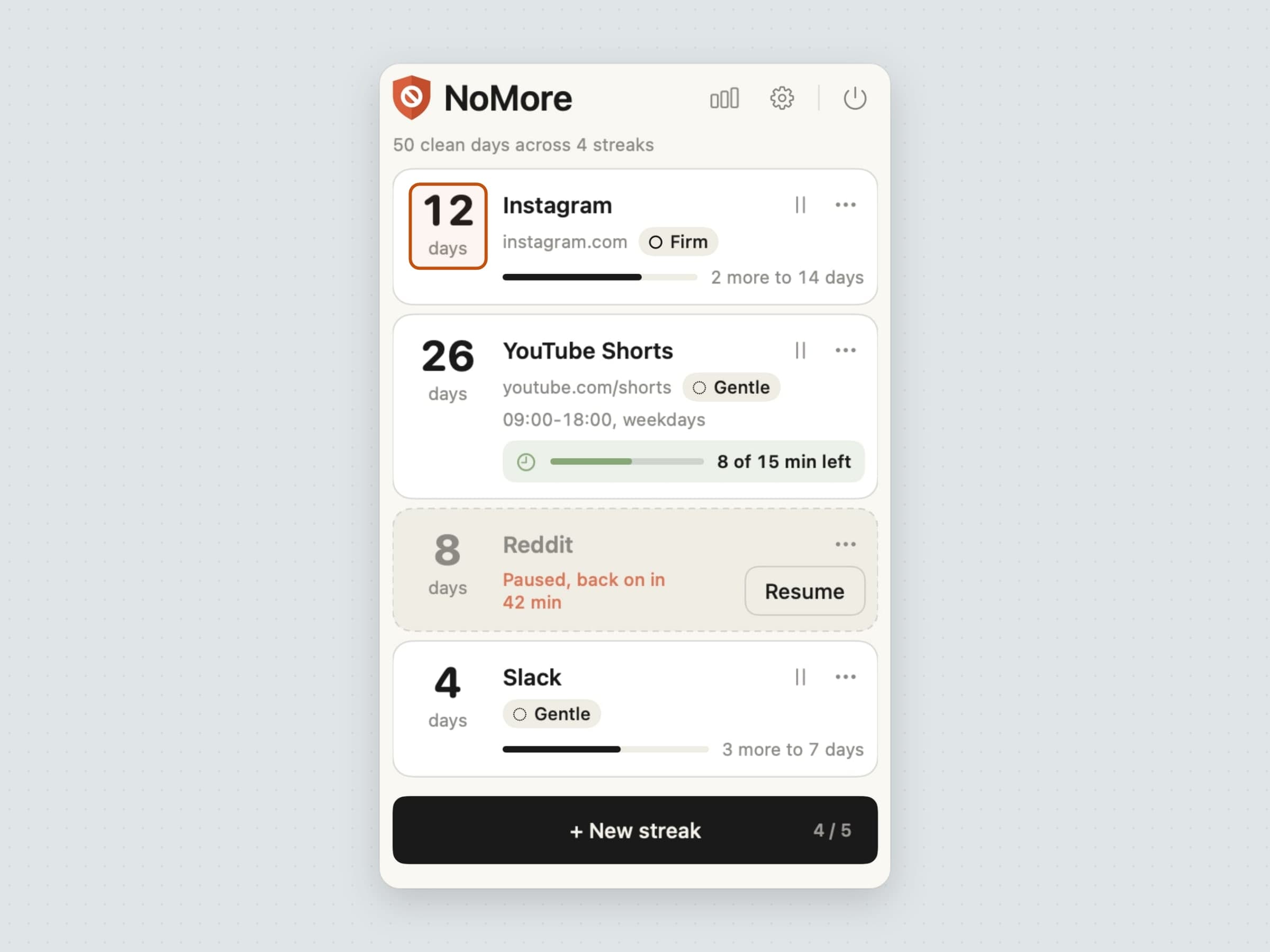
Distraction. NoMore watches the frontmost app and the current browser tab and steps in front of whatever is on your block list, with the comparison done on your own Mac.
The body. Recess runs eye-rest and stretch breaks on two independent cadences and holds them during Focus. Aqumi is a drop whose ring fills toward a daily water goal, with one-tap logging, quiet hours and reminders that wait out your calls. Poise reads your head's tilt from the AirPods you already wear: a ring in the menu bar drifts from green to red as you sink, and a fog rises from the bottom of the screen while your head hangs (how it works). Keystone keeps the day's habits in a ring you tick from the menu bar in one click, with streaks that forgive a planned day off (the full tour).
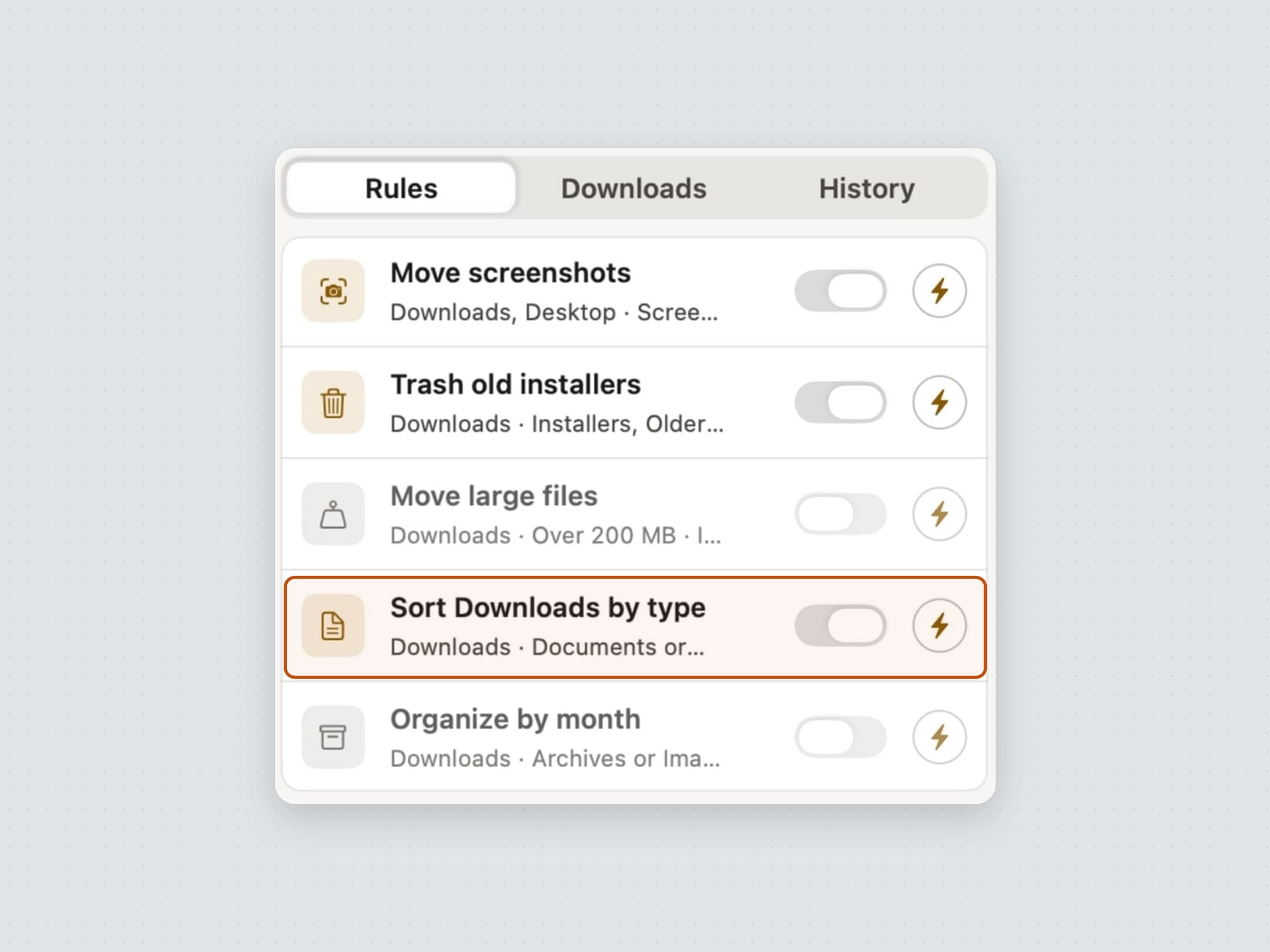
Housekeeping. Sweep files new downloads by rules you set the moment they land, and every move is undoable, including in bulk. Await pins the next date you care about - typed in or read from your calendar - and counts down to it in the event's own time zone, with a desktop widget for the ones queued behind it.
The shape of the day. Tideline looks ahead: it lays your tasks out in the gaps between your meetings and shows the current one and the minutes left in the menu bar, and whatever you don't finish moves to tomorrow instead of going overdue (planning a day with it). Tally looks back: it measures which apps and sites the day actually went to, subtracts idle time and sleep, and shows the shape in views from a day to a year - all of it stored on your Mac. The badge is the Tally logo, live: its ring fills with today's categories and its clock hands show the real time, and it shows amber near a limit and red past it. If you want a reading beside it, it can carry today's total, what is in front of you, how full a limit is, or how much of today was focus. There is a desktop widget too, and a full tour in an app usage tracker for Mac.
The things they share
Every one is written in Swift and SwiftUI, signed and notarized by Apple, and runs on macOS 14 Sonoma or later on both Apple Silicon and Intel. All but Tally and NoMore are sandboxed - both need an Accessibility read the sandbox forbids. Downloads are between roughly 5 and 15 MB; Pawodoro's cat videos are not in that figure, because they come down later, only the ones you pick.
None of them has an account. None syncs. None sends your content anywhere - the only network calls any of them make are update checks, license validation, anonymous usage counts and crash reports. All twelve ship in English, Turkish, German, Spanish and French and follow your system language.
You can browse this whole set on the home page, or by category.
Where the alternatives win
The menu bar is a crowded neighborhood, and the apps most people already know are worth naming.
Bartender and the free, open-source Ice are organizers rather than tools: they decide which icons show and in what order. If your bar is already unreadable, they fix that better than uninstalling anything would.
iStat Menus and the free Stats put CPU, memory, network and temperature where you can watch them, which is a job nothing on this page attempts.
Itsycal and Dato are the calendar answers: a month grid and your next event, for free or close to it.
For the specific jobs above, the bigger names are Hazel at $42 once for filing, Freedom from $8.99 a month for blocking, Session at $4.99 a month for Pomodoro sessions, and WaterMinder for hydration that also lives on an Apple Watch. Each has its own comparison: Hazel, Freedom, Session and WaterMinder.
For the newer three, the names to know are Habitify, free for three habits and $8.99 a month for Pro, on every platform including Windows and Android; Posture Pal, $19.99 once for Pro, which also runs on the iPhone; and Sunsama, $17 a month billed yearly, a guided daily-planning ritual on every platform. Compared in turn: Habitify, Posture Pal and Sunsama.
Side by side
All twelve are native macOS apps requiring macOS 14 or later, with no account and no subscription required. Every one of them keeps its data on your Mac.
| What it removes | Price | Interrupts you | |
|---|---|---|---|
| Anchored | Re-deciding the day's priority | $3.99 | At timer end |
| Aqumi | Forgetting to drink | $2.99 | On your cadence, never during quiet hours or a call |
| Await | Half-remembering a date | $3.99 | Once, when it arrives |
| CatPod | Working without a pace | $3.99 | At session end, and when a break starts the cat stretches with a reminder |
| Keystone | Forgetting the small daily things | $3.99 | At the reminder times you set |
| NoMore | Opening a site by reflex | $4.99 | When you open a blocked thing, plus a Sunday recap |
| Pawodoro | Not starting, and not resting | $3.99 | At every break |
| Poise | Sinking toward the screen | $5.99 | When your head hangs too long, quiet during calls |
| Recess | Sitting still for hours | $2.99 | On schedule, held during Focus |
| Sweep | Sorting Downloads by hand | $5.99 | Never - it works silently |
| Tally | Guessing where the day went | $4.99 | Weekly, plus limits and goals |
| Tideline | Losing track of how much day is left | $4.99 | A heads-up before meetings and the day's end |
Prices and features checked on 4 November 2026.


