Why focus tools belong in the menu bar
Most of what goes wrong with focus happens between two decisions. You decide at nine what the morning is for, and by half past ten you are somewhere else, with no memory of deciding to go there. The original decision did not change. It just went out of view.
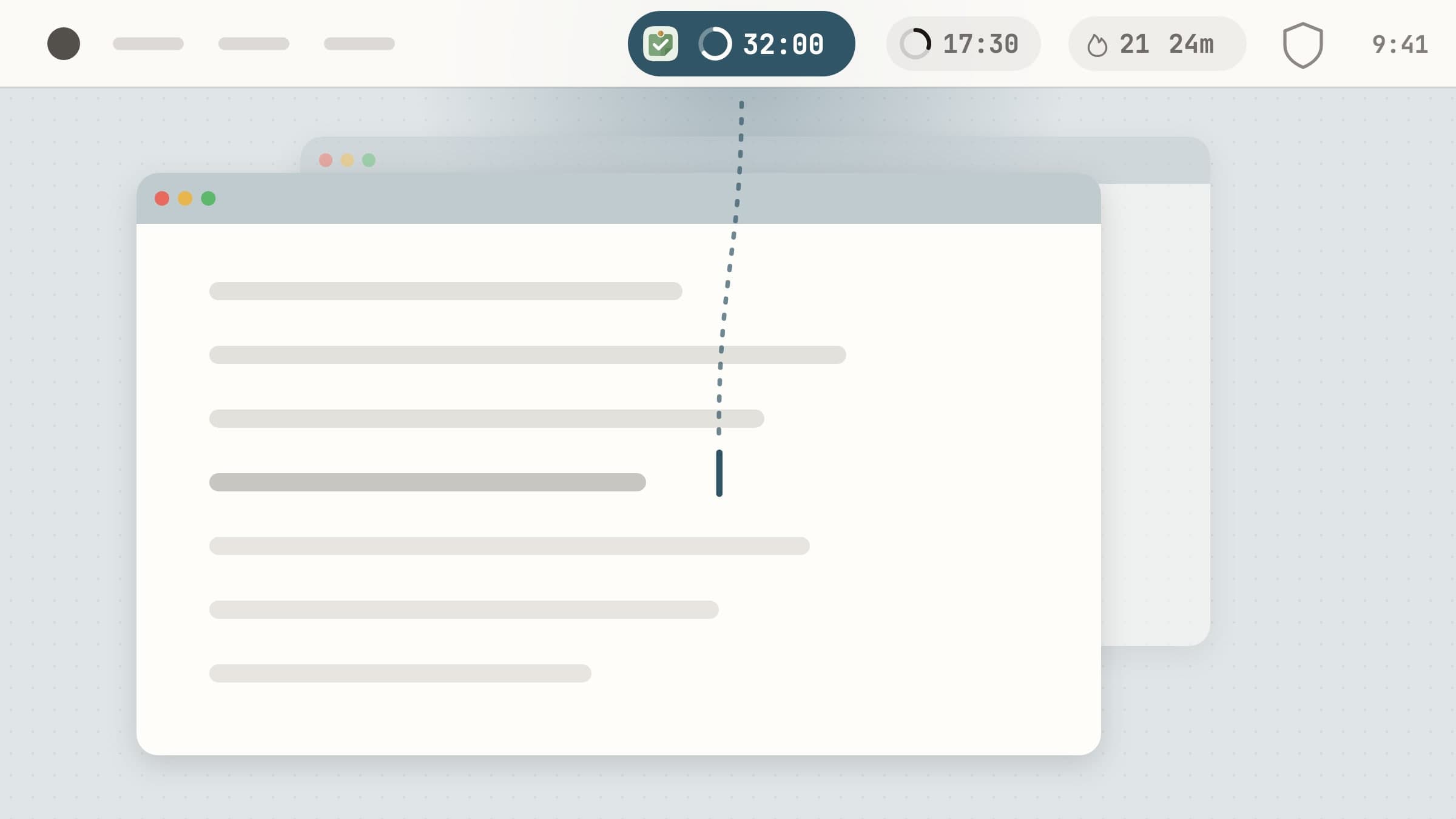
That is the case for putting a focus tool in the menu bar rather than in a window. A tool you have to open is one you consult only when you already remember it, which is exactly when you need it least. The menu bar stays on screen over every app you switch to, so whatever sits there is read without switching anything: a glance up, not a trip away. It keeps the commitment in view while the work fills the rest of the screen.
What earns a place up there in general is covered in small Mac menu bar apps worth keeping. This is the focus corner of it.
What to look for in one
The state should be readable without a click. If you have to open a popover to learn how long is left, the app is a window with an icon.
A shape beats a number. A ring or a fill that changes as time runs reads faster than digits you have to subtract.
It should stay small. On a laptop with a notch, a label that grows with every feature ends up hidden behind the camera, where it does nothing.
Idle should look ready, not alarming. An idle state that looks like a warning teaches you to ignore the icon.
It should work from the keyboard, so you never aim at a target twenty pixels wide.
Four that live there
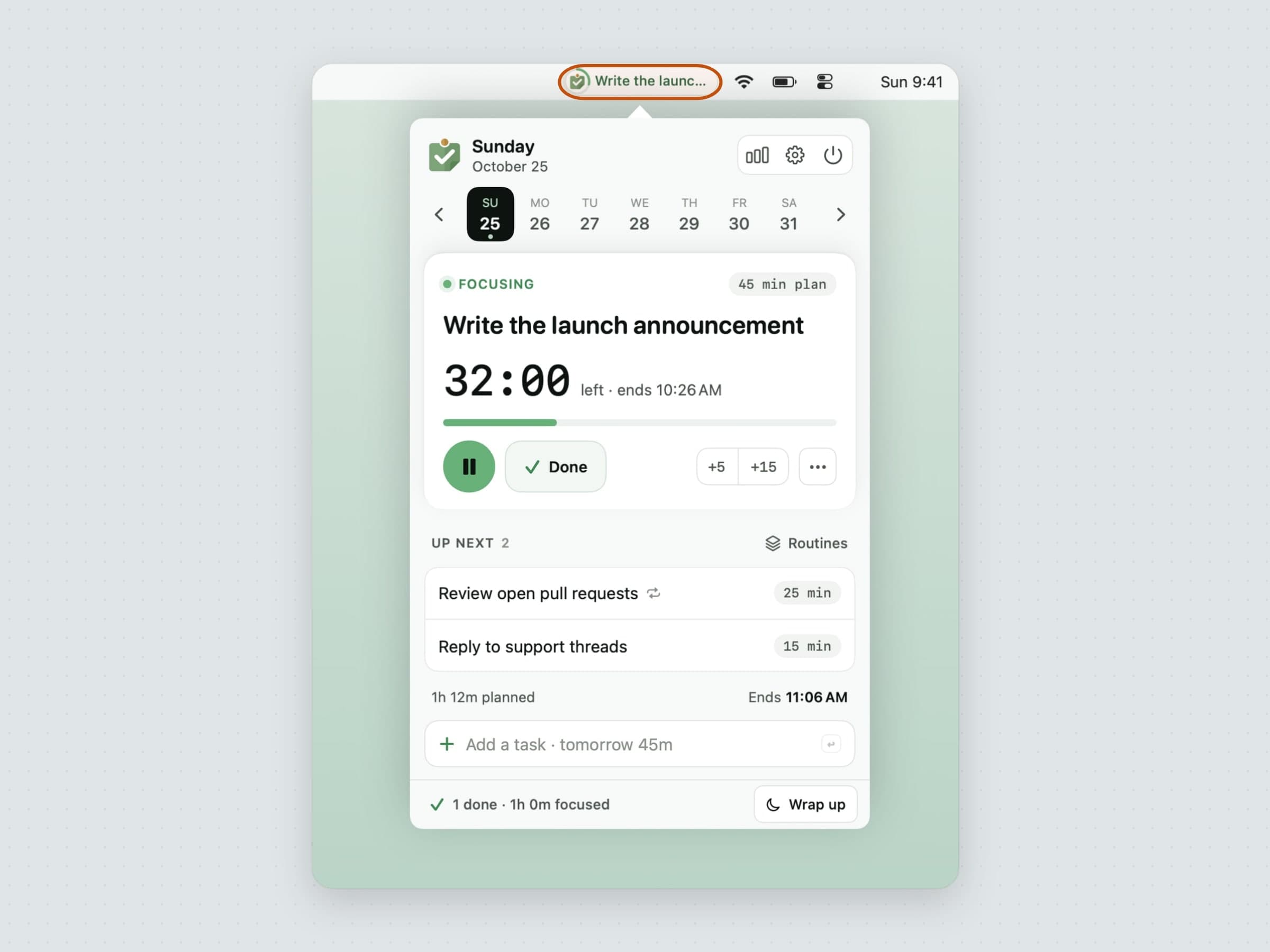
The task you committed to. Anchored puts the title of your one anchor task in the menu bar, with a small ring beside it that fills as the estimate runs down. The exact time left is one hover away in the tooltip. The ring dims while you are paused and changes colour when the estimate runs out, so overrunning shows without an alarm, and with nothing queued the label reads What's next? instead of going blank. A slider in Settings caps the label at 8 to 32 characters. The whole design is laid out in a menu bar task timer for Mac.
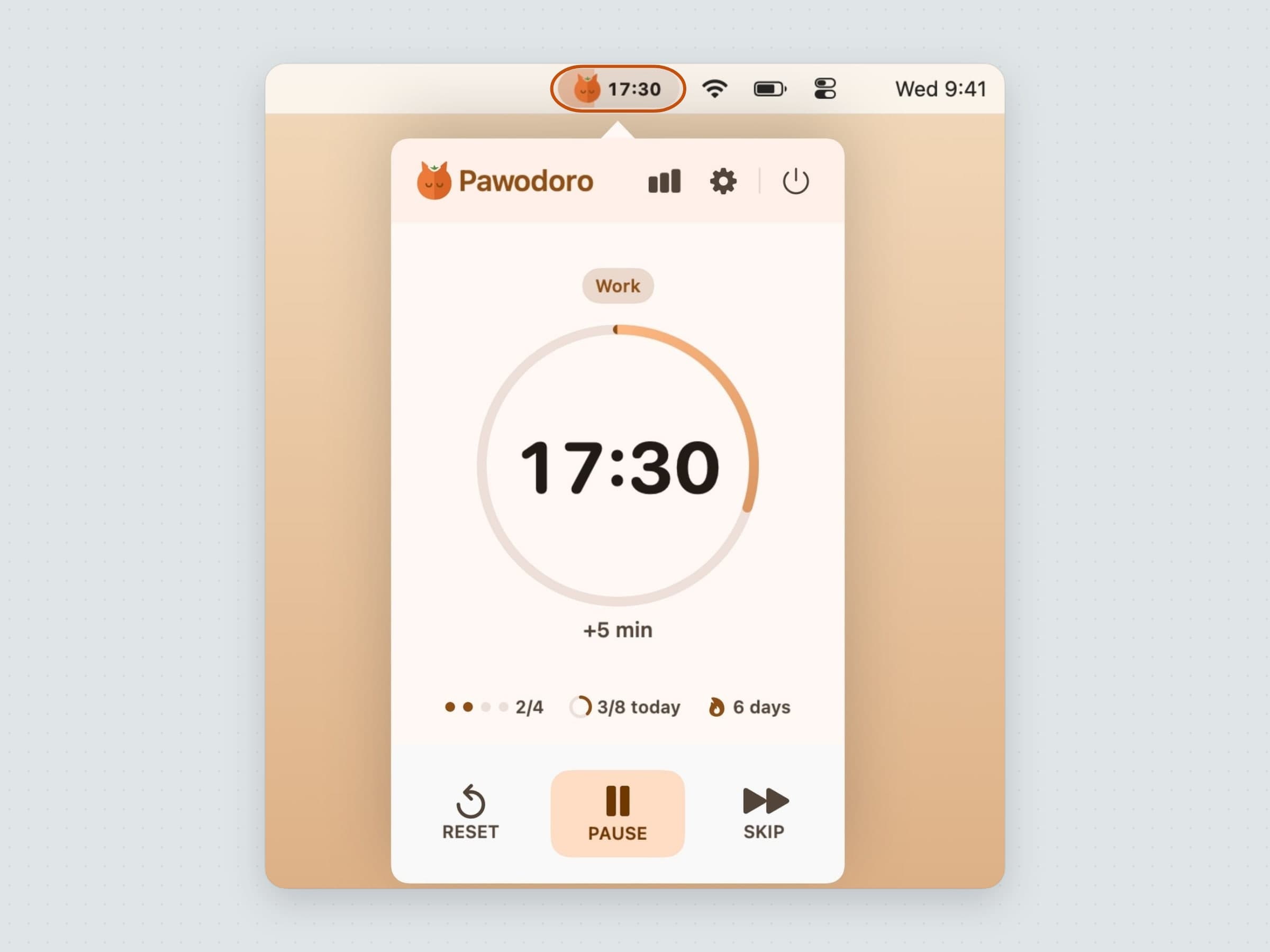
The block you are in. Pawodoro shows a pill that fills
with the phase's colour as it runs - orange for work, blue for a short break,
sage green for a long one. You choose whether it carries the countdown or only
the icon, and idle it shows the length of your next work block rather than
00:00, so it reads as ready, not stopped. A waiting break turns the pill into
Break ready; once it starts, a cat video takes over every display, the one
moment the app leaves the bar. More in
a menu bar Pomodoro timer for Mac.
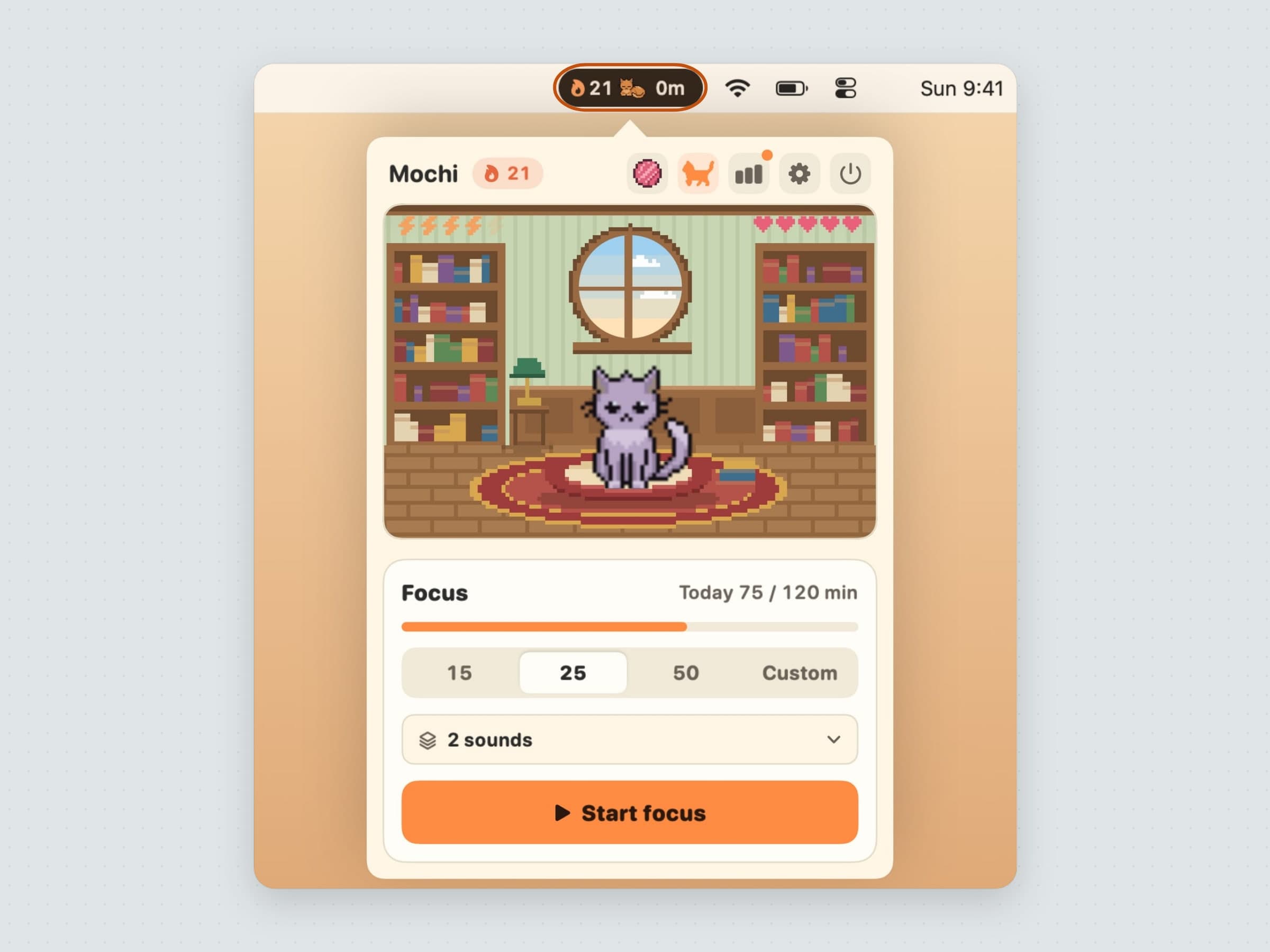
The streak you are keeping. CatPod has a pill that carries three things at once: a flame with the number of days in a row you have focused, the cat's mark, and the minutes left in the running session. It keeps the same width whether a session runs or not, so starting one never shuffles the icons beside it. The cat itself lives on the desktop, curls up while you work and hides during calls and full-screen apps. The full tour is in a virtual pet app for Mac.
The things you said no to. NoMore is the deliberate exception: its menu bar item is only its shield, because a blocker that showed a counter all day would be advertising the thing you are avoiding. It flashes red when it steps in front of something on your list and when a streak breaks. Click it for your streaks with their day counts, paused ones with the minutes until they resume, and what is left of a daily allowance. The matching against the frontmost app and browser tab happens on your own Mac; how, and what each kind of block costs, is in how to block websites on a Mac.
What they share
All four are written in Swift and SwiftUI and run on macOS 14 or later, on Apple Silicon and Intel. None has an account and none sends your tasks, sessions or browsing anywhere. Anchored, Pawodoro and CatPod are sandboxed; NoMore is not, because reading other apps' windows needs access the sandbox forbids, and it asks for an Automation permission per browser (Accessibility for Firefox). Each starts with a 30-day free trial and is then bought once.
They also overlap less than it looks. Pawodoro and CatPod are both session timers, so most people keep one. Anchored answers what to work on, NoMore what not to open, and either pairs with a timer. If the question is which problem you actually have, the best focus apps for Mac sorts that out. If it is your body rather than your attention that needs the reminder, see menu bar health apps for Mac, and for counting down to a date or seeing where the day went, menu bar time apps for Mac.
Where the alternatives win
The menu bar is not the only answer, and some well-known tools are better at things these four do not try.
Session, at $4.99 a month or $39.99 a year, syncs sessions between iPhone, iPad and Mac, blocks apps and sites while you focus and asks what you learned afterwards. If your focus has to follow you onto a phone, it wins.
Flow is free with Pro at $2.99 a month, $17.99 a year or $39.99 once, and reaches the Apple Watch too - but the current version requires macOS 26.
Be Focused Pro, $19.99 once on the Mac App Store, and Focus, $49 once with a year of updates or $129 for life, put a timer and a blocker in one app. If you would rather have one icon than two, that is their advantage.
Freedom, at $8.99 a month, $3.33 a month billed yearly or $99.50 once, blocks on every device you own at once. Cold Turkey Blocker Pro, $45 once, sells locks that cannot be undone mid-session. Opal is phone-first, with Pro at $99.99 a year. NoMore makes the opposite bet - local, Mac only, friction instead of a lock - and the trade is laid out in Freedom alternatives for Mac and, for timers, Session alternatives for Mac.
And macOS Focus costs nothing. It silences notifications, which is worth doing first; it just does not show you anything.
Side by side
All four are native macOS apps for macOS 14 or later, bought once, with no account, no subscription and their data kept on your Mac.
| What the menu bar shows | Interrupts you | Permissions | Price | |
|---|---|---|---|---|
| Anchored | The task's title and a ring for its time | At timer end | None | $12.99 |
| Pawodoro | A pill that fills with the phase, with or without the countdown | At every break | None | $10.99 |
| CatPod | Streak days, the cat's mark and minutes left | At session end, and a stretch reminder when a break starts | None | $12.99 |
| NoMore | Its shield, red when it steps in | When you open a blocked thing, plus a Sunday recap | Automation per browser (Accessibility for Firefox) | $13.99 |
Prices and features checked on 4 November 2026.


