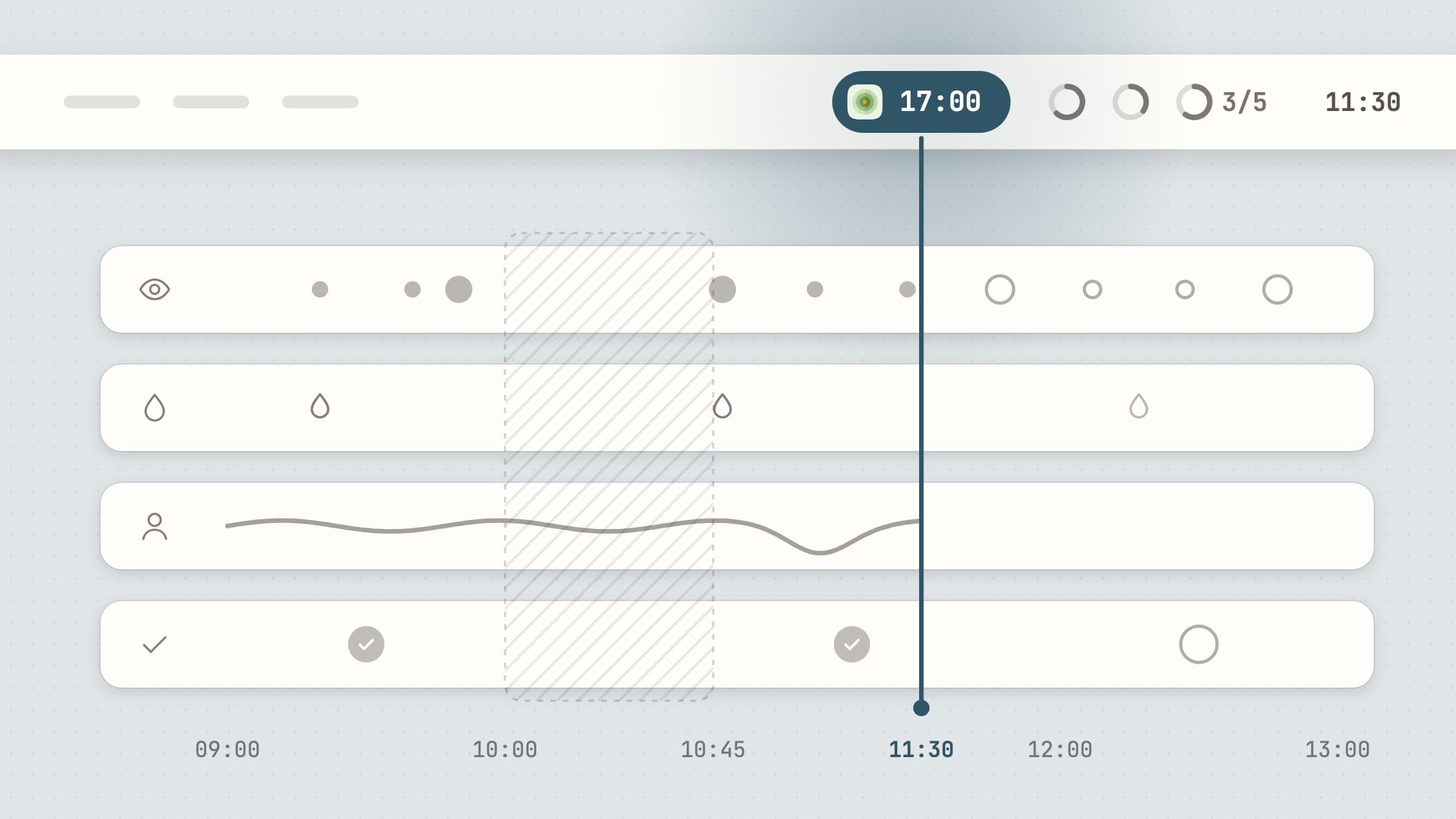
Why the body's reminders belong in the menu bar
Most of what a body needs during a working day is small and repetitive: look away from the screen, get up, drink something, lift your head, do the one thing you promised yourself you would do today. None of it deserves a window. A window is something you have to decide to open, and the whole problem is that you never decide to - you are busy, which is exactly when the body gets ignored.
The menu bar is the one place on a Mac you already look at dozens of times an hour without meaning to, every time you check the clock. A reminder that lives there works by being seen in passing. A ring that is half empty at three in the afternoon tells you something without a notification, a sound or a click, and the best of these apps let that glance do most of the work - interrupting only when the glance has not been enough.
The wider list of menu bar apps covers the whole set, and two sibling posts cover menu bar focus apps and menu bar time apps. This one is about the four that look after the body. For a two-app version focused on breaks and water, see desk health apps for Mac; for some of the same apps arranged as a daily routine, daily routine apps for Mac.
What to look for in a menu bar health app
It should show state, not just an icon. An icon that never changes is a shortcut to a window, which is the thing you were trying to avoid. A good one shows how far along you are - a countdown, a filling ring, a color - so it can remind you silently.
It should wait out calls and Focus. A reminder that fires during a screen share is worse than no reminder, because it teaches you to turn the app off. Look for one that notices a call app in front or a Focus mode and holds the prompt until you are free, rather than dropping it.
It should know when your day ends. Work hours, quiet hours, a pause until tomorrow morning. A water reminder at 11 pm is how an app gets uninstalled.
It should not need an account. How often you drink or slouch is nobody's business, and none of it needs a server. The data should stay on the Mac.
It should be dismissable. A nudge you cannot wave away is a nudge you will eventually disable for good. Strictness is fine when you choose it.
The four apps that look after the body
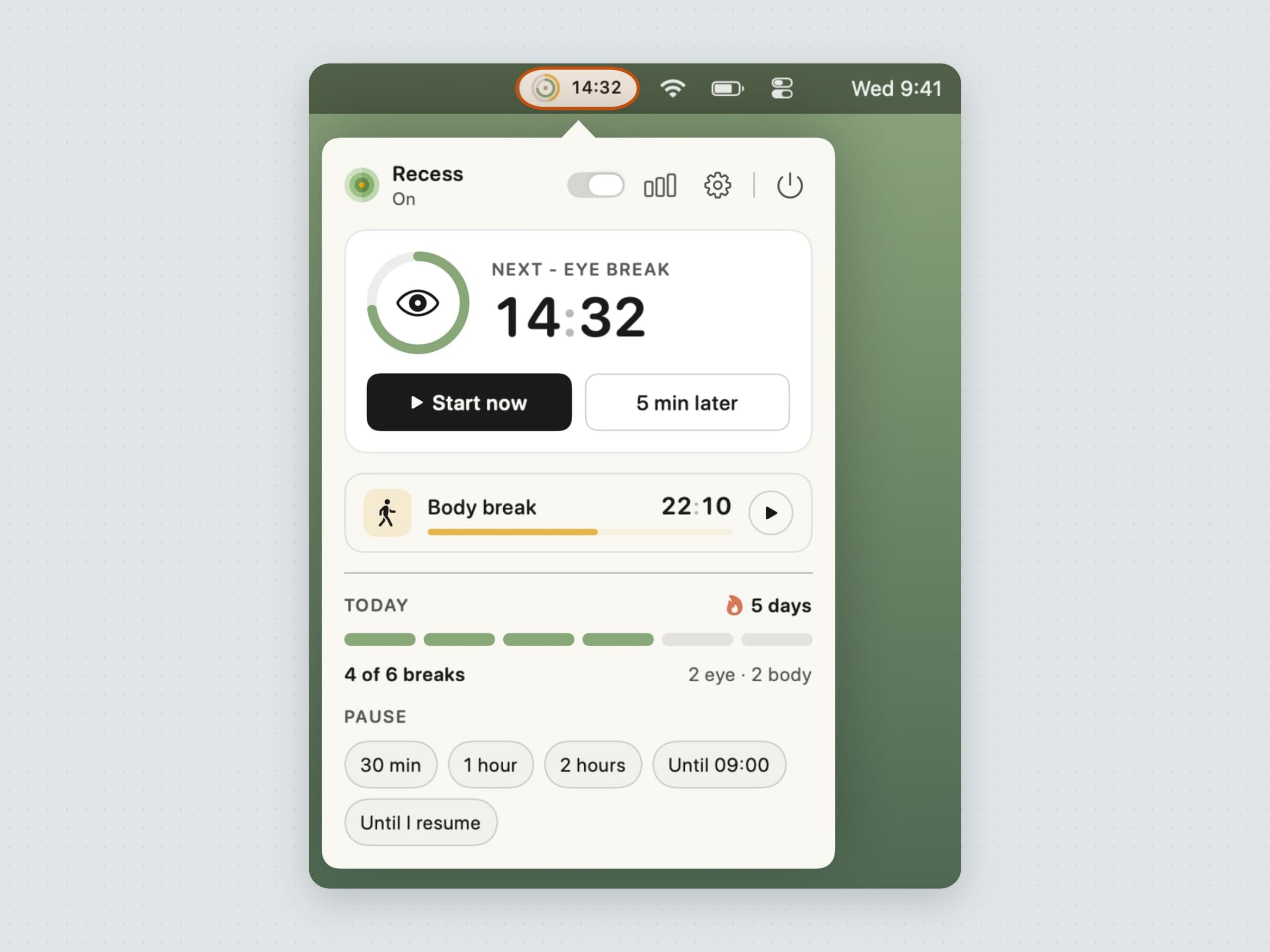
Recess for eyes and back. Its badge is a small dial with two arcs - the inner one for eye breaks, the outer one for body breaks - and a countdown to whichever comes first, so the next break is always one glance away. The two run on separate timers because eyes want short and frequent and a back wants longer and rarer. Ten seconds before a break, a small card under the menu bar offers Start now or 5 min later; then the break takes the full screen or stays a gentle card. Breaks wait during Focus, during calls and while any app you name is in front, time away from the desk counts as a break, and outside your work hours it stays quiet. The full tour is in a 20-20-20 rule app for Mac.
Aqumi for water. A drop sits in the menu bar with a ring around it that fills toward the day's goal and turns green when you reach it; you can put today's amount or percentage beside it if you prefer a number. The goal comes from a profile you fill in once, or from your own figure. Reminders come on the cadence you pick and wait out quiet hours, calls, a presentation and a mirrored screen; from the banner you log, snooze or mute the rest of the day. A silent mode posts nothing and lets the ring be the reminder. More in a water reminder app for Mac.
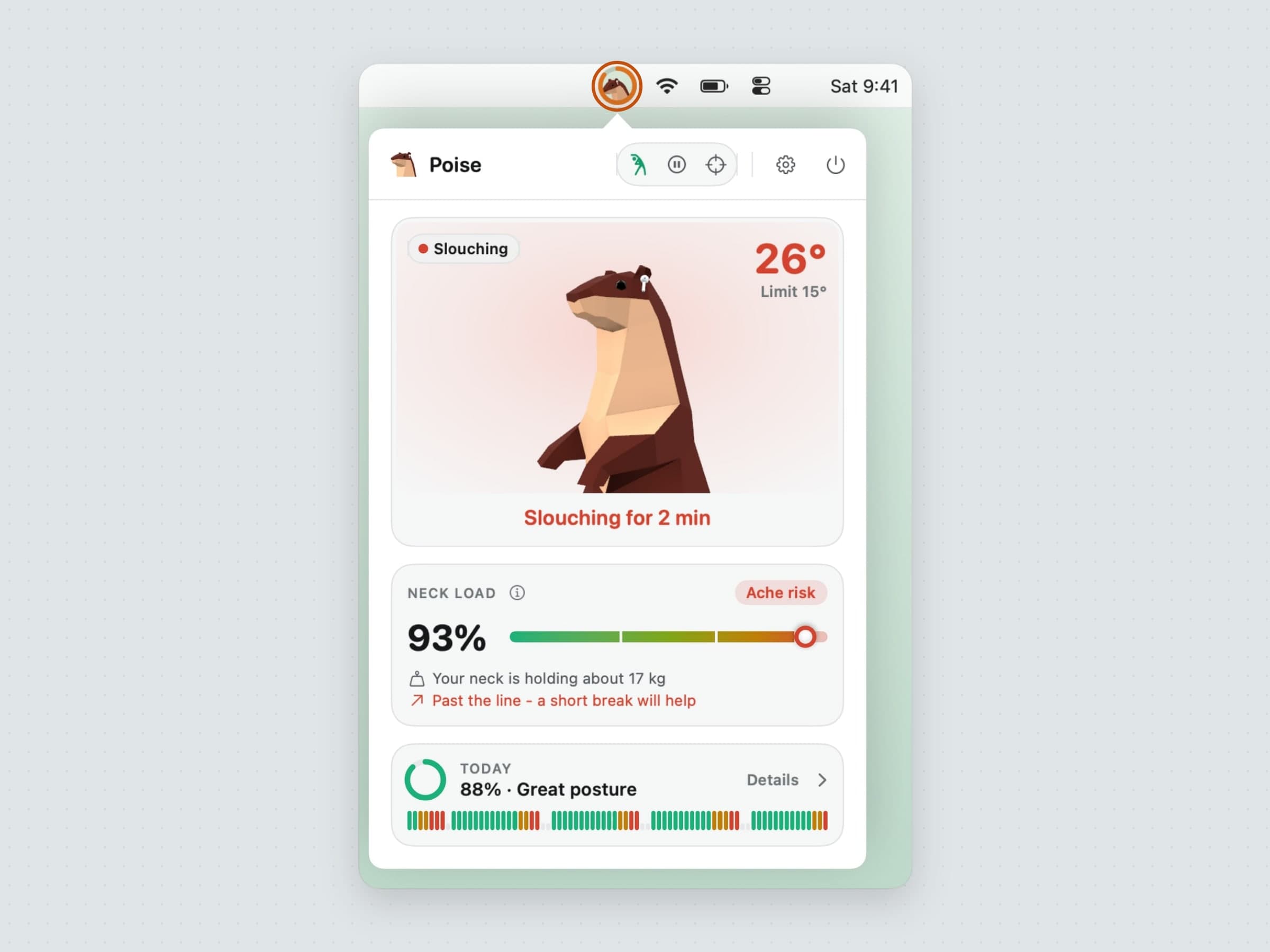
Poise for posture. It reads head tilt from the AirPods you are already wearing - AirPods Pro, AirPods (3rd generation and later), AirPods Max or Beats with head tracking - so there is no camera involved. The menu bar disc holds a small otter in AirPods and a ring that fills from green through amber to red as your head sinks. Let it hang long enough and a soft fog rises from the bottom of the screen until you sit up. It learns how you sit upright in the first two minutes, offers a three-minute neck break when the strain adds up, and during a call the fog and sound stay off and the break waits. Head angles never leave the Mac. The guide is a slouch reminder for Mac that reads your AirPods.
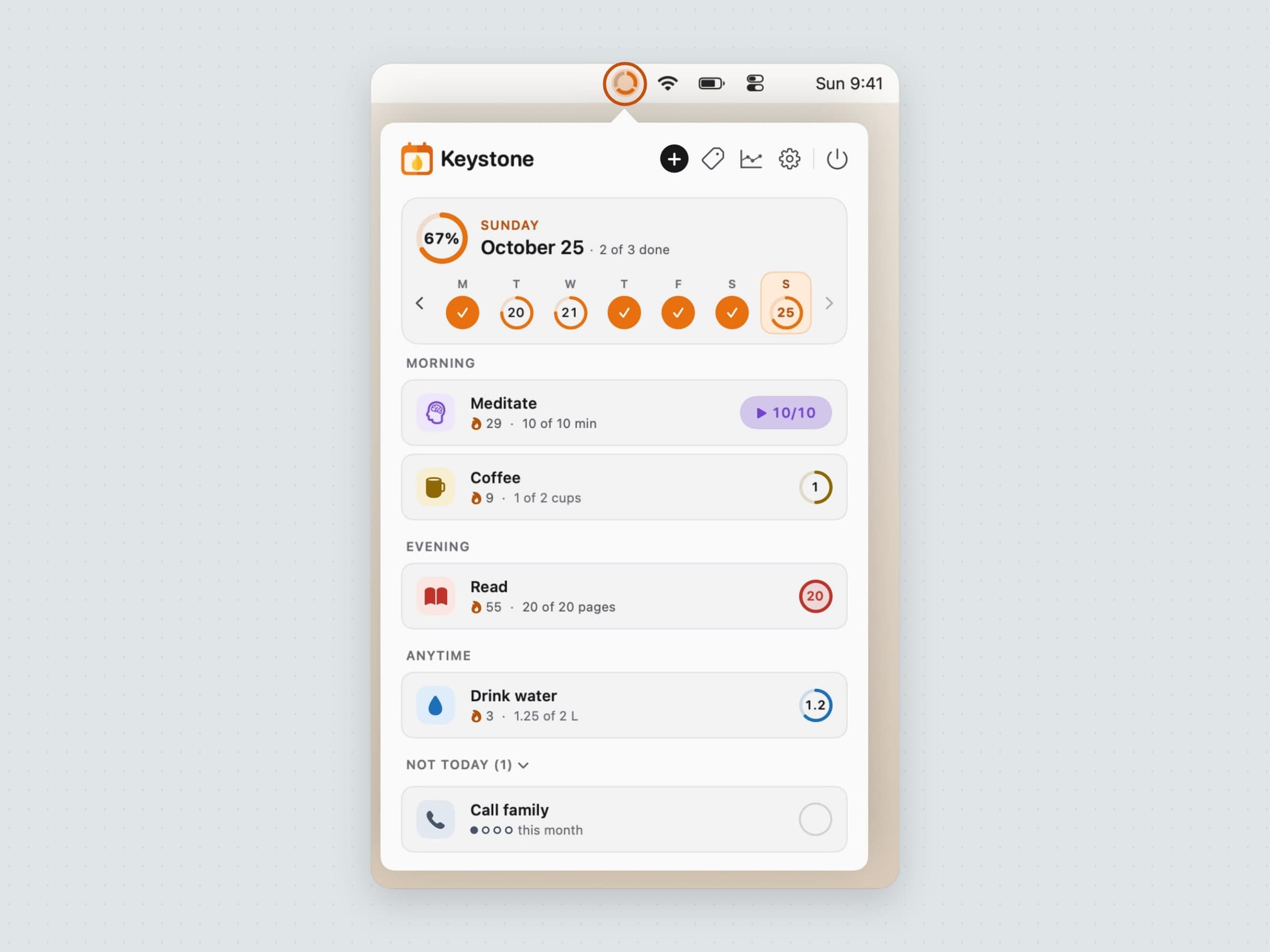
Keystone for the habits around all of it. The ring in the menu bar is cut into one slice per habit due today, and each slice fills as that habit gets done, so a walk, a stretch routine or eight glasses show up as an unfinished ring rather than a forgotten list. Right-click it and today's habits are right there to tick off. Reminders skip days a habit is not due or already done, respect quiet hours and carry Skip today, and a planned rest day never costs a streak. See a habit tracker for Mac, feature by feature.
Running all four at once
They are built to share a menu bar. Each is a single status item, and the three that interrupt - Recess, Aqumi and Poise - each hold back on their own during a call, so a meeting does not end with a pile of prompts on the screen. Keystone only speaks at the reminder times you set, and never in your quiet hours. On a notched laptop, where icons can disappear behind the camera housing, all four keep working whether you can see them or not.
All four are written in Swift and SwiftUI, sandboxed, and run on macOS 14 or later. None has an account, none syncs, and none writes to Apple Health or sends your logs anywhere - the network is used for update checks, license validation, anonymous usage counts and crash reports. They are reminders, not medical tools.
Where the alternatives win
Time Out is free with optional supporter purchases from $4.99 for three months to $59.99 for life, and it is the most configurable break schedule on the Mac. The catch is that its current 3.x versions need macOS 26; older Macs stay on 2.9.7. Stretchly is free and open source and runs on Mac, Windows and Linux, which wins outright if you want one break tool on every computer. LookAway starts at $19 one-time for one Mac and adds blink and posture nudges and an iPhone companion.
For water, WaterMinder wins if you also want logging on an iPhone and an Apple Watch; on the Mac its Premium tier is $2.99 a month, $14.99 a year or $29.99 for life. For posture, Posture Pal also reads AirPods and covers iPhone too, as a free download with a $19.99 Pro unlock or subscriptions. For habits, Streaks is $5.99 once across iPhone, iPad, Mac and Apple Watch with iCloud sync, and Habitify goes everywhere including Android and the web, free for three habits and $8.99 a month, $49.99 a year or $119.99 for life on Pro.
What the four here trade for those strengths is reach: they are Mac only and do not sync. What they buy is the menu bar itself - state you can read at a glance, reminders that wait for your call to end, and no account anywhere.
Four of them have a comparison of their own: Time Out, WaterMinder, Posture Pal and Habitify.
Side by side
All four come with a 30-day free trial that asks for no card or email, and each is a one-time purchase.
| What the menu bar shows | Holds back during | Price | |
|---|---|---|---|
| Recess | A dial for eye and body breaks, with the next countdown | Focus, calls, apps you name, outside work hours | $11.99 |
| Aqumi | A drop whose ring fills toward the day's goal | Quiet hours, calls, presentations, a mirrored screen | $10.99 |
| Poise | An otter whose ring turns red as your head sinks | Calls, and full screen if you choose | $11.99 |
| Keystone | A ring with one slice per habit due today | Quiet hours, days off and rest days | $11.99 |
Prices and features checked on 4 November 2026.


