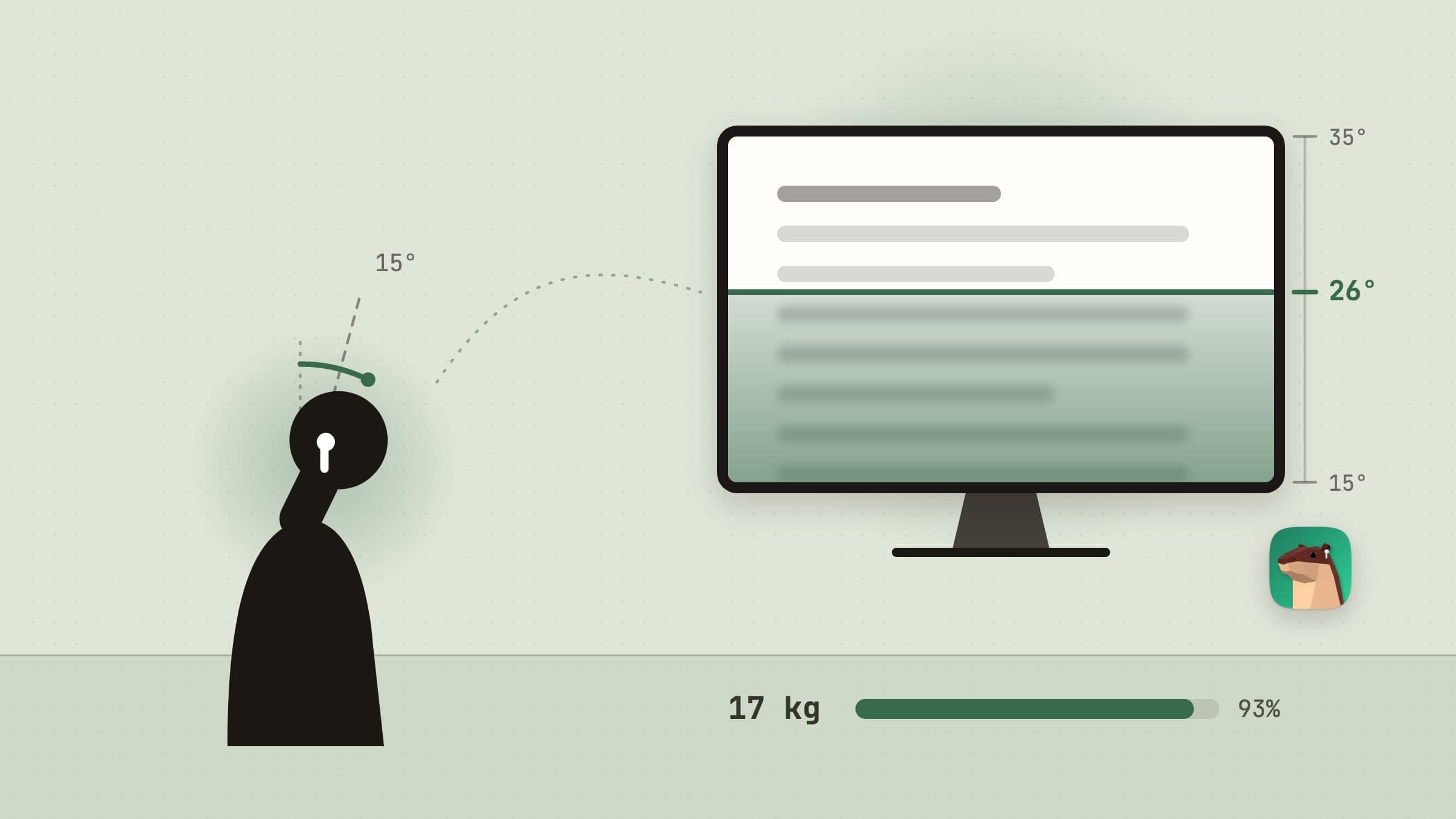
What a slouch reminder has to get right
Nobody decides to slouch. The head drifts toward the screen a degree at a time while you are busy with something else, and by the time the neck complains you have been holding it there for an hour. A reminder that only fires on a timer misses that, and one that fires every time you glance at the keyboard gets switched off by lunch.
Poise watches the thing that actually moves - your head - through the AirPods you are probably already wearing. No camera, no strap, nothing new on the desk. This article walks through what it does, and everything below is in the shipping version.
Your AirPods already know where your head is
AirPods that support head tracking carry motion sensors, and macOS lets an app read their tilt. Poise reads it about fifty times a second. That works with AirPods Pro, AirPods (3rd generation and later), AirPods Max and Beats models with head tracking. Other Bluetooth headphones are recognised, and the popover says plainly that Poise cannot read them.
It asks for Motion & Fitness access, and only when you press Allow. There is nothing to calibrate: for the first two minutes of wear Poise watches how you sit and learns your upright from the head-up end of it, not the average, which would call a slump normal. After that the upright only rises, so a slouchy afternoon never becomes the new normal. A calibration by hand is there as a shortcut in Settings, and each pair of AirPods keeps its own.
How far the head may drop before Poise speaks up is a preset: Gentle (20 degrees for 30 seconds), Balanced (15 for 15, the default), Strict (10 for 8), or your own numbers. A glance down at the keyboard is over long before any of those.
The ring in the menu bar, and the popover under it
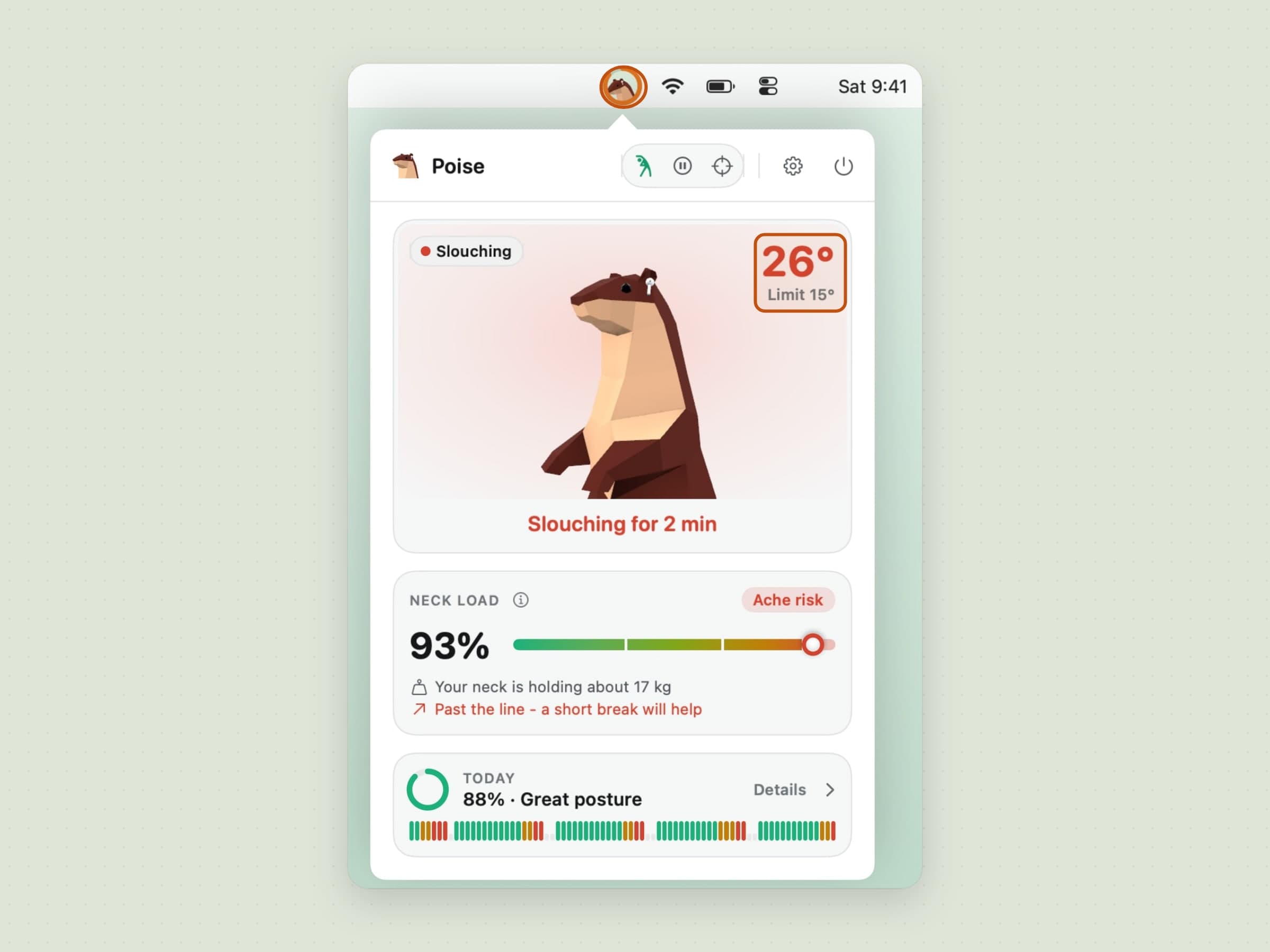
The status item is a small disc with the coach's head in it - an otter wearing AirPods - and a ring around it that fills from green through amber to red as your head drops past the line. It can show the angle or today's score beside it, or nothing. Right-clicking gives a short menu to pause, calibrate or start a break.
The popover has the otter big, facing you and mirroring your head: nod and it nods, tilt and it tilts. Beside it are the drop in degrees against your limit, then the neck load - how tired the neck muscles are getting, as a share and a band from Fresh to Ache risk - with the weight your neck is holding at this angle ("about 17 kg") and a forecast like "starts to ache in about 14 min". Under that sits today's score and a strip of the day.
The veil that rises from the bottom
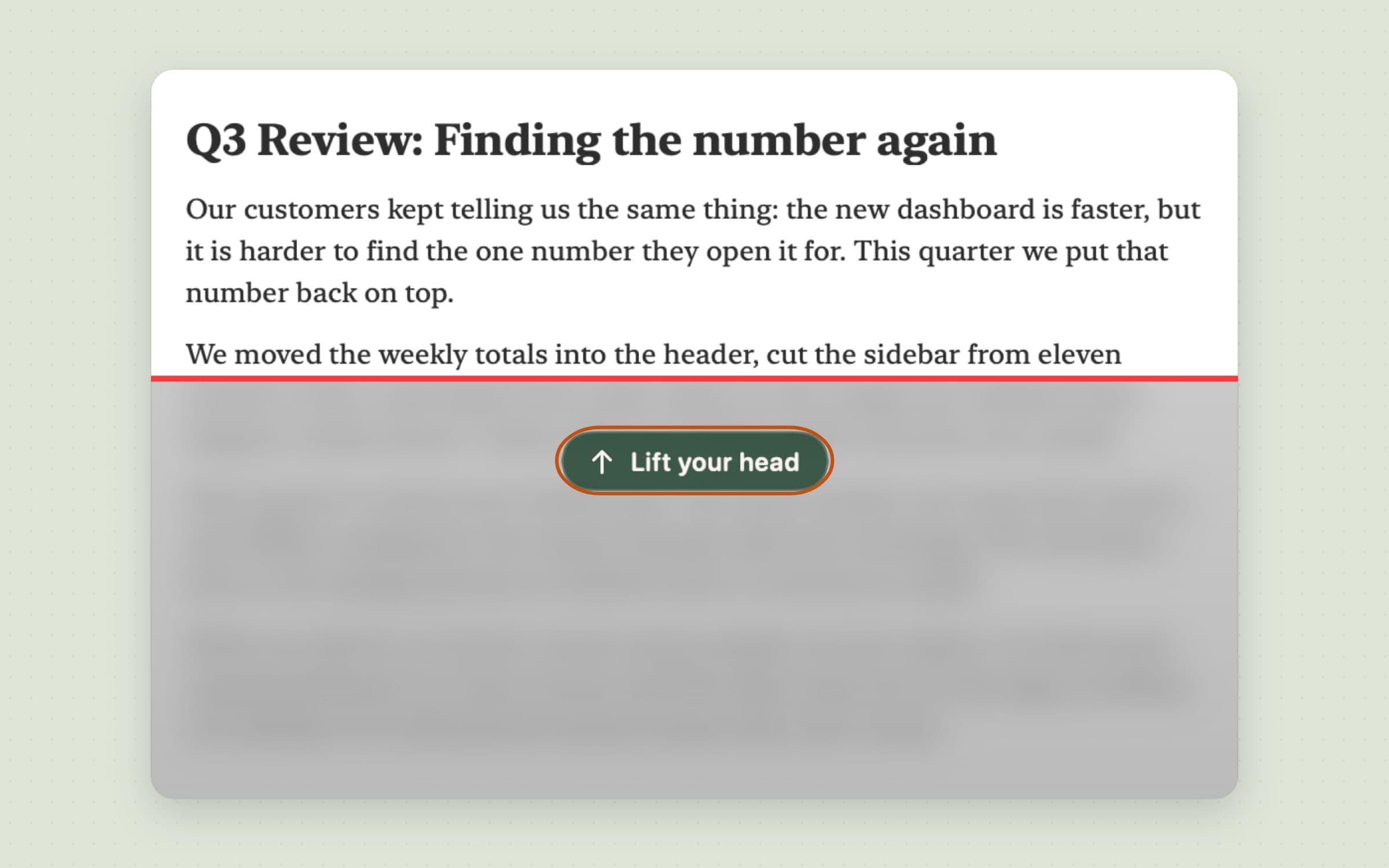
A notification is easy to swipe away. Poise's main alert is harder to ignore and easier to live with: once your head has stayed past the line for a few seconds, a fog rises from the bottom of the screen - the screen behind it blurred and shaded, a red line along its top, and a small "Lift your head" just under it.
It comes from the bottom on purpose. A slouching head is looking down, so shading the bottom pushes what is still clear up the screen, and the eyes and the head follow. The height follows your drop: a third of the screen just past the line, the whole screen twenty degrees past it. Lift your head part of the way and it sinks to match; back above the line and it drains in about a second and a half. Clicks go straight through it, so nothing you were doing is interrupted.
Settings sets the pace - Gentle, Normal (about twenty seconds to the top, sooner when your neck is tired) or Firm - and a Try It button shows it on your screen. A sound is optional and off by default: "Lift your head" spoken in the app's language or a short two-note tone, once or every minute.
Neck load, and a break before it aches
Posture apps usually stop at "you are slouching". Poise also keeps a running estimate of what the slouching has cost. The weight a neck holds grows with the angle - about 5 kg upright, 12 kg at 15 degrees, 18 at 30, 22 at 45 - and the longer it holds more, the faster the load builds. A head locked still adds a little too. Sitting upright and moving lets it recover, time away from the Mac recovers it faster, and exercises take a share off each.
When the load reaches the level you chose - Early, When it's tired (the default) or Late - a notification says it is time for a neck break, with Start and In 20 min. The numbers are estimates built on published head-weight figures, labelled as such in the app, and never advice.
A three-minute neck break the AirPods check
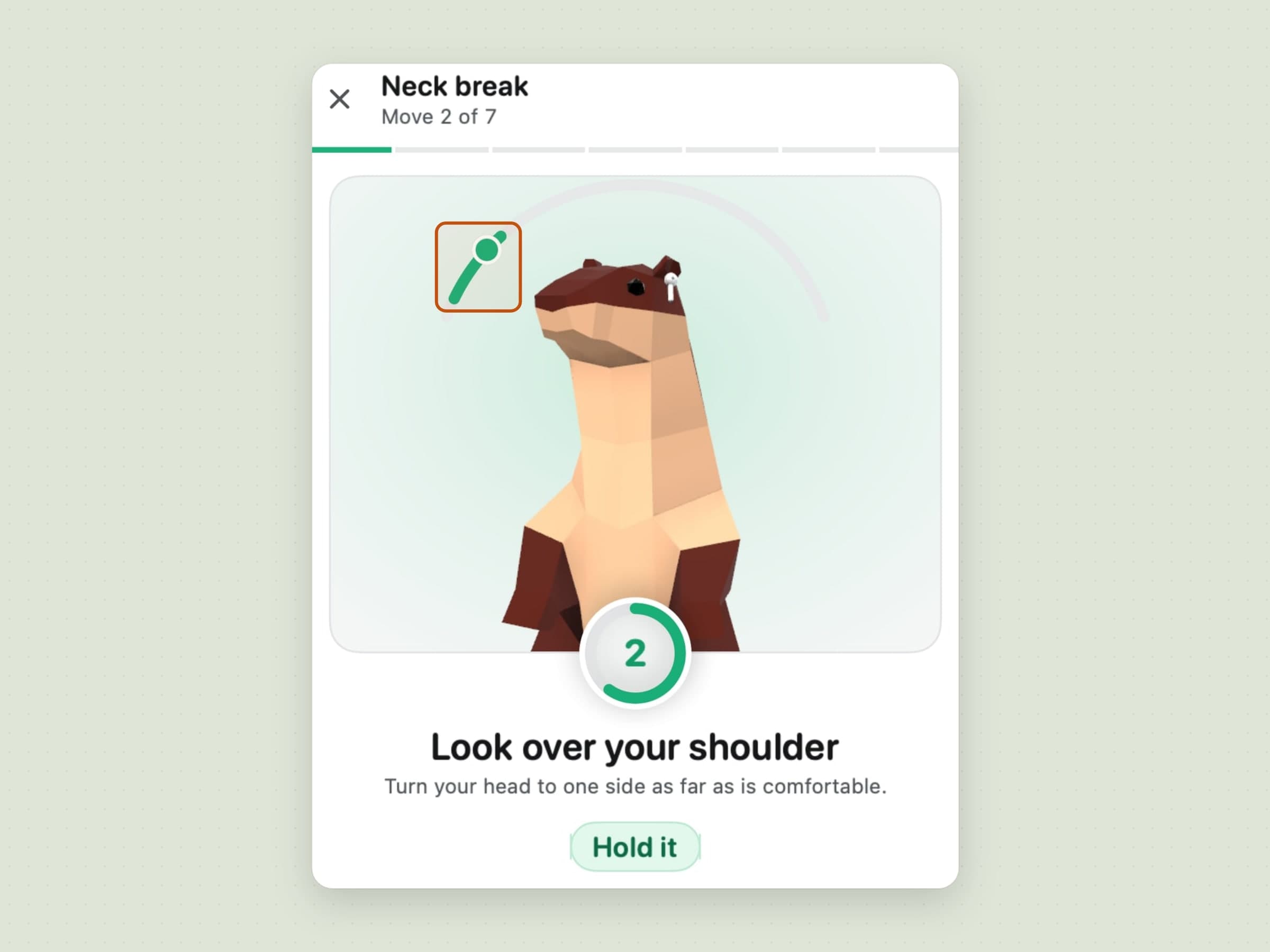
The break is seven moves in about three minutes: look down and up, look over your shoulder, side tilt, a diagonal look, an upper back stretch, a chin tuck and shoulder rolls. The otter demonstrates each one on a loop. For the moves your head can be measured on, a dial around it shows your own angle - bring the dot into the green arc and hold it while the bar fills, and the AirPods count the rep.
Spoken cues come through the AirPods so you do not have to watch, and any move can be skipped. A 3-2-1 starts it, and the last screen shows the neck load before and after. Close the popover and the break pauses rather than ends.
Statistics, a weekly summary, a widget and Shortcuts
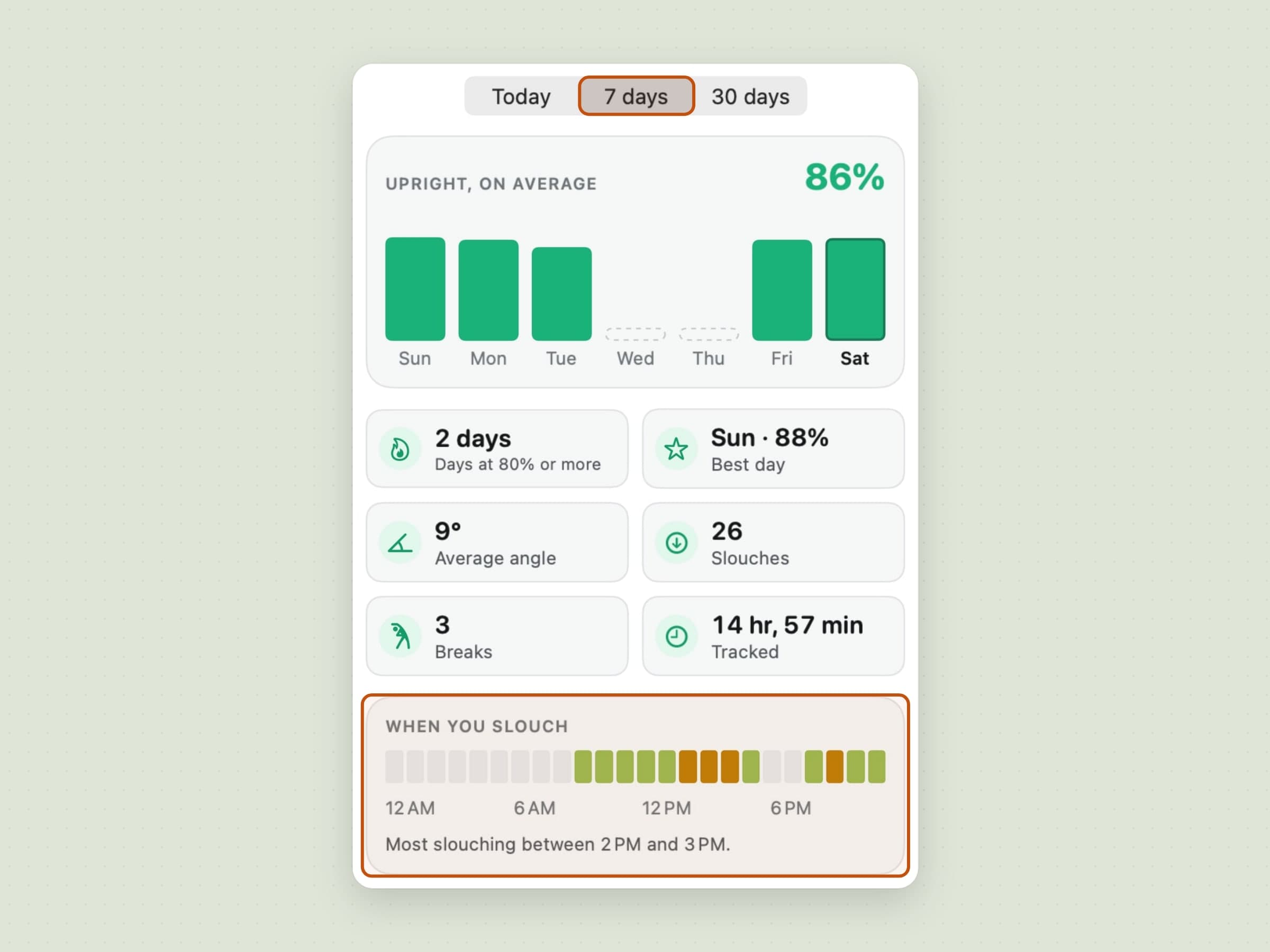
The statistics page covers today, seven days and thirty: the share of tracked time you sat upright, the average angle, how many times you slouched, breaks taken, tracked time and a 24-hour strip of when the slouching gathers - which is usually one afternoon hour, every day. A weekly summary arrives as a notification once a week, and a small or medium desktop widget shows today's score and neck load.
Shortcuts gets five actions: Pause, Resume, Start a Neck Break, Calibrate and Get Today's Posture. While a call app such as Zoom, Teams, FaceTime or Webex is in front, Poise keeps quiet - no veil, no sound, and a due break waits for the call to end - and it can do the same for anything in full screen.
What it deliberately does not do
It does not use the camera, and it does not work without AirPods that report head motion. That is the trade: no camera light and no image of you anywhere, in exchange for seeing only your head - a rounded back with a level head looks upright to Poise. Nothing is counted while the Mac is locked or asleep, or when you are away from it without the AirPods on.
There is no phone app, no Apple Health export and no account. History stays on the Mac for sixty days, one small file per day, and head angles never leave it. The app is sandboxed, signed and notarised; the only network traffic goes to our own servers - license checks, updates, config, and anonymous usage counts and crash diagnostics. It is not a medical device and makes no medical claims.
What it costs, and what else to look at
Poise runs on macOS 14 or later and takes about 20 MB. It is a one-time $11.99 purchase with a 30-day trial that needs no card and no email - the license is permanent. The full specification is on the Poise page.
If your problem is sitting still rather than sitting badly, Recess schedules eye and stretch breaks on two clocks. For the other apps that tackle posture - with a camera, with AirPods, free or paid - see the best posture apps for Mac.