What Habitify is actually good at
Habitify is one of the most complete habit trackers there is, and it got there by being everywhere. The same list of habits runs on iPhone, iPad, Apple Watch, Mac, Android and the web, synced through a Habitify account, so a habit ticked on the phone at the gym is already ticked on the laptop at the desk.
On top of that it does a lot. Habits can be filled in automatically from Apple Health, Fitbit or Strava, reminders can fire when you arrive somewhere or right after another habit, there are calendar integrations, a mood log, and a Zapier and IFTTT connection for anyone who wants their habits in a spreadsheet somewhere. A Skip on a single day keeps a streak alive, and Off Mode pauses everything for a holiday.
The free plan covers three habits. Everything past that is paid, and the price depends on where you buy it. In the App Store, Pro is $8.99 a month, $49.99 a year or $119.99 once, with a lighter Plus tier at $29.99 a year. Habitify's own website sells Premium cheaper, at about $30 a year or $59.99 once.
If you want one habit list across a phone, a watch and a laptop, with your health data feeding into it, Habitify is a good answer and probably the right one. Nothing further down this page syncs to a phone, and that trade is what the rest of it is about.
Why people go looking anyway
Three habits is a demo, not a plan. Most people who start tracking want four to eight things: water, a walk, reading, no phone in bed. The free tier tells you whether you like the app; it is not somewhere you stay.
A subscription for a checklist. $49.99 a year is fair for everything Habitify does, and still a lot for someone who only ticks boxes. The lifetime option exists because people say exactly that.
An account for something private. Syncing needs a Habitify account, and the account means your habits, your slips and your mood notes sit on someone else's server. For "drink water" that hardly matters. For "no drinking" it might.
The Mac is an afterthought. Habitify's Mac app is a window you open. Habit trackers are built around the phone because the phone is always on you, but a lot of daily habits happen at a desk - the stretch between calls, the deep work block, the glass of water - and there the phone is the extra step.
The Mac field, including the free ones
Streaks is the best-known alternative in the Apple world and an Apple Design Award winner. It costs $5.99 once on the App Store, with no subscription, and runs on iPhone, iPad, Apple Watch and Mac with iCloud sync. It reads Apple Health too, so steps and workouts tick themselves off. Its Mac app is a window, not a menu bar app, and it needs macOS 14.6 or later.
Habitify's free plan is still worth a look if three habits really are enough, and if the account does not bother you.
Reminders is free and already installed. A recurring reminder per habit gets you the nudge and the tick, but no streak, no history and no idea how the month went.
Shortcuts plus a spreadsheet is the do-it-yourself version: a shortcut that appends today's date and a habit name to a Numbers file. It costs nothing, takes an afternoon and gives you exactly the charts you build yourself.
A habit in the menu bar
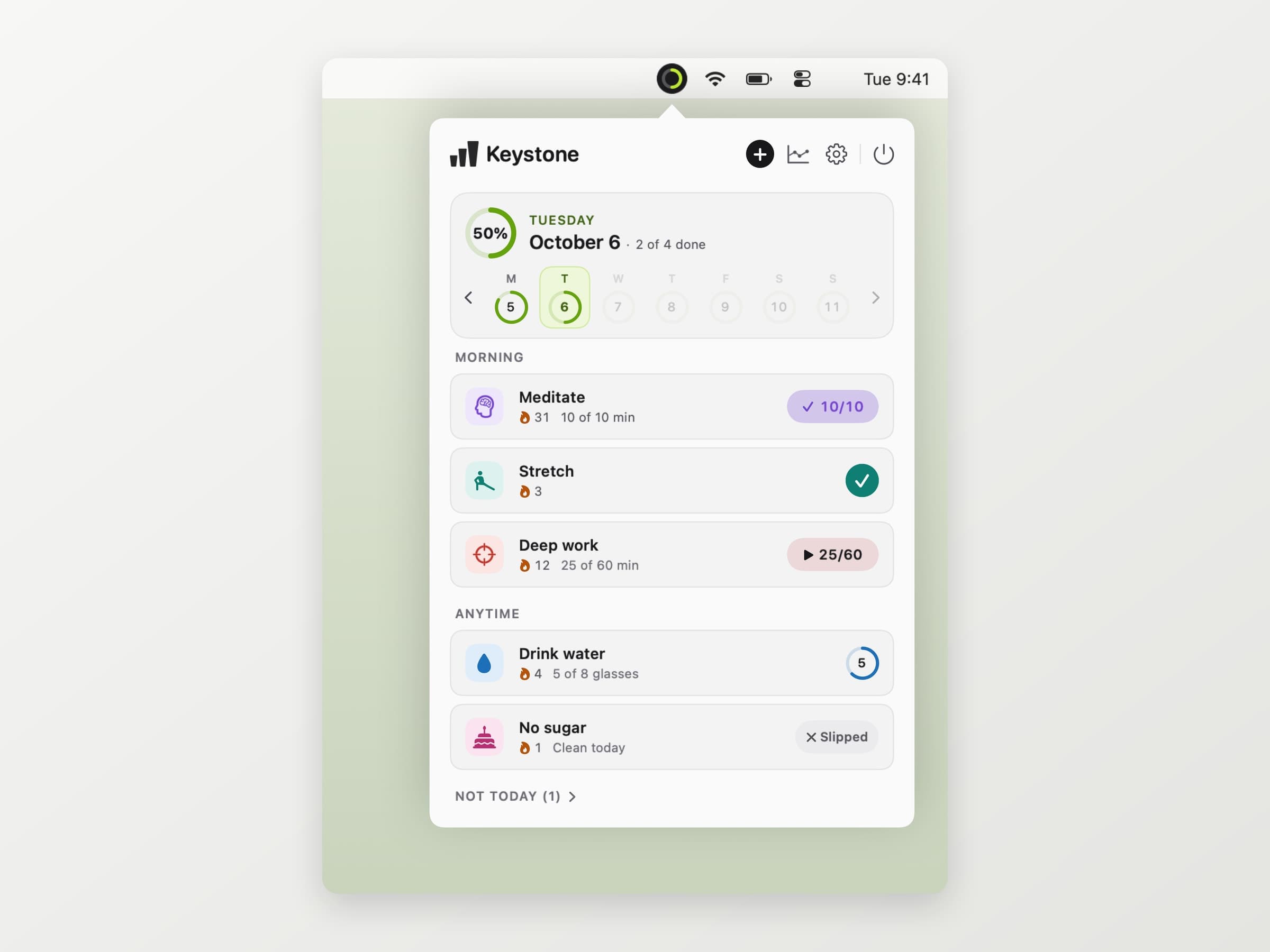
Keystone takes the opposite bet from Habitify: one Mac, no account, and the habits in the menu bar instead of a window. A small ring there fills as the day comes together and turns into a disc with a tick when everything is done. Clicking it opens today's list, and one click on a habit logs it. Control Option Command K opens the same list from anywhere.
A habit can be a plain tick, a count like eight glasses, a number of minutes, or something you are staying away from, like sugar. It can run every day, on set days, a few times a week or every few days. Each one can carry up to three reminder times, and the notification has its own Done, +1 and Skip today buttons, so answering it never means opening anything.
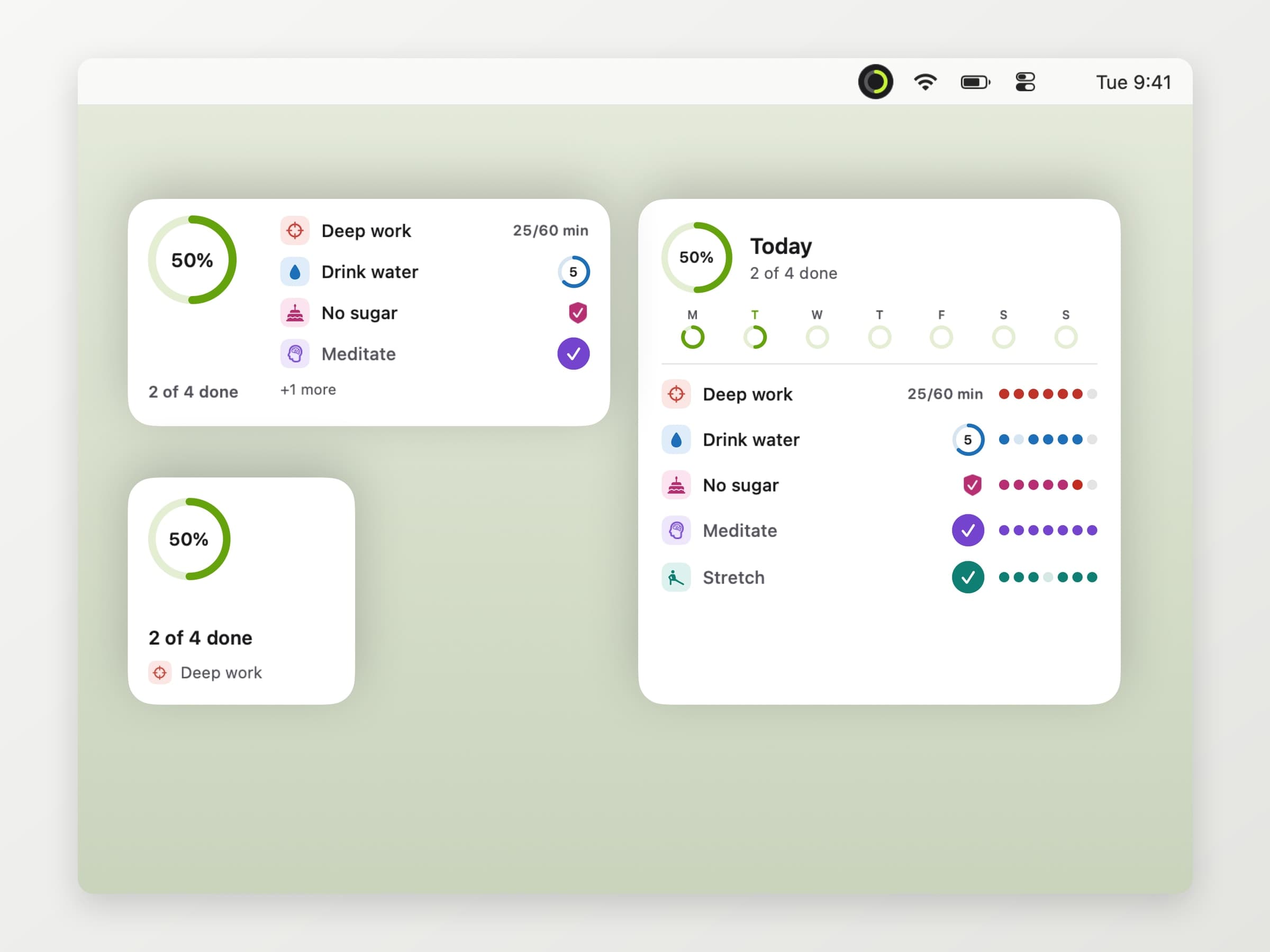
There are desktop widgets in three sizes you can tick from, and three Shortcuts actions. History exports as a CSV for a spreadsheet or as a full backup that imports on another Mac. The whole feature tour is in a habit tracker for Mac.
Streaks that forgive
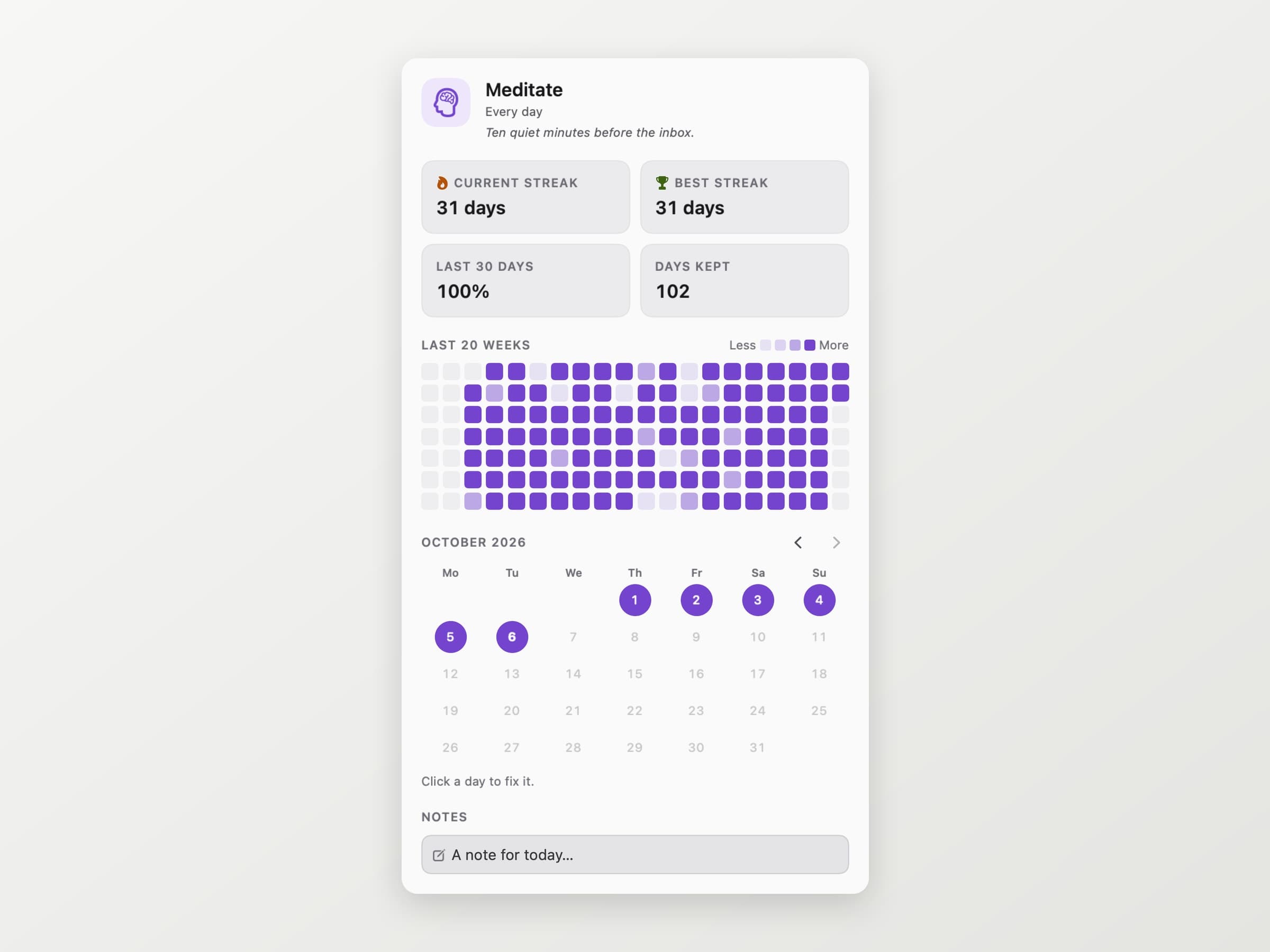
Habitify protects a streak with a manual Skip, and Off Mode for longer breaks is part of Premium. Keystone does the same thing by default and for free. A streak only counts the days a habit was due: a day off the schedule, a day you skipped on purpose and a day on a break are all neutral. Today is never counted as missed before it is over, and a three-times-a-week habit keeps its streak in weeks, so a quiet Monday is not a failure.
The price is pay what you want with a suggested $4.99, zero included, and the license is permanent whatever you pay. It needs macOS 14 or later.
The limits are the mirror image of Habitify's strengths, and worth saying plainly. There is no iPhone app and no sync, so a run logged nowhere is a run Keystone does not know about. It does not read Apple Health, Fitbit or Strava. There is no mood log and no automation beyond Shortcuts.
Where the alternatives win
Habitify wins when habits happen away from the desk. Sync across every platform, Apple Health and Strava filling things in, and reminders that fire when you get home are things a Mac-only app cannot do.
Streaks wins on the Apple Watch and on price for the whole set of devices: $5.99 once for a polished app with Health integration and sync. If you have an iPhone and want no subscription, start there.
Reminders wins on already being there, and a spreadsheet wins if you like building your own charts more than using someone else's.
Side by side
| Tool | Where it lives | Account | Apple Health | Cost |
|---|---|---|---|---|
| Habitify | iPhone, iPad, Watch, Mac, Android, web | Yes, to sync | Yes, paid | Free for 3 habits; Pro $8.99/mo, $49.99/yr or $119.99 once in the App Store |
| Streaks | iPhone, iPad, Watch, Mac | No, iCloud | Yes | $5.99 once |
| Reminders | Every Apple device | No | No | Free |
| Keystone | One Mac, in the menu bar | No | No | Pay what you want, $4.99 suggested |
The choice comes down to where your habits happen. If they happen out in the world, pick the app on your phone and wrist. If most of them happen at the same desk, the list belongs on the Mac, one click away.
Keystone sits next to two other menu bar apps that cover the habits people most often track: Aqumi for water, with a goal and one-tap logging, and Anchored for the one task that matters today. More of the shelf is in the best menu bar apps for Mac.
Prices and features checked on 6 October 2026.


