The part of the day nobody schedules
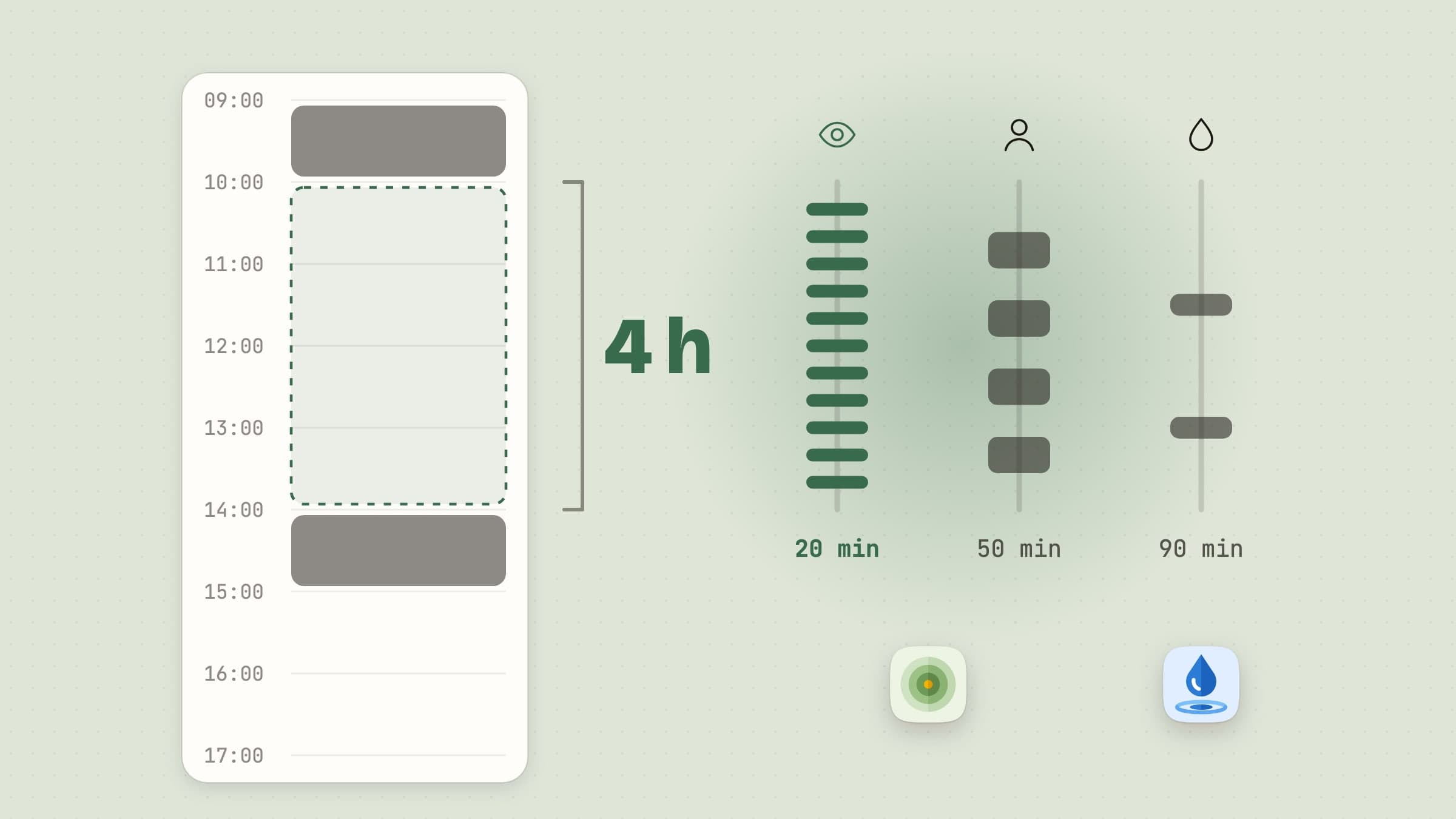
A calendar covers meetings. It does not cover the four hours in between, during which a reasonable adult can sit completely still, look at one focal distance, and drink nothing at all. Not because of a discipline problem - because concentration removes the signal. You do not notice being thirsty while you are solving something.
Both apps here do the same small thing: they put the signal back.
Resting your eyes and your back
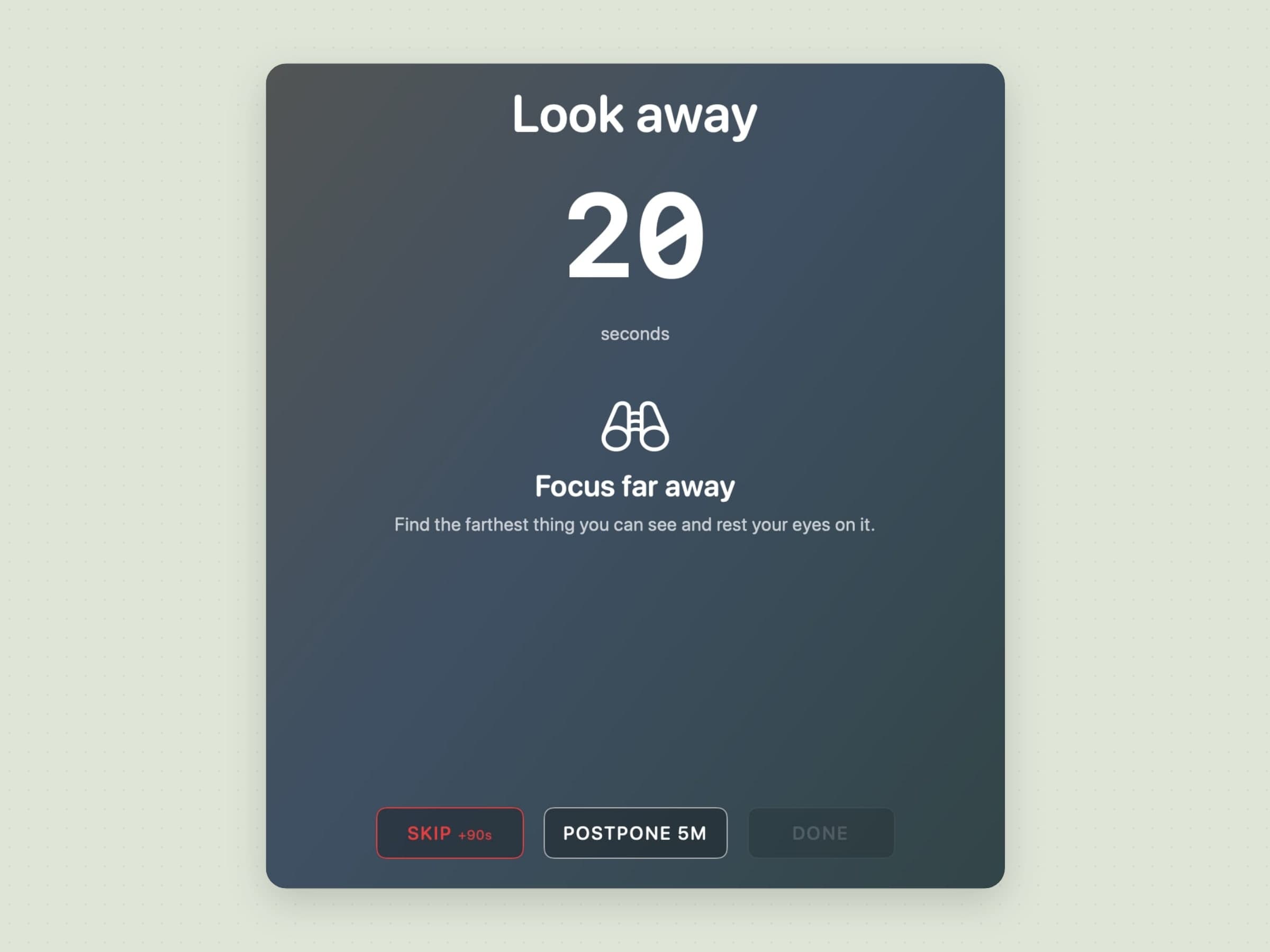
Recess runs eye-rest and stretch breaks on a schedule you set. When one is due, it fades in an overlay with a short guided exercise - look away, roll your shoulders, stand up - and then gets out of the way. There is a feature-by-feature tour in a 20-20-20 rule app for Mac.
The details that decide whether an app like this survives past week one:
- It respects Do Not Disturb and macOS Focus, so a break never lands on a screen you are sharing.
- It honors Reduce Motion, so the overlay is calm rather than an animation.
- Out of the box, breaks can be skipped or postponed; only strict mode, which you have to turn on, takes Skip away. A prompt you cannot dismiss is a prompt you will disable entirely, which is worse than one you sometimes ignore.
The underlying guidance is the 20-20-20 rule for eyes - every 20 minutes, look 20 feet away for 20 seconds - plus the plain fact that a body left in one position for three hours will complain about it.
Drinking water
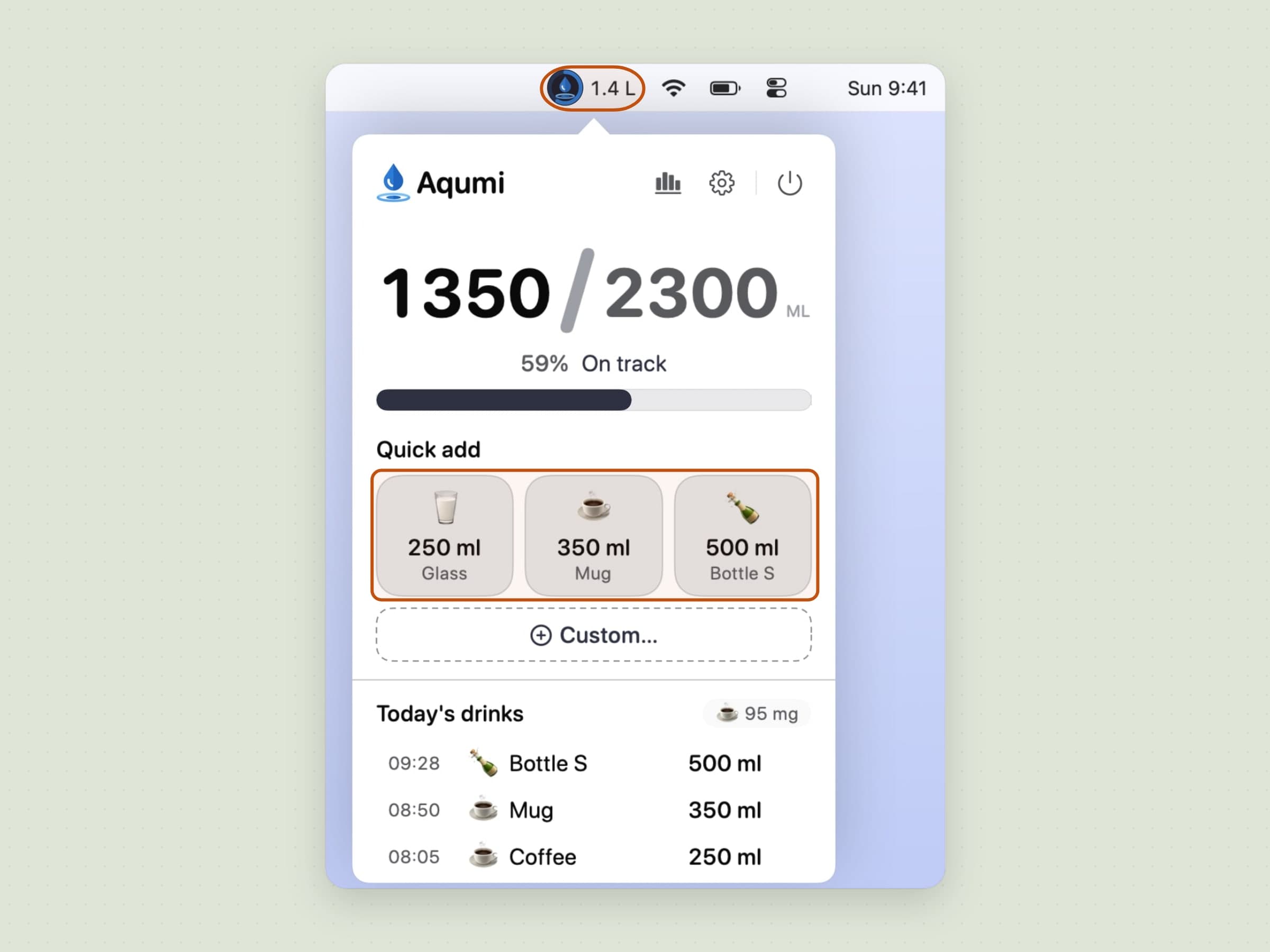
Aqumi is a hydration tracker that lives as a drop in the menu bar, with a ring around it that fills as you approach your daily goal. It computes a goal from your profile, takes one-tap logs in metric or imperial, and reminds you on the cadence you choose, silently or as a notification. The full tour is in a water reminder app for Mac.
It also knows when not to speak: quiet hours, a reminder that waits while you are on a call, presenting or mirroring your screen, and the option to log, snooze or mute directly from the reminder. Streaks, a month calendar and a year view are there if you find them motivating, a wrong entry can be fixed on any past day, and all of it stays on your Mac.
Where the alternatives win
Two neighbors deserve naming, and neither is a bad choice.
Stretchly is free and BSD-licensed, and runs on macOS 12 or later, Windows and Linux. Out of the box it is a 20-second mini break every 10 minutes and a 5-minute long break every half hour, with a warning 10 seconds ahead so a break never arrives mid-sentence. It watches idle time and pauses once you have been away for five minutes, and it respects Do Not Disturb. If you need the same break tool on every machine you touch, it wins outright on reach; being an Electron app is the trade it makes for that, and the trade shows in how little the overlay looks like a Mac.
Time Out has been reminding Mac users to stand up for about twenty years and is still the most configurable of these. It separates normal breaks - around ten minutes every hour - from micro breaks of roughly fifteen seconds every fifteen minutes, and you can add as many more schedules as you like, each with its own theme, sounds and scripts. It is free, with optional supporter purchases from $4.99 for three months up to $59.99 for life, and it is on Setapp. One thing to check before installing it: version 3.1 requires macOS 26, and the last build that runs on anything older is 2.9.7.
What the pair here buy instead are the native details - Focus and Reduce Motion respected, guided content in the overlay rather than a blank screen, a droplet in the menu bar rather than another dock icon - and a price that is paid once.
What macOS already does for free
Less of this than you would expect, and the gaps are worth knowing before you pay anyone.
Screen Time enforces app and website limits and a Downtime schedule, which is a different job: it caps how long you spend somewhere, it does not tell you to look away from the screen you are already staring at. Night Shift and True Tone shift color temperature, which is a sleep argument rather than a strain one - the muscle that aches after four hours is holding one focal distance, and no color filter changes that. Shortcuts can fire a timed reminder and a Focus mode can silence one, but neither gives you something you have to acknowledge before it goes away, which is the entire mechanism.
For water there is nothing on a Mac at all. The Health app on iPhone will log it if you tell it to, and telling it to is the whole problem.
What these are not
Neither app is a medical tool, neither writes to Apple Health, and neither sends anything to a server. There is no account, no sync and no data export to a wellness dashboard. They are timers with a good sense of when to stay quiet, which is the only form of this software that people keep installed.
Both run on macOS 14 or later, in English, Turkish, German, Spanish and French.
Side by side
| The job | Runs on | Price | |
|---|---|---|---|
| Recess | Eye and stretch breaks on two clocks | macOS 14+ | $2.99 one-time |
| Aqumi | A daily water goal with gentle reminders | macOS 14+ | $2.99 one-time |
| Stretchly | Mini and long breaks, everywhere | macOS 12+, Windows, Linux | Free, BSD |
| Time Out | The most configurable break schedule | macOS 26+ (2.9.7 below that) | Free, optional support |
| Screen Time | App and site limits, not breaks | Built in | Free |
Aqumi and Recess both come with a 30-day trial that needs neither a card nor an email address, and the license you buy afterwards is permanent.
Prices and features checked on 27 August 2026.

