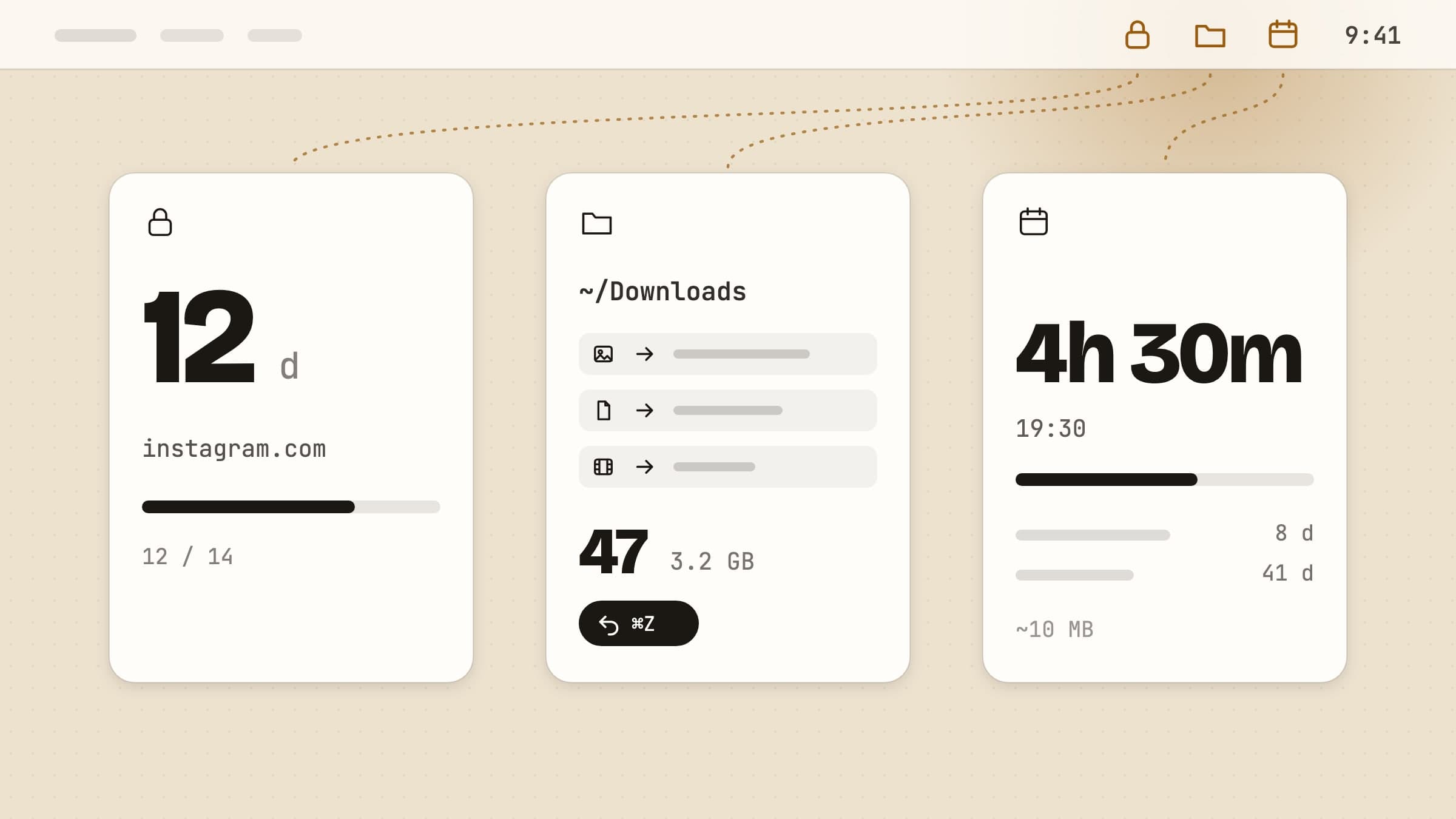
Three different annoyances
A utility earns its place by removing something you were doing by hand. These three target chores that are individually small and collectively expensive: the tab you keep opening, the Downloads folder you keep not sorting, and the date you keep half-remembering.
Blocking distractions
NoMore watches the frontmost app and the current browser tab, and when either matches your block list it steps in front - all day or only during the hours and days you set for it. A streak can have a daily allowance of a few minutes, and on Firm and Brutal opening anyway means sitting through a countdown.
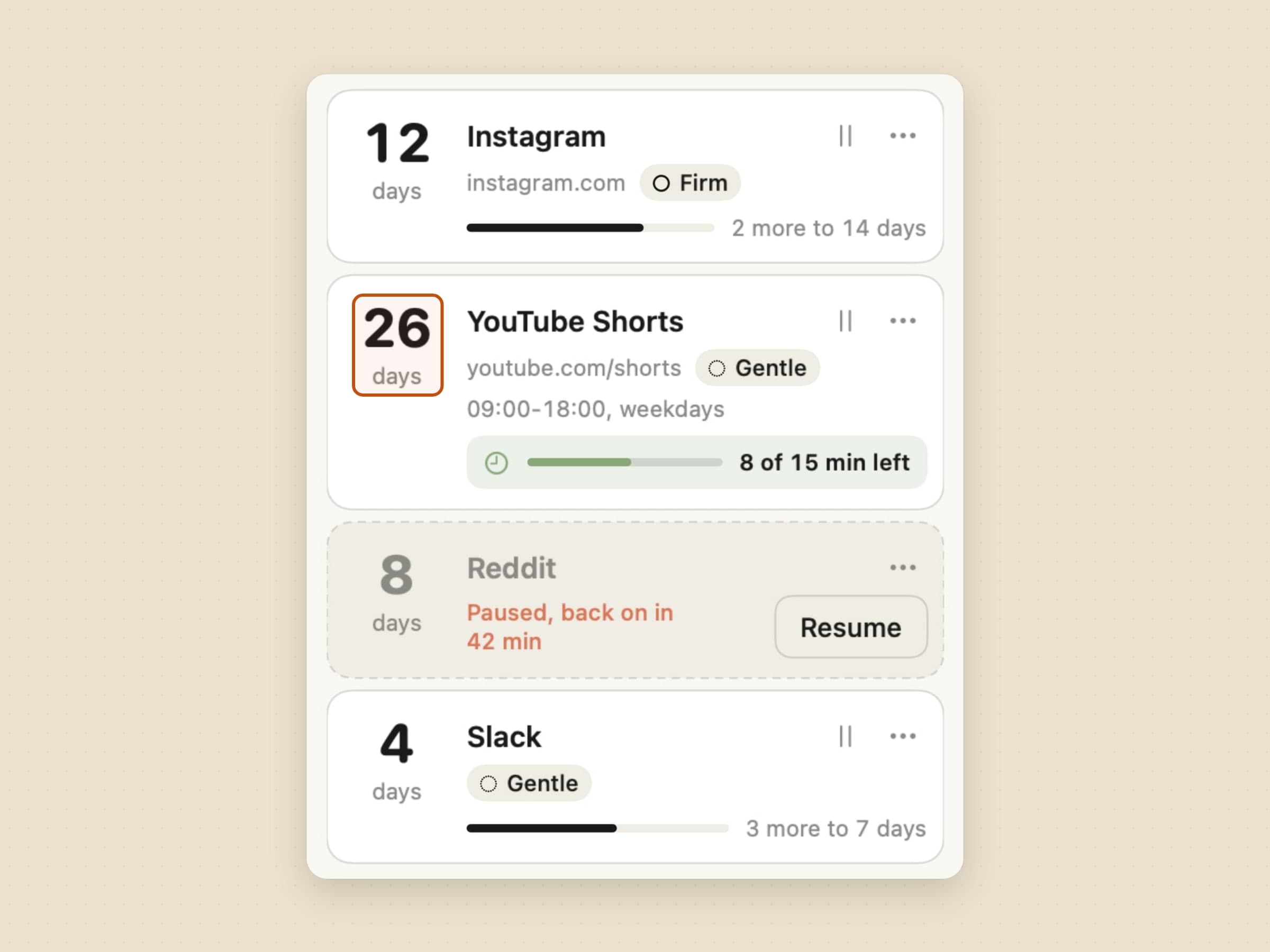
Two design decisions are worth knowing before you install it. First, everything is evaluated on your Mac: the URL of your current tab is compared against your list locally and is never sent anywhere. Second, it is bypassable on purpose. The job is to convert a reflex into a decision, and a blocker that traps you gets uninstalled the first time it is inconvenient at the wrong moment.
If your problem is starting work rather than drifting away from it, a timer is the better tool - see the focus apps. And for a survey of every way to block a site on a Mac, including the built-in ones, there is how to block websites on a Mac.
Organizing files
Sweep watches your Downloads folder and files things by rules you write: screenshots here, invoices there, disk images to the bin after a month. It runs quietly in the menu bar, and it also adds a Finder extension so you can trigger a rule on a folder directly. The full tour is in sorting files automatically on a Mac.
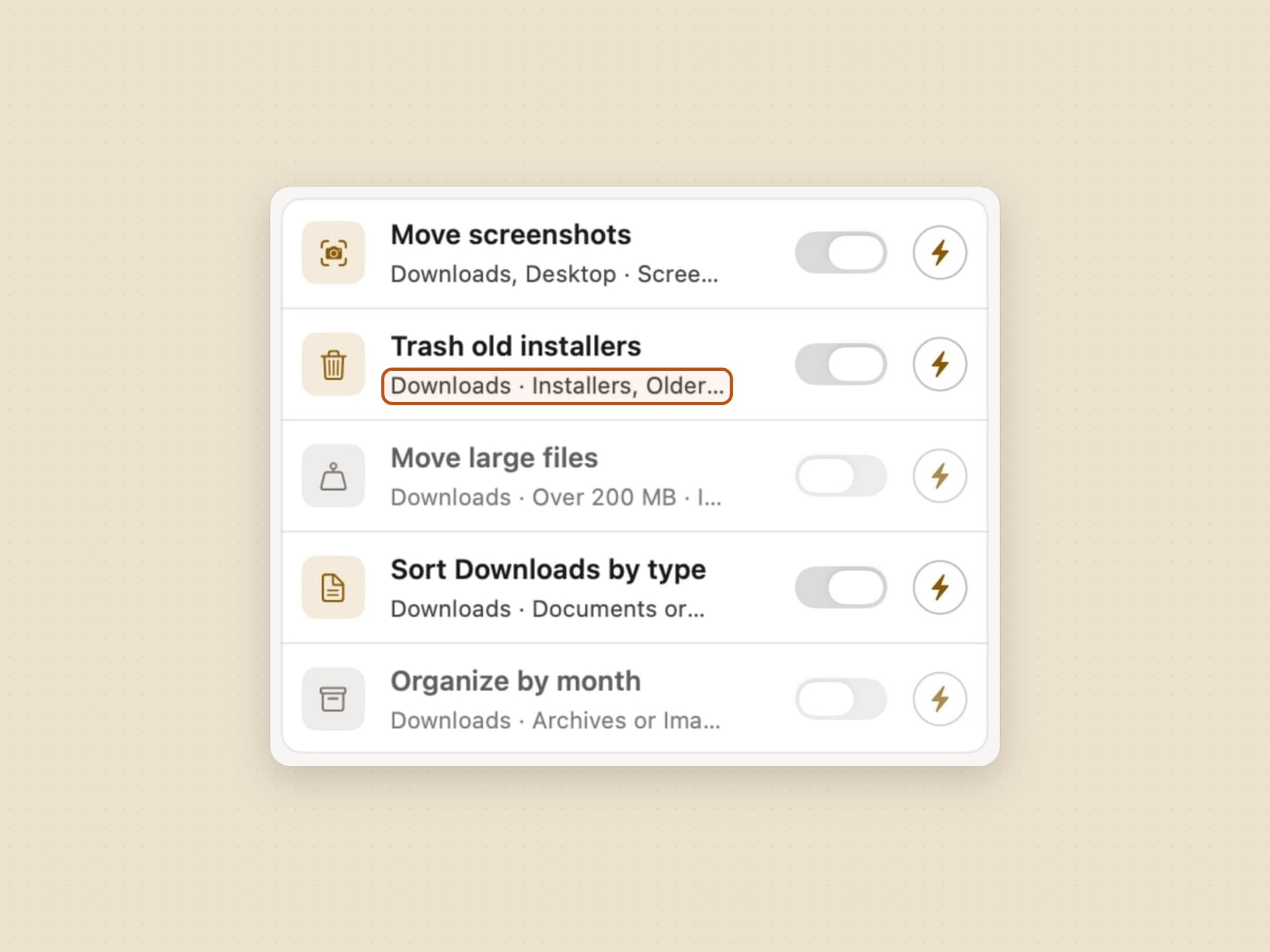
The important property is that every move is undoable, including bulk operations. Nothing is deleted, nothing is renamed silently, and there is a history you can walk backwards. Automation that touches your files is only worth having if reversing it is as cheap as running it.
The name to weigh it against is Hazel, which has been automating Mac folders for years and wins outright on depth: nested conditions, scripts, AppleScript hooks. Sweep's trade is plainness - conditions you can read at a glance, and undo on every batch - which is the right trade exactly when a rule language is the reason you never set the automation up.
Counting down
Await keeps the dates you actually care about in the menu bar - a launch, a flight, a birthday, a deadline - and counts down to them. When the moment arrives, it takes over the screen with a celebration rather than a notification you will swipe away without reading. It can also read your calendar, read-only, so a date already in there does not have to be typed in again - and for a meeting it digs the join link out of the invite itself. The next countdown also sits on the desktop as a widget. The tour is in an event countdown timer for Mac.
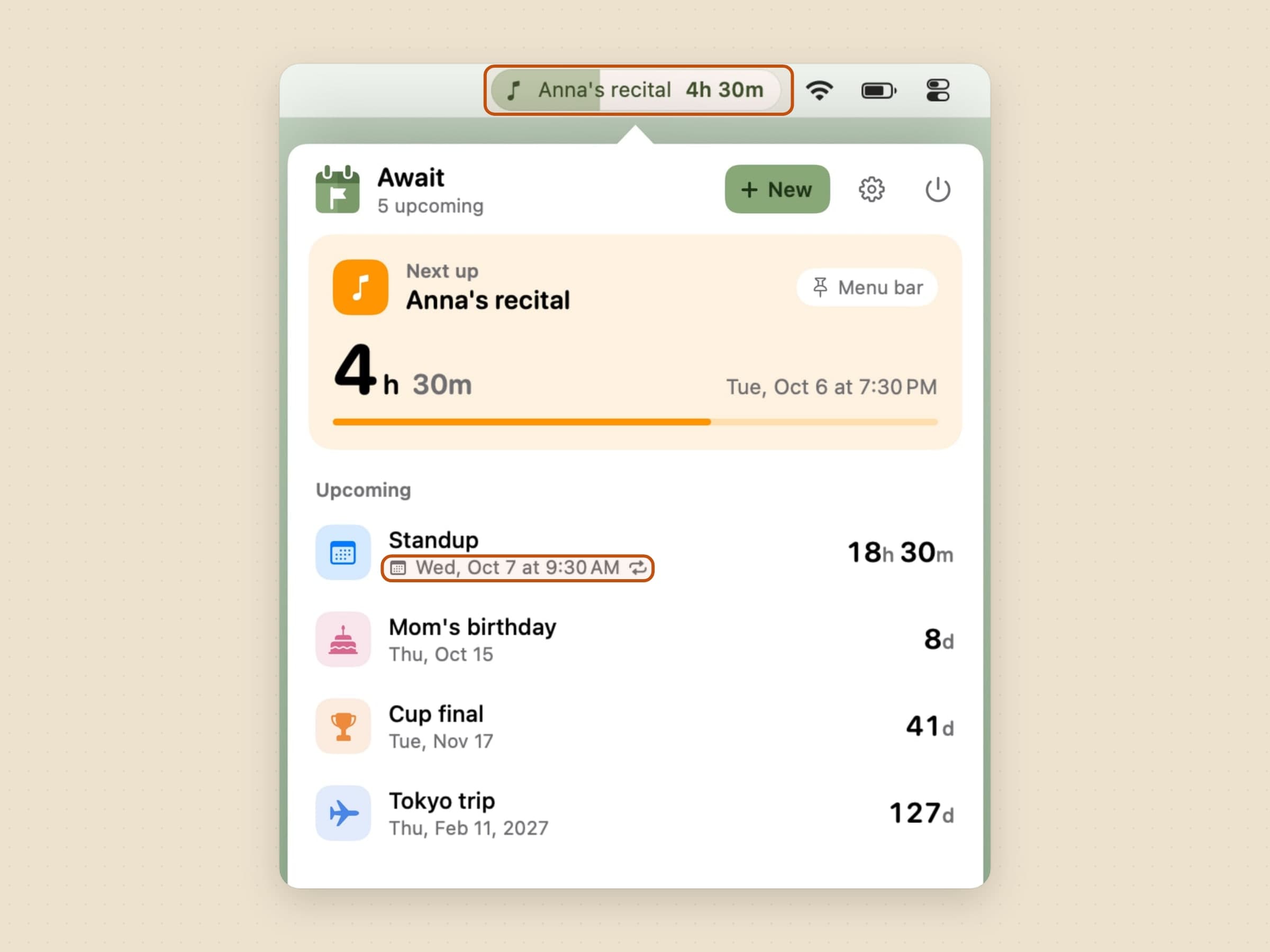
It is the smallest of the three at around 10 MB, it is $3.99 once, and it does exactly one thing.
What they have in common
All three are native macOS apps, signed and notarized, running on macOS 14 or later, in English, Turkish, German, Spanish and French. Sweep and Await are sandboxed; NoMore is not, because macOS will not let an app read a browser's current tab from inside the sandbox, and that is the whole job. None of them needs an account and none of them syncs anything. All three come with a 30-day trial that needs neither a card nor an email address, and the license you buy afterwards is permanent.
Where the alternatives win
Each of the three has an older, bigger competitor, and none of them is a bad buy.
Cold Turkey Blocker is the strict end of blocking: a free tier that blocks websites on a timer, and a Pro license at $45 once that adds app blocking, scheduling and a mode which locks the whole machine. SelfControl is free and open source and cannot be undone until its timer ends. Freedom, from $8.99 a month, is the one that also reaches the iPhone. The whole field is in Freedom alternatives for Mac.
Hazel, $42 once, is still the deepest file automation on the platform: scripts, custom patterns and App Sweep. The trade against Sweep is depth against a rule you can still read in September, and it is laid out in Hazel alternatives for Mac.
Fantastical and Dato both put your next calendar event in the menu bar and do far more with calendars than Await intends to. Await's narrower job is the date that is in no calendar at all, counted in its own time zone.
And macOS itself covers a surprising amount for nothing: Screen Time for limits, Folder Actions and Shortcuts for filing, Calendar for anything with an invitation attached.
Side by side
| The chore it removes | Price | Size | |
|---|---|---|---|
| NoMore | Opening a site by reflex | $4.99 one-time | ~25 MB |
| Sweep | Sorting Downloads by hand | $5.99 one-time | ~20 MB |
| Await | Half-remembering a date | $3.99 one-time | ~10 MB |
Prices and features checked on 27 August 2026.


