What Session is actually good at
Session, the Pomodoro focus timer from Translucent LLC, is a whole focus system built around a work interval. You state an intention, run the timer, let it block the apps and sites that pull you away, and when the session ends you write down what you learned and whether you got distracted. Over weeks that becomes a history you can filter by category, focus state or notes, a part its reviewers single out; two reviewers in 2026 credit it with helping their ADHD and time blindness. Its home is stayinsession.com.
The Session Pomodoro timer runs on the Mac (macOS 10.15 or later), on iPhone and
iPad (iOS 13.4 or later) and on Apple Vision, and Pro keeps them in sync in real
time, so a session started on the Mac can be finished on the phone. It has a
calendar view for time-blocking beside your sessions, syncs sessions one way to
Apple Calendar, sets your Slack status during a session, and can be driven by
AppleScript, Shortcuts and a session:/// URL scheme. It speaks English plus 22
languages. Version 2.13.48 shipped on 16 July 2026, and Session holds 4.8 from
364 US App Store ratings and 98% positive from 2,096 ratings on Setapp.
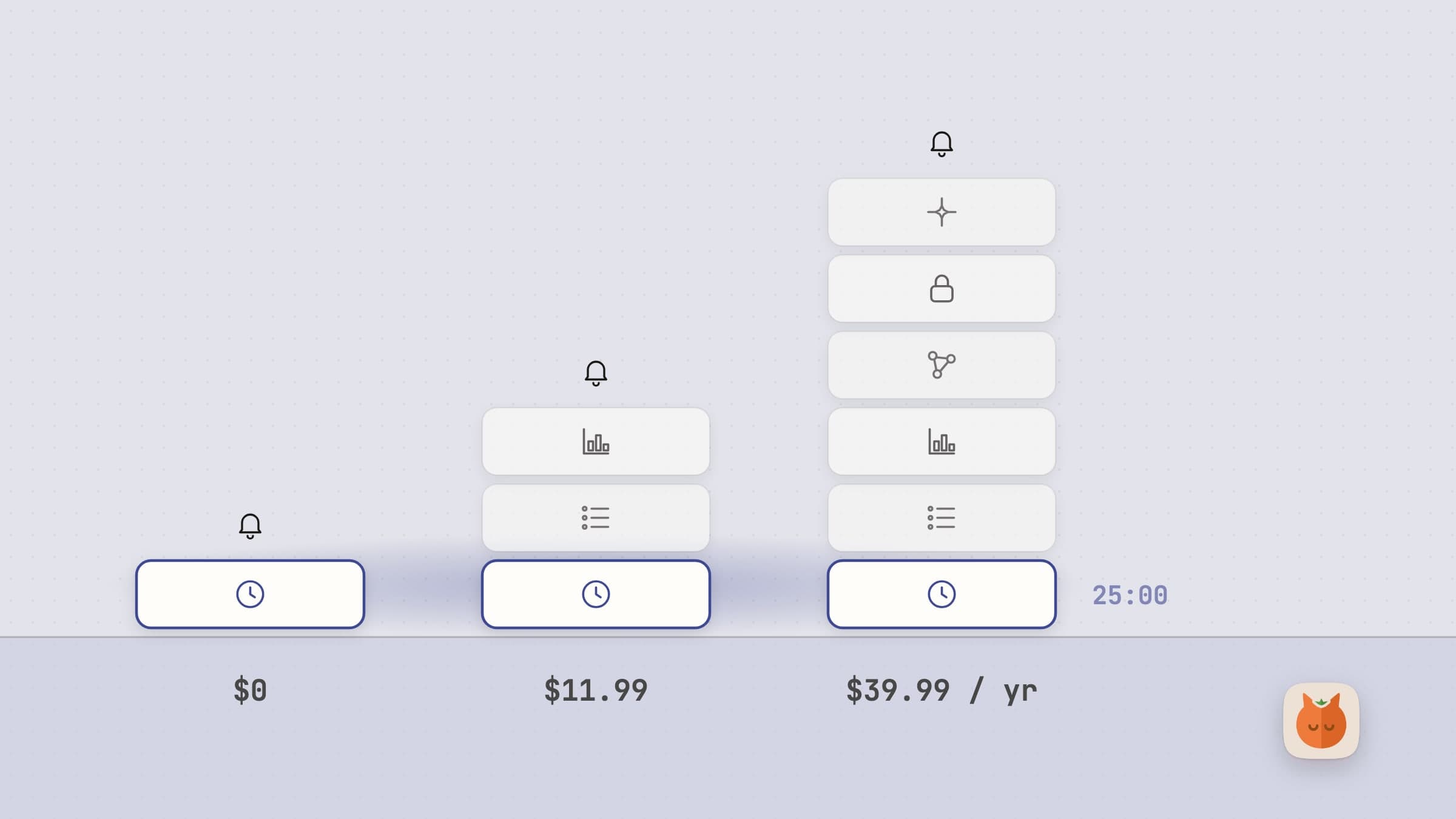
Session's free tier has unlimited sessions and analytics from the past two days. Session Pro is $4.99 a month or $39.99 a year, with a 7-day trial that needs an account but no card, and no lifetime plan. Pro adds custom lengths, the full session log, blocking, sync, dark mode, Slack, global shortcuts and automation. Session is also included in Setapp.
If you want a focus practice rather than a clock, with your phone in the same loop and a journal of every session, buy Session Pro and stop reading. The Session alternatives for Mac below are for people who mostly wanted the timer.
Why people go looking anyway
It is a subscription for a timer, and some basics are behind it. Custom work and break lengths, the history beyond two days and even dark mode are Pro, and Pro is a subscription with no one-off price: four years of the yearly plan is $159.96. US App Store reviewers called it not worth five dollars a month (October 2024) and expensive and not worth it (October 2025), reviewers in Spain, India and Canada asked for a lifetime or one-off price, and a German reviewer in June 2023 complained that setting the default time needed Pro. Session's FAQ says one-time purchases are "not sustainable" and its sync servers cost money.
It can be too much app for a 25/5 timer. "I just wanted a simple 25/5 timer. This one ain't it," wrote a Canadian reviewer in December 2024. Other recent reviews describe a notes and calendar pane that takes half the window, too many taps to end and submit a pomodoro, and confusion between categories and intentions. Even happy reviewers in 2026 mention a learning curve.
Sync between the Mac and the iPhone can drift. Session's support page says the iOS app syncs only while it is in the foreground, so ending a session on the Mac does not end it on the iPhone, and widgets can show old data. A UK reviewer in April 2024 describes exactly that, an iPhone still running a session that ended on the Mac, and an Australian reviewer in April 2025 found the apps out of sync after paying for sync.
An account comes first. The trial, Pro, sync and Setapp activation all need a Session account by email, and accounts expire yearly and ask you to sign in again. A French reviewer in October 2025 never received the sign-up email, "for a simple timer", and a Setapp user in India had to create a Session account before Pro would unlock.
What macOS already does for free
macOS has a plain countdown built in. The Clock app came to the Mac with macOS 13 Ventura, and its timer shows the time left in the menu bar; on macOS 27 Apple's guide describes several named timers, a sound per timer, presets and a Repeat option. Focus silences notifications on a schedule or by hand, and Session itself uses Shortcuts to switch one on when a session starts. Screen Time limits apps, categories and websites, which is a cap on time rather than a rhythm of work and rest.
That covers twenty-five minutes and a chime. It stops at the break: nothing in macOS makes a break harder to ignore than a notification, and nothing keeps a history. If you keep working through the chime, read on.
Pawodoro: a timer you pay for once, and a break that takes the screen
Pawodoro is a menu bar Pomodoro timer for the Mac that ends every work interval with a full-screen cat video on every display. It is $3.99 once, with a 30-day trial that needs no card and no email, and every feature is in that one price; a license from our site covers up to 3 Macs. It runs on macOS 14 or later, comes from the Mac App Store or our site, lives in the menu bar with no Dock icon, and is in English, Turkish, German, Spanish and French. There is no account and no sign-in screen, and the only permission it asks for is notifications.
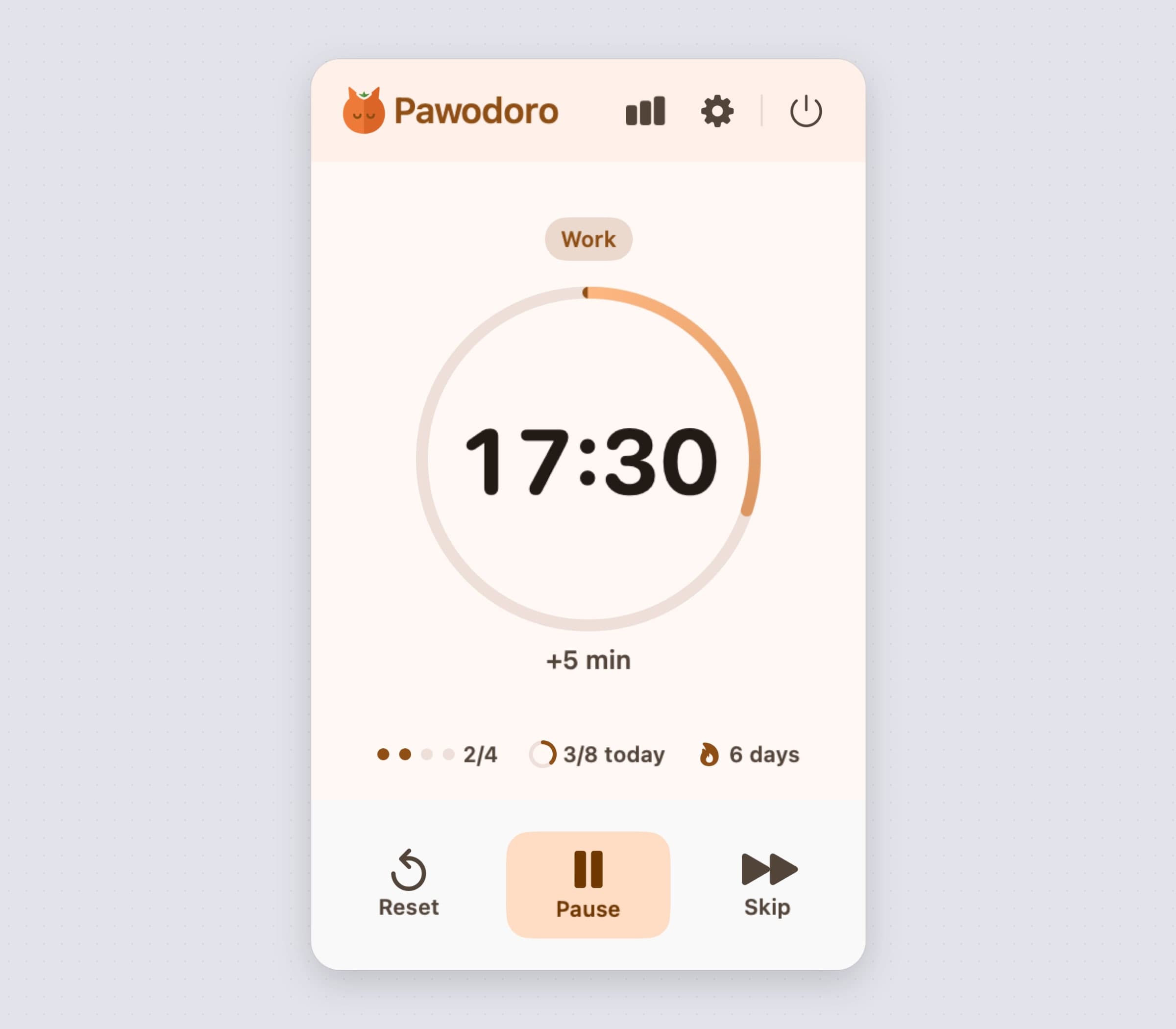
The menu bar pill shows the cat mark and the countdown, and fills with the phase's colour as each phase runs; Menu bar shows switches it to Icon only if you would rather not see the clock. Click it and the panel has the phase, a ring timer, +5 min, the cycle dots, your progress towards a daily goal, your streak, and Reset, Pause and Skip. Three global shortcuts, Start / pause, Skip phase and Add 5 minutes, are unbound until you pick keys. A small or medium widget for the desktop or Notification Center shows the phase, the countdown, today's goal and the next break; it only shows, with no buttons of its own.
The break covers every display, and ESC lets you out
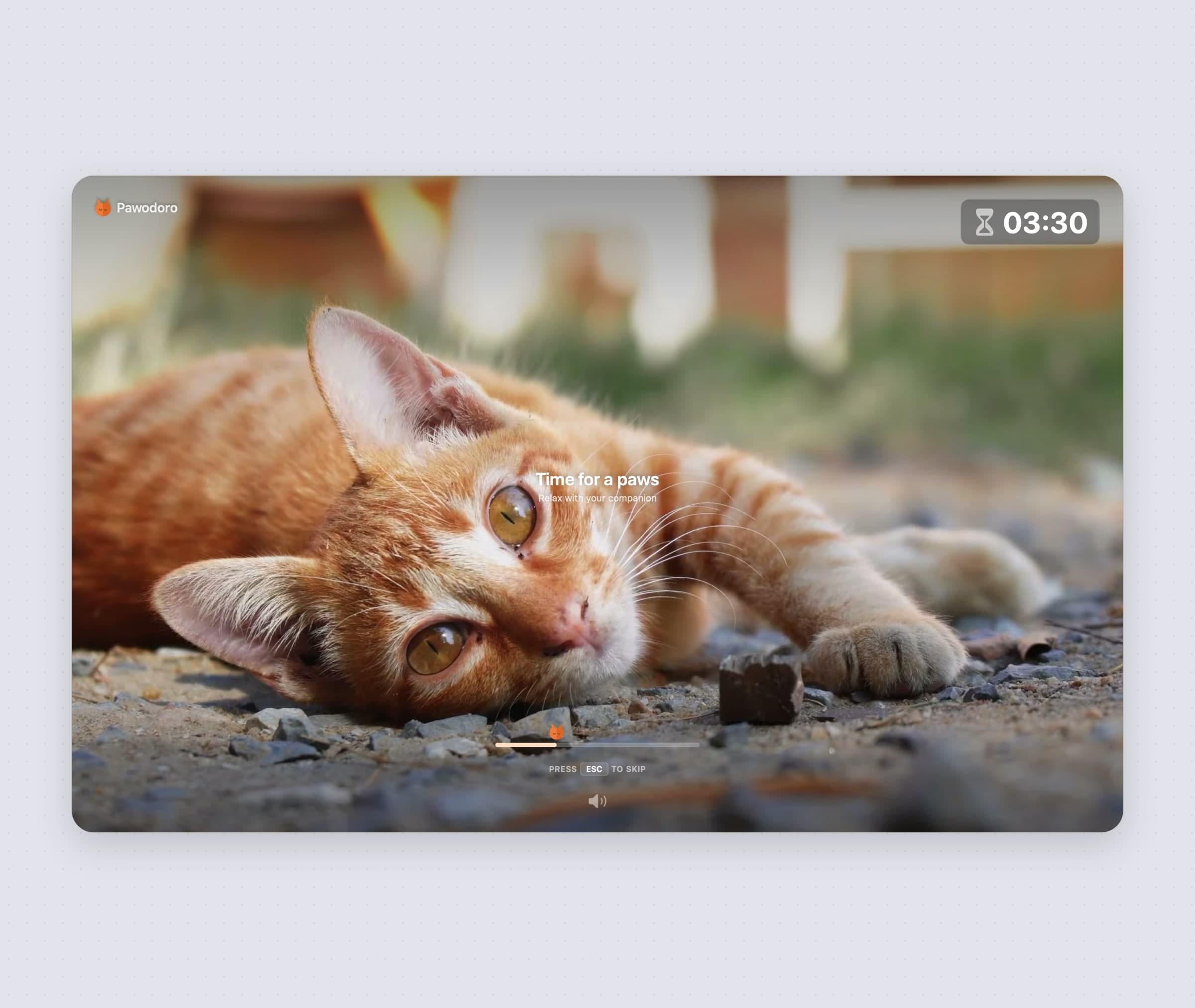
When a work interval ends, Pawodoro opens a borderless window on every connected display and plays a looping cat video, with the time left in a chip in the top right corner, a paw progress bar, and Time for a paws across the middle. The window sits above full-screen apps and every Space, and if you plug in or unplug a display, the break rebuilds itself on the new set. A Glass chime marks the start of the break and Pop the start of work, and 5 more minutes on the break screen gives the break more time. Session ends a phase with notifications and an optional window on top; Pawodoro makes the break the only thing on the screen.
Nothing is locked. ESC skips the break at any time, and the Press ESC to skip hint fades after five seconds. A break you have to dismiss on purpose gets taken more often than a banner you swipe away.
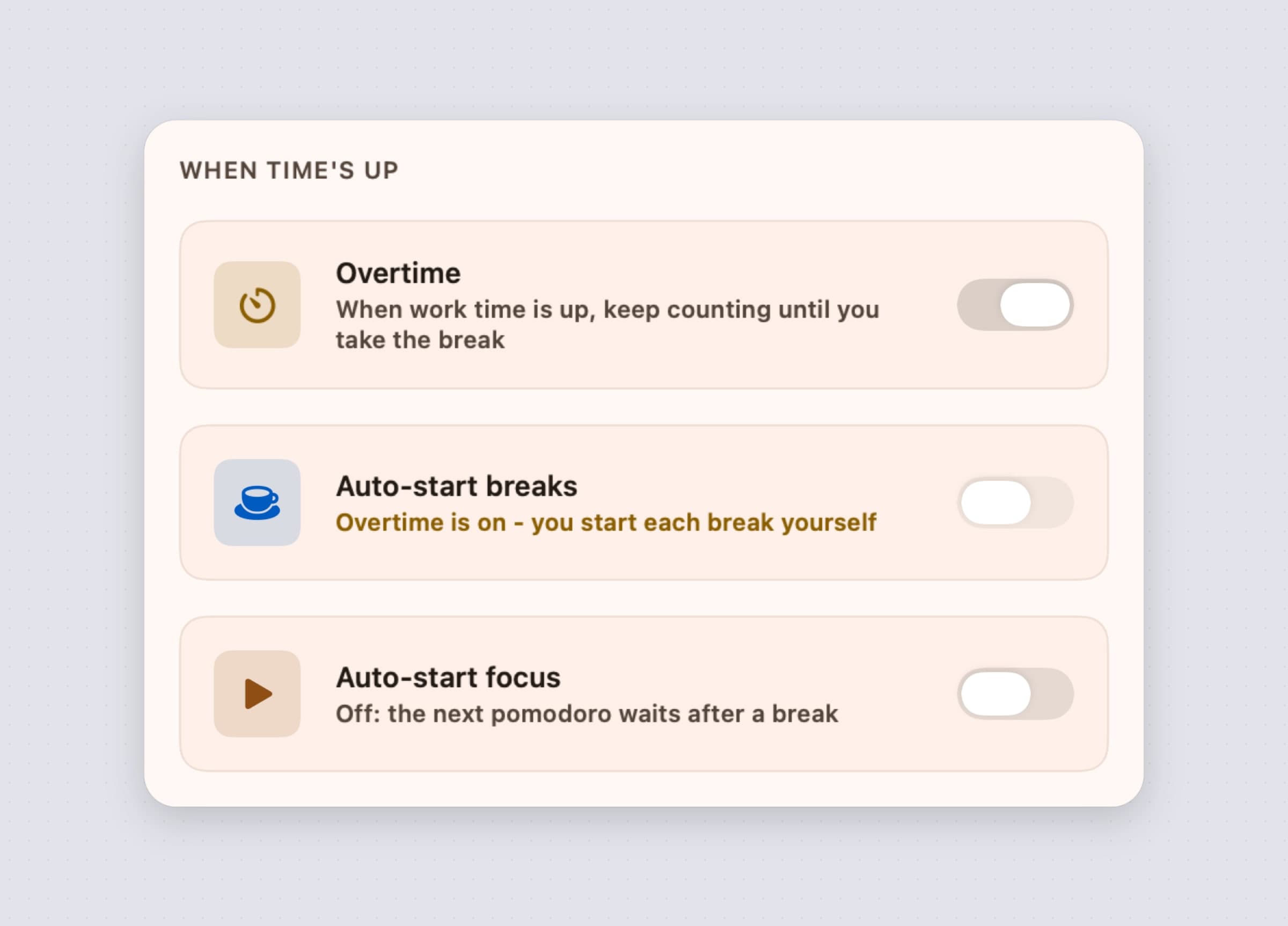
The honest limit: there is no setting to turn the full-screen break off, so if you only want a chime, Pawodoro is the wrong timer. It is not a strict mode either; ESC always works, and a break you skip is simply logged as skipped. If Auto-start breaks is off, a break waits for you with a banner, a chime and Break ready in the menu bar, and takes the screen once you start it. With Overtime on, work keeps counting past zero until you take the break, and the break takes the screen the moment you do.
Cats by default, your own videos if you prefer
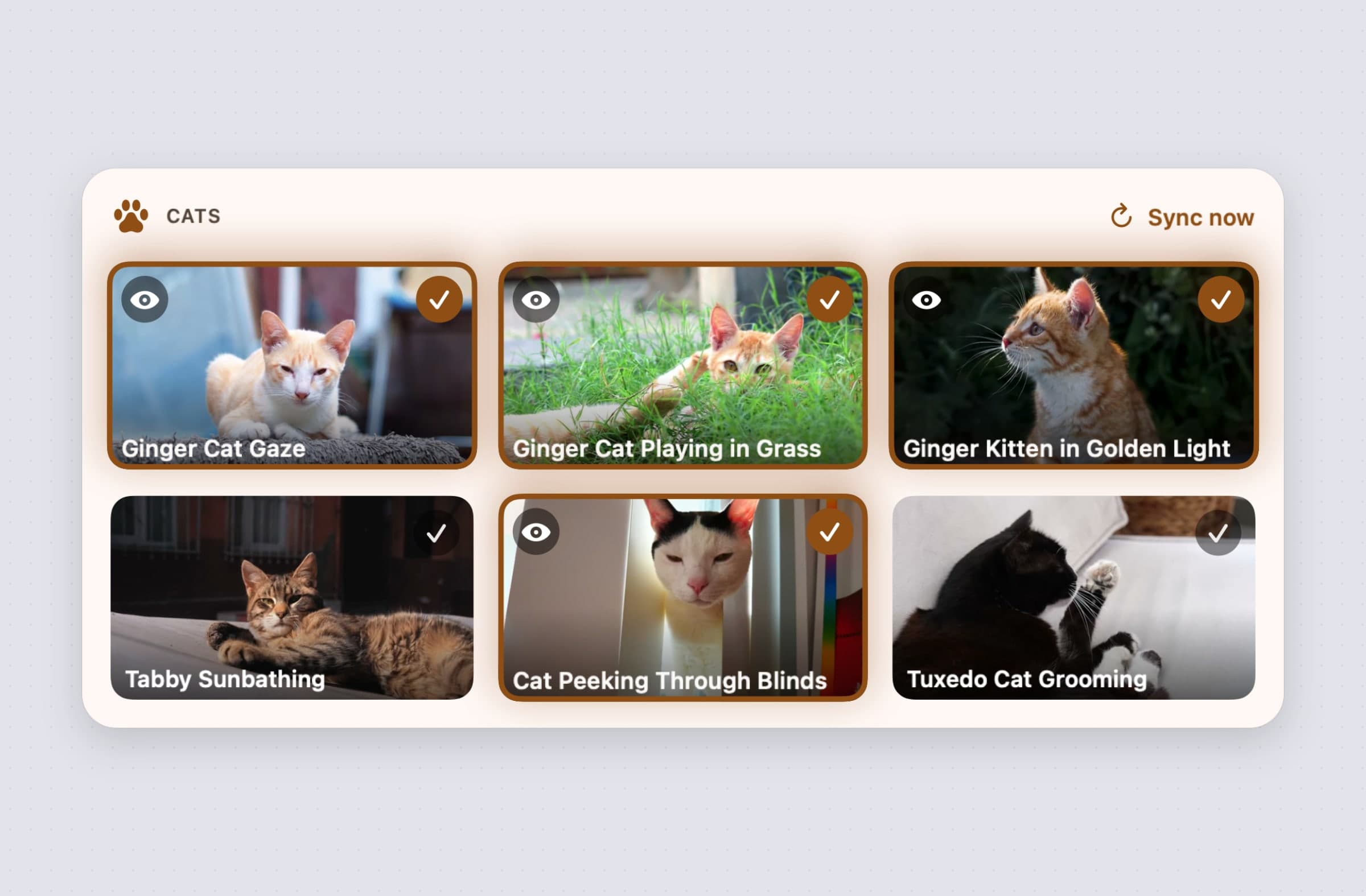
Pawodoro's break videos come from a cat library on our server: 13 clips today, in 1080p, with the audio removed so a break is quiet. On a fresh install the first six download in the background, the library list refreshes each time the app launches, and the Cats page lets you preview any clip and tick the ones you want. Each break plays one of the ticked cats at random and avoids repeating the last one. Once a clip is downloaded it plays with the network off.
If you would rather see your own dog or a beach, Add video opens a file picker for MP4 and MOV files. Pawodoro keeps a reference to the file, does not copy it, and never uploads it.
The honest limit: no clips are built into the app, so the very first break needs the library to have downloaded, and with no network on the first day the break shows a plain background. There is no drag and drop for your own videos, and as soon as one of your own videos is selected, the cats stop playing. There is no music, white noise or ticking sound.
Lengths, overtime and auto-start, without a Pro tier
Session's free tier suggests 25 or 45 minutes, and custom lengths are Pro. Pawodoro's Timer settings have three presets, Classic 25/5, Flow 45/15 and Deep 50/10, and you pick your own lengths from a list: work from 15 to 90 minutes, a short break from 3 to 20, a long break from 10 to 60, and 2 to 8 cycles before the long one. A Custom tile lights up when your lengths match no preset, and a daily goal of 2 to 16 pomodoros, or none, shows its progress in the panel and the widget.
When time's up decides what happens at zero. Overtime, off by default, keeps counting past the end of work until you take the break, with a notification that offers Take a break or 5 more minutes; after an hour of overtime the timer pauses itself and asks if you are still working. Auto-start breaks and Auto-start focus decide whether the next phase starts on its own or waits for you. +5 min adds five minutes to work or a break from the panel, the break screen, a notification or a shortcut. Only minutes the timer actually ran count as focus: sleep the Mac through a work interval and the timer pauses, and a session cut short by quitting is logged as interrupted.
The honest limit: lengths come from fixed lists, so 37 minutes is not an option, and there is no choice of chime. Pawodoro does not notice when you walk away without sleeping the Mac; work keeps counting.
Every session you ever ran, kept on your Mac
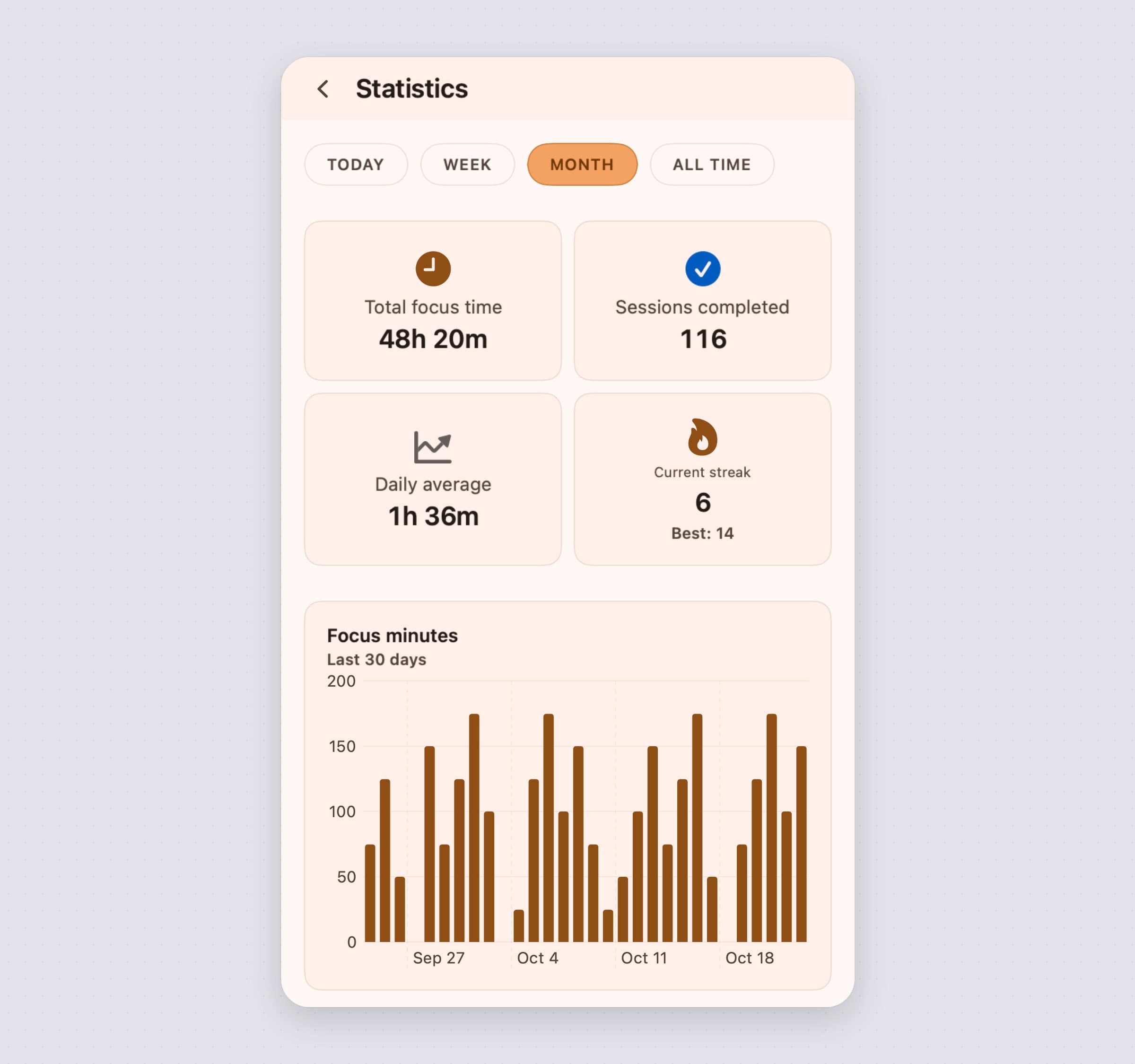
Session's free tier shows the past two days and keeps the full log for Pro. Pawodoro's Statistics, one click from the panel, has four ranges, Today, Week, Month and All time, and All time reaches back to the first session you ever ran. Each range shows total focus time, sessions completed, the daily average and your current and best streak, with a Focus minutes chart that follows the range, a heatmap of the last 16 weeks below it, and Export CSV, which writes the type, duration, status and start time of every session in the range.
The history is a local database on your Mac. There is no account, no server copy and no sync, and nothing deletes it over time. Pawodoro does send anonymous usage counts, such as app launches, and crash reports, and the version from our site checks its license and updates online; no session, timer or statistic is ever sent.
The honest limit: a session in Pawodoro is a time and a status, nothing more. There are no intentions, categories, tags, notes or reflections, so you cannot ask Pawodoro what you worked on. The Recent logs table shows the latest eight sessions only, with no editing or deleting, and there is no in-app way to clear the history. The full record is in the CSV.
Session vs Pawodoro, feature by feature
| Session | Pawodoro | |
|---|---|---|
| Price | Free tier; Pro $4.99 a month or $39.99 a year, no lifetime | $3.99 once; a license from our site covers up to 3 Macs |
| Trial | 7 days of Pro, account needed, no card | 30 days, no card or email |
| Platforms and sync | Mac, iPhone, iPad and Apple Vision, real-time sync on Pro | Mac only (macOS 14+), no sync |
| Account and data | Account for the trial, Pro and sync; data on Session's server | No account; history stays on the Mac |
| Work and break lengths | 25 or 45 minute suggestions; custom lengths on Pro | Three presets and lengths from a list, in the base price |
| The break | Notifications and an optional window on top | Full-screen video on every display, ESC skips |
| History | 2 days free, full log on Pro, CSV or JSON export | All time, 16-week heatmap, CSV of any range |
| Blocking | Apps and websites on Mac and iOS on Pro, not Firefox | None |
| What you were doing | Intentions, coloured categories, notes, a reflection prompt | Nothing beyond time and status |
| Calendar and Slack | Calendar view, Apple Calendar sync; Slack status and mute on Pro | None |
| Automation | AppleScript, Shortcuts triggers, URL scheme on Pro | Three global shortcuts; no Shortcuts actions |
| Languages | English plus 22 | English, Turkish, German, Spanish, French |
Session wins on everything around the timer: the phone, the blocking, the calendar, Slack, the journal and 23 languages. Pawodoro wins on the timer and the break themselves: a break you cannot miss on any display, custom lengths and the whole history without a subscription, and no account.
Other alternatives worth knowing
Flow from Yugen GmbH is the closest like-for-like to Session: a free Pomodoro timer on the Mac App Store for Mac, iPhone, iPad, Apple Watch and Apple Vision, with app and website blocking, Apple Calendar and Health sync and statistics synced through iCloud. Pro is $2.99 a month, $17.99 a year or $39.99 once for lifetime, which Session does not offer. The current version, 5.0.0 from 26 October 2026, needs macOS 26 or later.
Be Focused Pro from Denys Ievenko is $19.99 once on the Mac App Store, for macOS 12 or later. It pairs the timer with tasks, reports with CSV export, app and website blocking in Safari, Chrome, Edge, Opera and Brave, Shortcuts, widgets and global hotkeys. It syncs with an iPhone only through the separately sold iOS Pro app.
TomatoBar from Ilya Voronin is free and open source under the MIT license: a
menu bar timer with a global hotkey, a JSON log of every event and
tomatobar:// links, sandboxed with no entitlements. Its Homebrew cask was
disabled on 1 September 2026, so download it from the GitHub releases page
instead.
Focus To-Do from Shenzhen Tomato Software is free on the Mac App Store with Premium at $3.99, or $11.99 for lifetime. It puts the timer inside a task manager with projects, subtasks, reminders and reports, and its listing says it syncs with iPhone, iPad and Watch.
Session blocks and Pawodoro does not, on purpose. If the reflex to open a site is the real problem, pair a timer with NoMore, our Mac blocker, and see Freedom alternatives for Mac and how to block websites on a Mac. If you want the reward to be a cat that lives on your screen rather than a video, CatPod is the virtual pet for the Mac. The best Pomodoro timers for Mac and the best focus apps for Mac cover the wider field.
When Session is still the right choice
Stay with Session if your phone is half of your focus problem, because Pawodoro has no iPhone or iPad app and nothing on the Mac reaches the phone. Stay if you rely on its blocking during a session, if you write an intention before and a reflection after every pomodoro, or if you filter your history by category to see where the week went. Stay if your sessions live in Apple Calendar, if your team reads your Slack status, or if a Shortcut starts your sessions. And if you pay for Setapp anyway, Session Pro is already included.
Switching from Session
- Export your history from Session as CSV or JSON, with names, categories, durations, pauses, times and notes. Pawodoro cannot import it, so keep the file as your record.
- Cancel Pro where you bought it: in your Apple Account subscriptions for an App Store purchase, in Session's Settings > Account > Manage Billing for the direct download, or in Setapp.
- Install Pawodoro from the Mac App Store or our site, and allow notifications when it asks. Start it once with the network on, so the first cats can download.
- Set your rhythm in the Timer settings: pick the preset or the lengths closest to what you ran in Session, the cycles before the long break and a daily goal.
- Decide what happens at zero: turn on Overtime if you like to finish a thought before the break, and turn off Auto-start focus if you want each pomodoro to wait for you.
- Replace the blocking if you used it, with NoMore or with Screen Time's limits, and set a shortcut for Start / pause in General if you started sessions from the keyboard.
- Delete your Session account in Settings > Account > Delete Account if you want your data gone from Session's server; Session processes deletions once a week.
Your intentions, categories, notes, calendar links, blocking lists and the iPhone do not carry over, and neither does the history. Setting up Pawodoro takes about ten minutes. The Pawodoro guide walks through every setting, and the best Mac apps for ADHD puts timers beside the other tools that help with time blindness.
Side by side
| Tool | Shape | Break | Platforms | Cost |
|---|---|---|---|---|
| Session | Focus system with blocking and reflections | Notifications, optional window on top | Mac, iPhone, iPad, Apple Vision | Free tier; Pro $4.99 a month or $39.99 a year |
| Clock app | Built-in countdown | A sound when it ends | Mac (macOS 13+) | Free |
| Flow | Focus timer with blocking | Not described | Mac (macOS 26+), iPhone, iPad, Watch, Vision | Free; Pro $2.99 a month, $17.99 a year or $39.99 lifetime |
| Be Focused Pro | Timer with tasks and blocking | Not described | Mac (macOS 12+), iOS app sold separately | $19.99 once |
| TomatoBar | Open-source menu bar timer | Not described | Mac | Free |
| Focus To-Do | Timer inside a task manager | Not described | Mac (macOS 10.12+), iPhone, iPad, Watch | Free; Premium $3.99 or $11.99 lifetime |
| Pawodoro | Menu bar timer with a full-screen break | Full-screen video on every display, ESC skips | Mac (macOS 14+) | $3.99 once |
Pick by what fails. If it is your phone, it is Session or Flow. If it is a site you open by reflex, add a blocker to any timer. If it is a list of tasks, Be Focused Pro or Focus To-Do. And if it is the break itself, the chime you click away, a break that takes the whole screen for $3.99 once is usually the change that sticks.
Prices and features checked on 30 October 2026.


