Two ways for a Mac to see you slouch
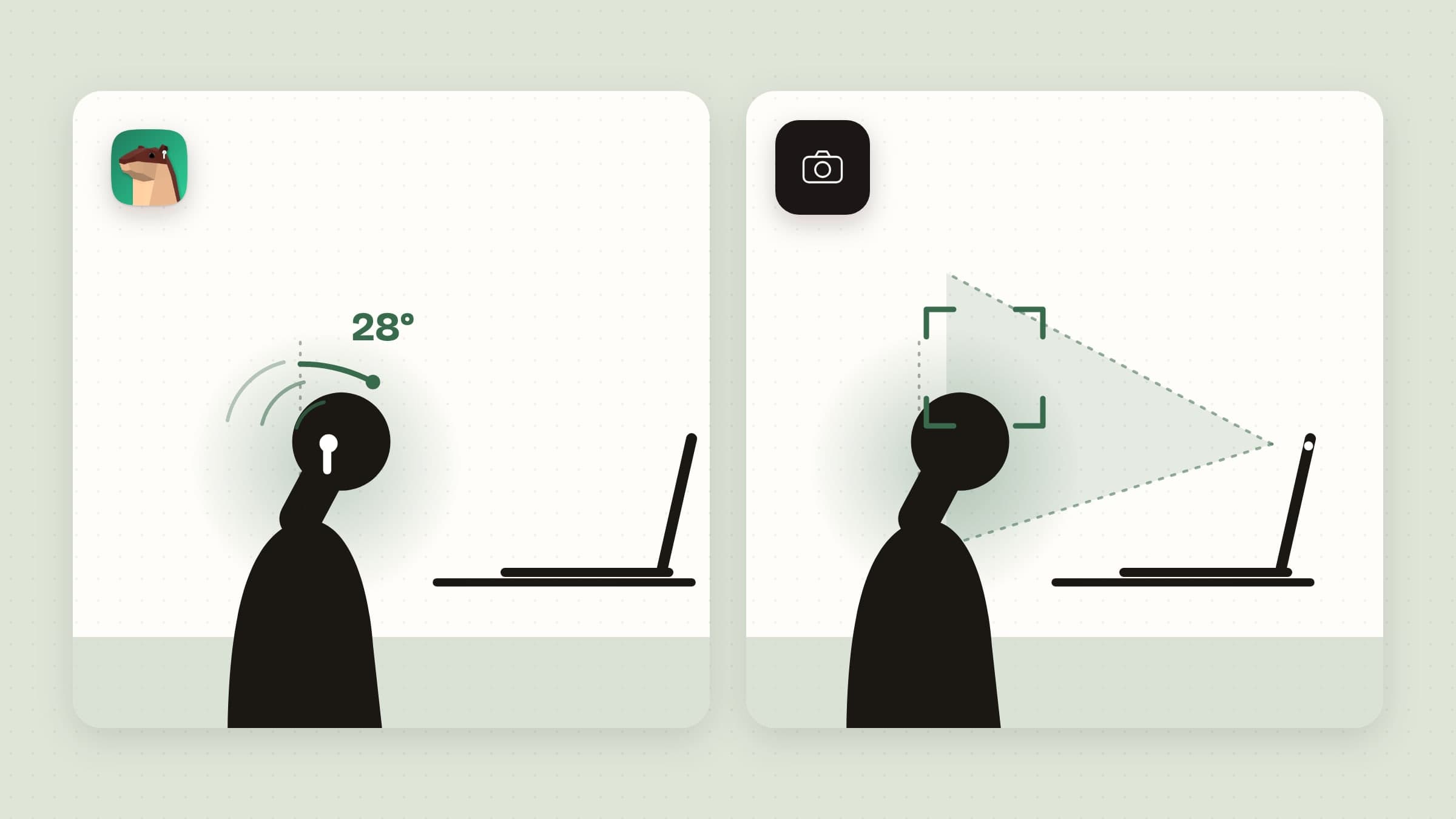
A Mac has no idea how you are sitting. Every posture app has to borrow a sensor, and there are only two on most desks: the camera above the screen, which sees your head and shoulders, and the motion sensors in AirPods, which feel your head tilt. Which one an app uses decides almost everything else about it - what it can see, what it costs you in privacy and battery, and whether it works at all on your setup.
This roundup sorts the Mac posture apps worth knowing by that line, says what each one does when you slouch, and where each one beats the others.
Side by side
| Sensor | When you slouch | Runs on | Price | |
|---|---|---|---|---|
| Poise | AirPods | A fog rises from the bottom of the screen; neck breaks | macOS 14+ | $11.99 one-time |
| Podsture | AirPods | A notification, at an interval you pick | macOS 14.6+ | $2.99 |
| AirPosture | AirPods | A sound | macOS 14+, Apple Silicon | $17 one-time, one Mac |
| Dorso | Camera or AirPods | The screen blurs, harder the worse it gets | macOS 13+ | Free, MIT |
| SitApp | Camera | A nudge window, an overlay or full screen | macOS 12+, Apple Silicon | Free for 60 min a day, Pro in-app |
The AirPods apps: no camera, only the head
AirPods with head tracking - Pro, 3rd generation and later, Max and some Beats - report their tilt to the Mac many times a second. An app reading them knows exactly how far your head has dropped, needs no camera light and works in the dark. What it cannot see is the rest of you: a rounded back under a level head looks fine.
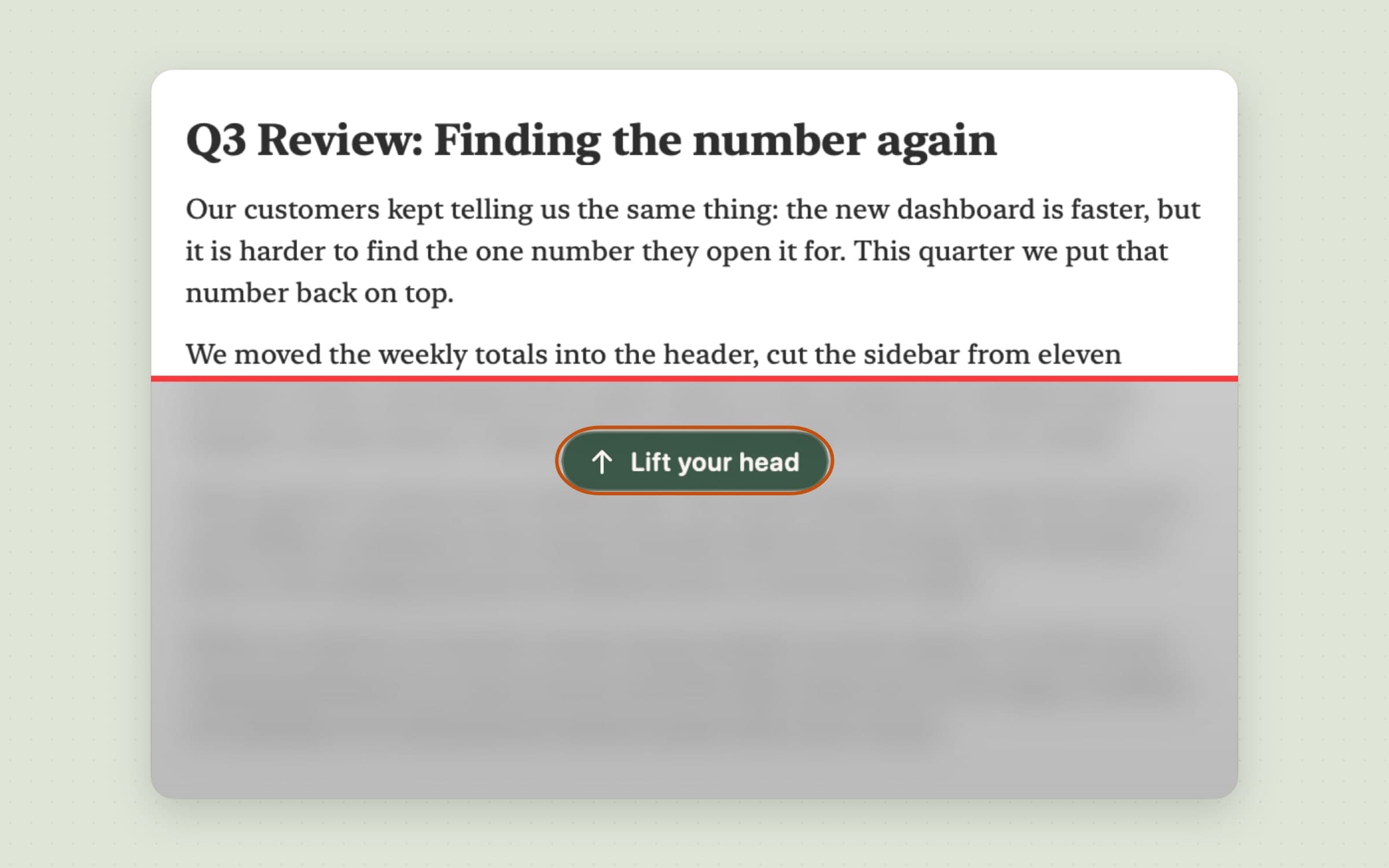
Poise is the one we make. It learns your upright by itself instead of asking you to calibrate, and its alert is a veil: a blurred, shaded fog that rises from the bottom of the screen while your head stays down, higher the further it drops, and drains as soon as you sit up. It also keeps an estimate of neck load and offers a guided three-minute neck break before the neck aches, with the AirPods counting the reps. Statistics, a widget and Shortcuts come with it, and it keeps quiet during calls. The walkthrough is in a slouch reminder for Mac that reads your AirPods.
Podsture is the plain, cheap version of the idea: one-click calibration, an optional tilt angle in the menu bar and a notification when you have been slouching, either straight away or every one to thirty minutes.
AirPosture plays a sound when your head stays outside the range for too long, after a five-second calibration. It is a one-time purchase for one Mac with a year of updates, and it needs Apple Silicon.
The camera apps: they see your back, and they see you
A camera sees shoulders and the distance to the screen, so it can catch a slump the AirPods miss, and it works with any headphones or none. The cost is the camera light being on all day, a camera that has to have a clear view, and more work for the Mac.
Dorso is open source and does what its README says: it blurs the screen when you slouch, more the worse it gets, and clears when you sit up. It started with the camera and now reads AirPods too. It is free from GitHub or Homebrew, and also on the App Store.
SitApp trains a small model on your own good and bad posture and nudges you with a mini window, an overlay or the full screen. It adds break reminders and daily and weekly summaries. Up to sixty minutes a day are free; longer needs Pro.
Where the alternatives win
- Price. Dorso is free and open source, and Podsture costs less than a coffee. If a notification or a blur is all you want, you do not need to pay more.
- No AirPods. If you work with wired headphones, other Bluetooth headphones or none at all, a camera app is the only kind that can work. Poise, Podsture and AirPosture cannot.
- The whole body. A camera can tell a rounded back from a straight one. An AirPods app only knows where the head is.
- Older Macs. Dorso's camera mode runs back to macOS 13, SitApp to macOS 12.
Where Poise wins is what happens after the alert: an alert that rises and falls with your head instead of a ping, a neck-load estimate that says when to stop, and a break the AirPods check.
What macOS already does for free
Nothing, for posture. There is no setting in macOS that watches how you sit. An Apple Watch has stand reminders every hour, which is about sitting still, not sitting badly. If what you actually need is to get up more often, a break timer is the better tool: Recess runs eye and stretch breaks on two clocks, and Stretchly does it for free. Both are compared in desk health apps for Mac.
What these are not
None of these apps is a medical device, and none of them treats back or neck pain. They are reminders: they make you notice a habit you cannot feel while you are concentrating. If something already hurts, see someone who can examine it.
Most of the paid apps here can be tried before you buy, or refunded: Poise has a 30-day free trial without a card, SitApp is free for an hour a day, and AirPosture offers a 30-day money-back guarantee.
Prices and features checked on 24 October 2026.

