Where the space actually goes
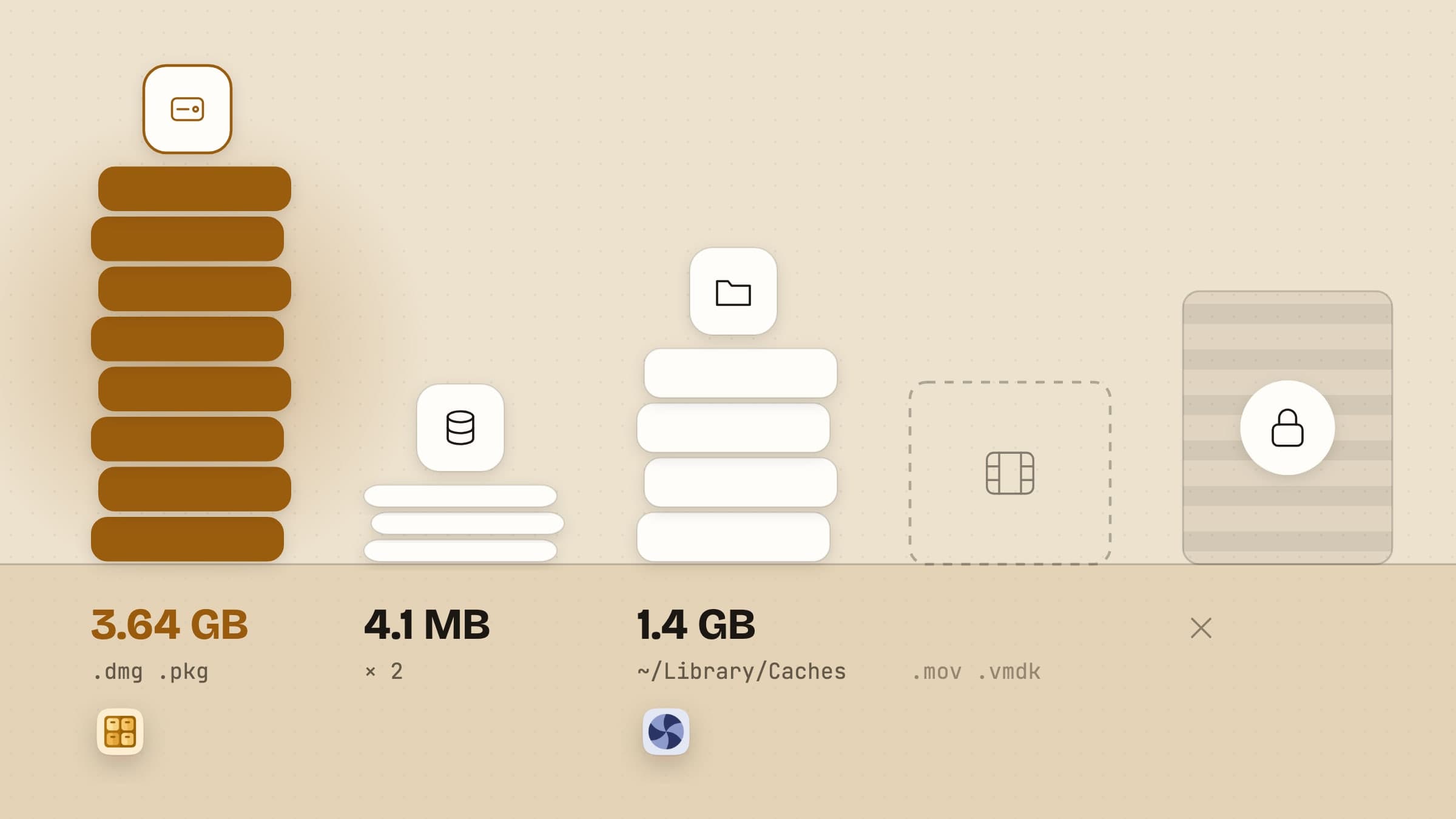
A disk fills up in a small number of ways, and which one you are looking at decides what to do about it. On a Mac that has been in use for a couple of years, the space you can actually get back is usually sitting in four piles.
Installers you already ran. Every disk image and package you double-clicked is still in Downloads. On most machines this is the single largest category, because developer tools and design apps ship as multi-gigabyte images and nothing ever removes them afterwards.
The same file, twice. A download that finished twice, an archive sitting beside the folder it was unpacked into, a document saved once from Mail and once from the browser.
What deleted apps left behind. Dragging a bundle to the Trash removes the bundle. Preferences, caches, containers, saved state, launch agents and installer receipts stay where they were written.
Large files you forgot. Video exports, virtual machine images, an old device backup. Individually huge, and usually few enough to count.
The first three are worth software, because each one can be proved: two files are byte-identical or they are not, an installer either matches an app you have or it does not. The fourth needs no software at all.
What macOS already gives you for free
Open System Settings, then General, then Storage. You get a breakdown by category, a list of your largest files that you can sort and delete from directly, and a set of recommendations: store originals in iCloud, empty the Trash automatically after 30 days, remove downloaded video you have already watched. For the fourth pile, that is the whole job. Do it before you install anything.
What it does not do is the other three. It has no notion of a duplicate, no notion of an installer being stale, and no way to know that 400 MB in Application Support belongs to an app you removed last year. It also reports a chunk of the disk as purgeable, which is space macOS is holding in snapshots and caches and will release when something needs it. No third-party app can free that, and one that claims to is taking credit for the operating system's own housekeeping.
The piles something can actually prove
Sweep watches the folders you point it at - Downloads by default - and files what lands there by rules you write. Its Cleanup screen is the part relevant here, and it is narrow on purpose: it looks only inside those watched folders and groups what it finds into byte-identical duplicates, archives sitting beside their unpacked copies, downloads that stopped part-way, installers long past their use, large files nobody has opened in months, empty folders, and files it filed months ago that nobody has opened since.
Nothing arrives ticked. You pick, and the selection goes to the Trash through the same log and undo as any other batch. The rest of the genre is deliberately missing: no scan of the whole disk announcing a number, no system junk claim, no cache sweeper. Sweep proposes only what it can show you the evidence for, in folders you told it about. The rules half of it is covered step by step in sorting files automatically on a Mac.

The apps you deleted are still on the disk
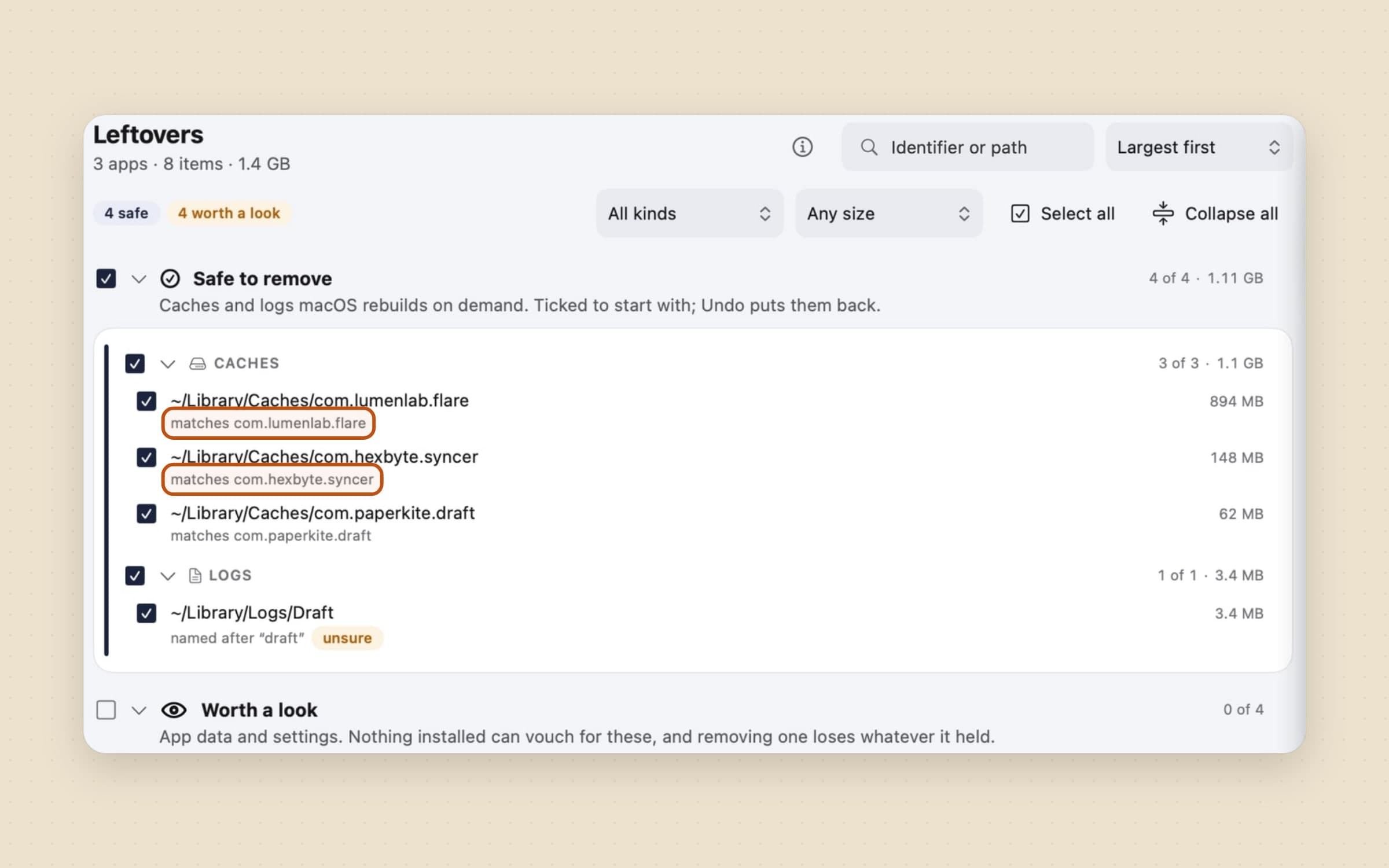
Unroot covers the third pile and a corner of the first. Its Apps screen opens on a storage card that splits what your apps weigh by when each was last opened, with Unused and Large filters, which is the quickest way to see which of them is worth a scan at all. For an app you still have, it reads 58 locations, grades every trace it finds, and shows the reason each row matched before you tick it. For apps that are already gone, there is a separate sweep: leftovers grouped by bundle identifier, listing only identifier-shaped things - a name with at least three dot-separated segments and no spaces - because a folder named after a company could belong to anything, and guessing is how this kind of software deletes something it should not have. Only caches and logs arrive ticked. And its Installers screen lists the disk images and packages left in Downloads, ticking only the ones whose app is already installed - the pile Sweep's old-installer rule works on, matched by app rather than by age.
Be realistic about the amount. Leftovers are rarely tens of gigabytes; they are usually a few hundred megabytes, plus the entries the app left under Privacy & Security in System Settings, which macOS gives you no button to clear once the Trash is emptied. Turn on Catch apps dragged to the Trash and Unroot offers a cleanup while the app is still in there. The disk space is the smaller half of the reason to bother, and the same is true of what those apps left running: one screen lists everything that starts at login and names the owner of each, so a launch agent whose app is long gone can go the same way its caches do. The full mechanism is in how to uninstall apps on a Mac.
Nothing is deleted, and everything goes back
Both apps make the same promise, which is the only reason to let either one near your disk: nothing is deleted. Sweep moves files to the Trash and keeps every batch reversible, including after a relaunch. Unroot puts everything it removes into one dated folder inside the Trash with a plain manifest beside it, and Undo replays that manifest in reverse. Nothing becomes final until you empty the Trash, or use Delete all… in Unroot's Removal history. One part genuinely is permanent - deleting a keychain entry signs the app out and takes any license it stored - so the confirmation names those rows one by one rather than counting them.

What neither of them does
Neither cleans memory, scans for malware, or claims to make your Mac faster. Neither touches system caches, and neither will pretend the purgeable number is theirs to reclaim. Unroot's storage card covers apps and nothing else; if what you want is a map of the whole disk by size, that is a different kind of tool, and the Storage list in System Settings already covers most of what it would tell you.
Both are native macOS apps running on macOS 14 or later, signed and notarized,
in English, Turkish, German, Spanish and French, and neither needs an account. One
difference is worth knowing before you download: Sweep runs inside the macOS
sandbox, while Unroot cannot, because reading another app's traces in
~/Library, clearing its permission entries and moving root-owned files are
all impossible from inside one. That is also why Unroot is a direct download
and not a Mac App Store app, and why it asks for Full Disk Access by hand.
Where the alternatives win
Two categories of app own this problem, and both are worth knowing before you buy anything.
DaisyDisk, around $10 once, is the best-known visual disk map on the Mac: a sunburst you drill into until you find the 40 GB folder you forgot about. It answers "where is the space" better than anything here, and then leaves the deleting to you. GrandPerspective and OmniDiskSweeper do the same job for free, less prettily.
CleanMyMac is the other camp, a subscription from around $40 a year that sweeps caches, logs, language files and app leftovers in one pass, with a maintenance side that DaisyDisk has no interest in.
Our honest position on that second camp: a cleaner earns its place only if every row tells you why it matched and nothing is ticked before you read it. Space recovered by an app that cannot explain itself is space you will spend an evening regretting. That is why both apps on this page put the reason on the row and send removals to the Trash instead of deleting them.
AppCleaner is the free classic for the leftovers half of the problem, and worth a look if that is all you need.
Side by side
| What it reclaims | Price | Size | |
|---|---|---|---|
| Sweep | Duplicates, old installers, stalled downloads and big untouched files in the folders it watches | $5.99 one-time | ~20 MB |
| Unroot | What apps wrote outside themselves, the login items they left running, apps you removed years ago, and installers whose app is already installed | $3.99 one-time | ~10 MB |
Both come with a 30-day trial that needs neither a card nor an email address, and the license you buy afterwards is permanent. There is a survey of the rest of the small stuff in Mac utility apps.
Prices and features checked on 26 October 2026.

