What "on-device" is actually a claim about
"Runs on-device" is three separate promises wearing one label, and an app can keep any one of them while breaking the others.
The first is where the model runs. A local model means the text is processed by your own silicon rather than shipped to a data center.
The second is whether the app talks to anything at all. These two come apart more often than you would think: an app can run a local model and still upload your document for search, sync or analytics.
The third is what happens to your content afterwards. Retention and training policies are about a copy that already left. If nothing left, there is nothing to have a policy about.
Only the third is settled by reading a privacy page. The first two you can check yourself, and the second-to-last section here is how.
What Apple Intelligence changed on the Mac
Until recently, putting a language model inside a small Mac app meant renting one: an API key, a per-token bill, and every user's text crossing the network. That economics ruled out the whole category of one-time-purchase utilities, which is why almost none of them had any AI in them and the ones that did were subscriptions.
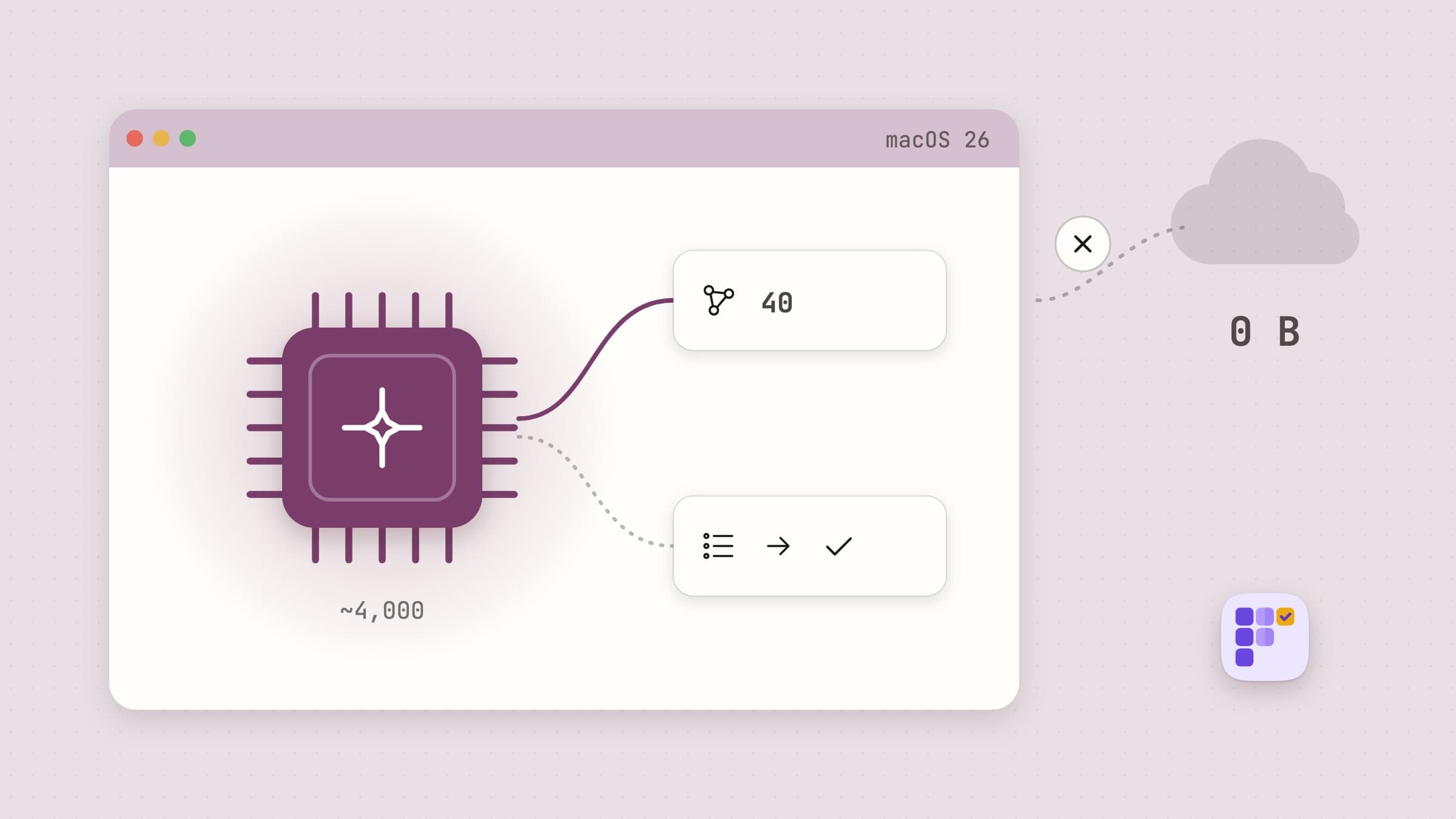
macOS 26 ships Apple's Foundation Models framework, which hands any app a language model that is already on the machine. No key, no bill, no request. It needs Apple Silicon and Apple Intelligence switched on in System Settings.
The catch is size. The on-device model has a small context window, and apps built on it have to budget against it rather than pretend it is not there. Plexus, for instance, works to roughly a four-thousand-token window, caps a single call at forty tasks and batches anything larger. That constraint is exactly why on-device features tend to be narrow and well shaped rather than an open chat box: a small model doing one specific job is reliable, and the same model asked anything at all is not.
Where the cloud still wins
Worth saying plainly, because a comparison that only flatters the local option is no use to anyone actually deciding.
A frontier model in a data center beats an on-device one at nearly everything measured in isolation: long documents, current information about the world, multi-step reasoning, code, images. If you need a fifty-page contract summarized or a hard problem thought through, ChatGPT, Claude, Notion AI or Raycast AI will do it better, and no local model on a laptop is close.
What you pay for that is the upload. So the question is not which is smarter. It is whether this particular text is something you are willing to send. For a marketing draft, usually yes. For a client's brief, an unreleased roadmap or anything under an NDA, often no, and at that point the real comparison is not local model against cloud model. It is local model against doing it by hand.
An on-device model: Plexus
Plexus is a task app built entirely on that framework. You type one-line todos, the model works out what depends on what, and the canvas rings the tasks nothing is blocking. Paste a paragraph and it extracts the tasks, names the flow and wires the ordering in one pass. Ready then collects everything nothing is blocking across all of them, and Plan my day fits today's into the hours you actually have.

Beyond license checks, update requests and anonymous crash and usage counts it makes no network calls, asks for no permission but notifications (and Reminders access, only if you import a list from it), and keeps its store inside the app container. There is a feature-by-feature walkthrough in turning notes into tasks on a Mac. It is $4.99 one-time and needs macOS 26, which is the framework's price of entry rather than a choice; the binary is universal, and on a Mac where Apple Intelligence is not available the AI half goes quiet and the rest keeps working.
Local decisions without a model at all
Most of what people want from "local AI" is not a model. It is a decision made on their own machine, and for a lot of jobs a rule does that better than inference does, because you can read a rule and predict it.
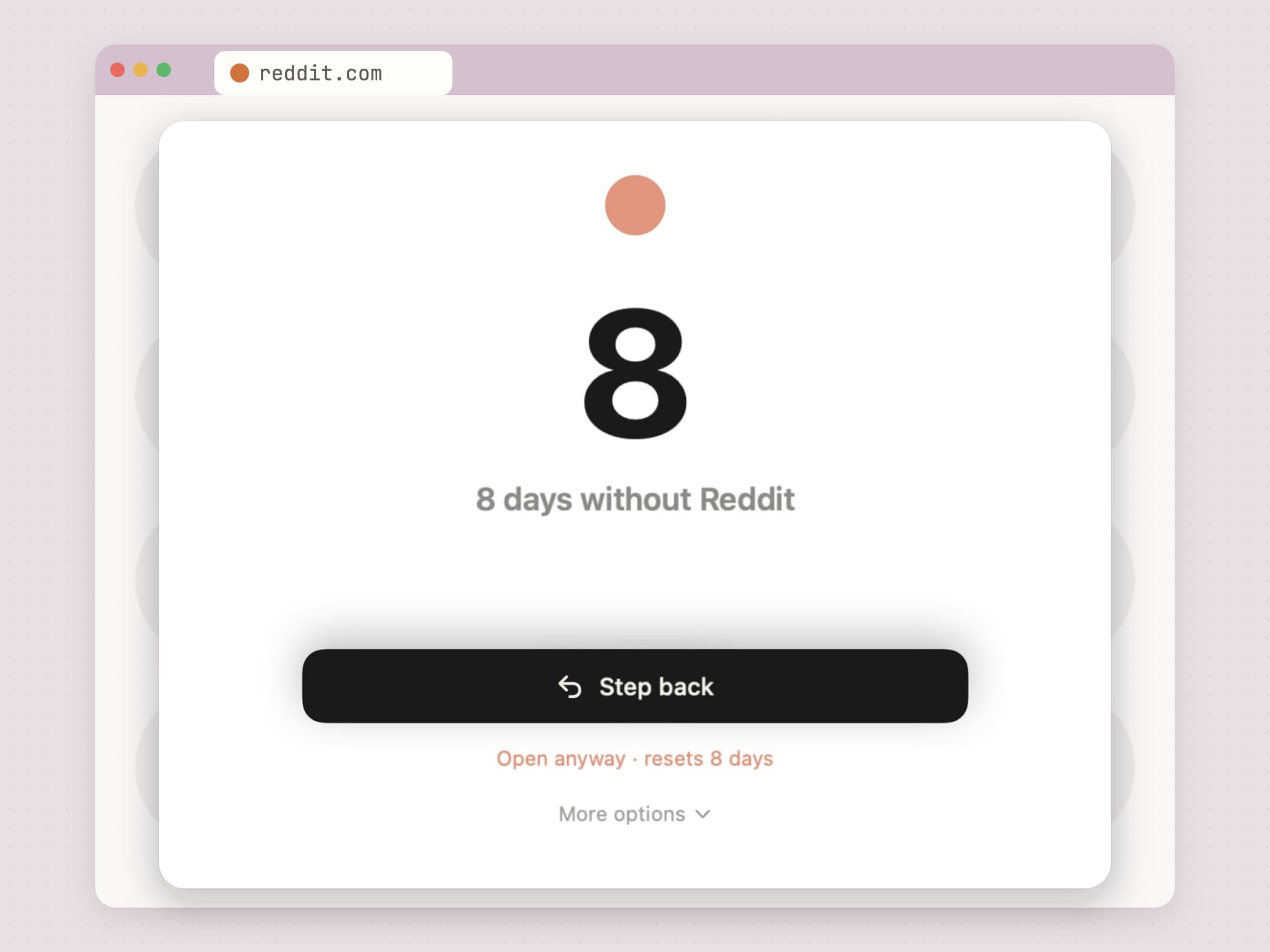
NoMore blocks distracting sites and apps by checking the frontmost app and the current browser tab against a list you wrote yourself. The check happens on your Mac and no URL is sent anywhere. There is no model involved and there does not need to be, because you already know what you are trying not to open.
Sweep files downloads by plain conditions, meaning type, name, size, age, tags or where a file came from, and shows you every planned move before it touches anything.
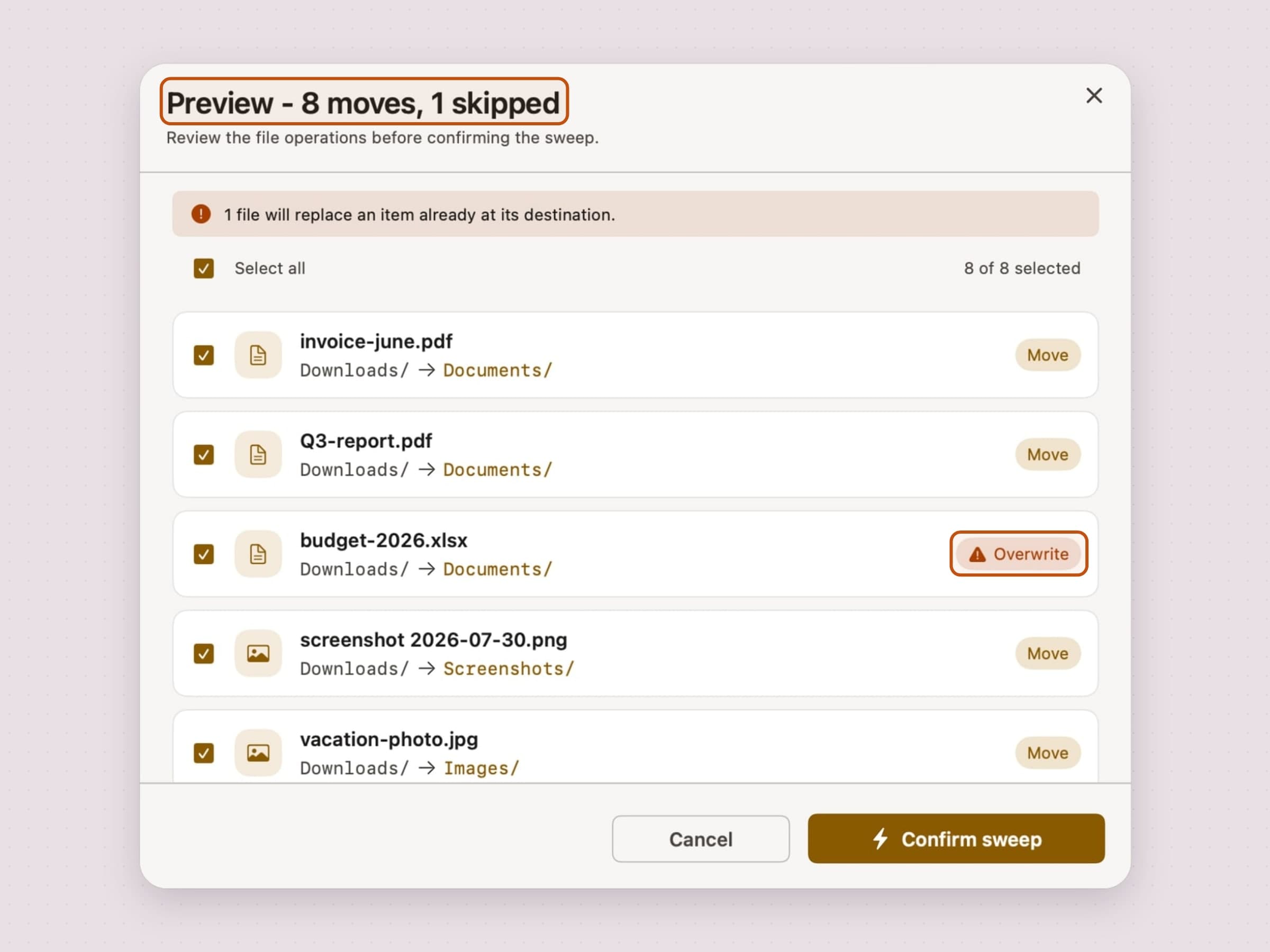
That preview is the whole argument. A model sorting your files would be more flexible and strictly less trustworthy, because you could not check its reasoning before it moved two hundred things. Where the task is deterministic, determinism is a feature rather than a limitation.
How to check the claim yourself
Four checks, in ascending order of effort.
Look for an account. An app with no sign-up has nowhere to put your data even if it wanted to. It is the cheapest signal and the most reliable one.
Read the privacy label on the App Store listing, or the privacy page for a direct download. "Data not collected" is a claim the developer has put in writing.
Pull the network. Turn off Wi-Fi and use the feature. If it still works, the processing is local. If it hangs, it was not.
Watch the connections. Little Snitch, or the free LuLu, will show you every outbound connection an app opens. License and update traffic is normal and expected; your documents going somewhere is not.
Side by side
All three of these are native macOS apps with a one-time price, no account and no document leaving the Mac. What differs is what makes the decision.
| Plexus | NoMore | Sweep | Cloud assistants | |
|---|---|---|---|---|
| What decides | An on-device model | Your block list | Your rules | A data center model |
| Where it runs | Your Mac | Your Mac | Your Mac | Remote |
| Needs an account | No | No | No | Yes |
| Works offline | Yes | Yes | Yes | No |
| macOS | 26 or later | 14 or later | 14 or later | Varies |
| Price | $4.99 one-time | $4.99 one-time | $5.99 one-time | Usually monthly |
Prices and features checked on 5 September 2026.


