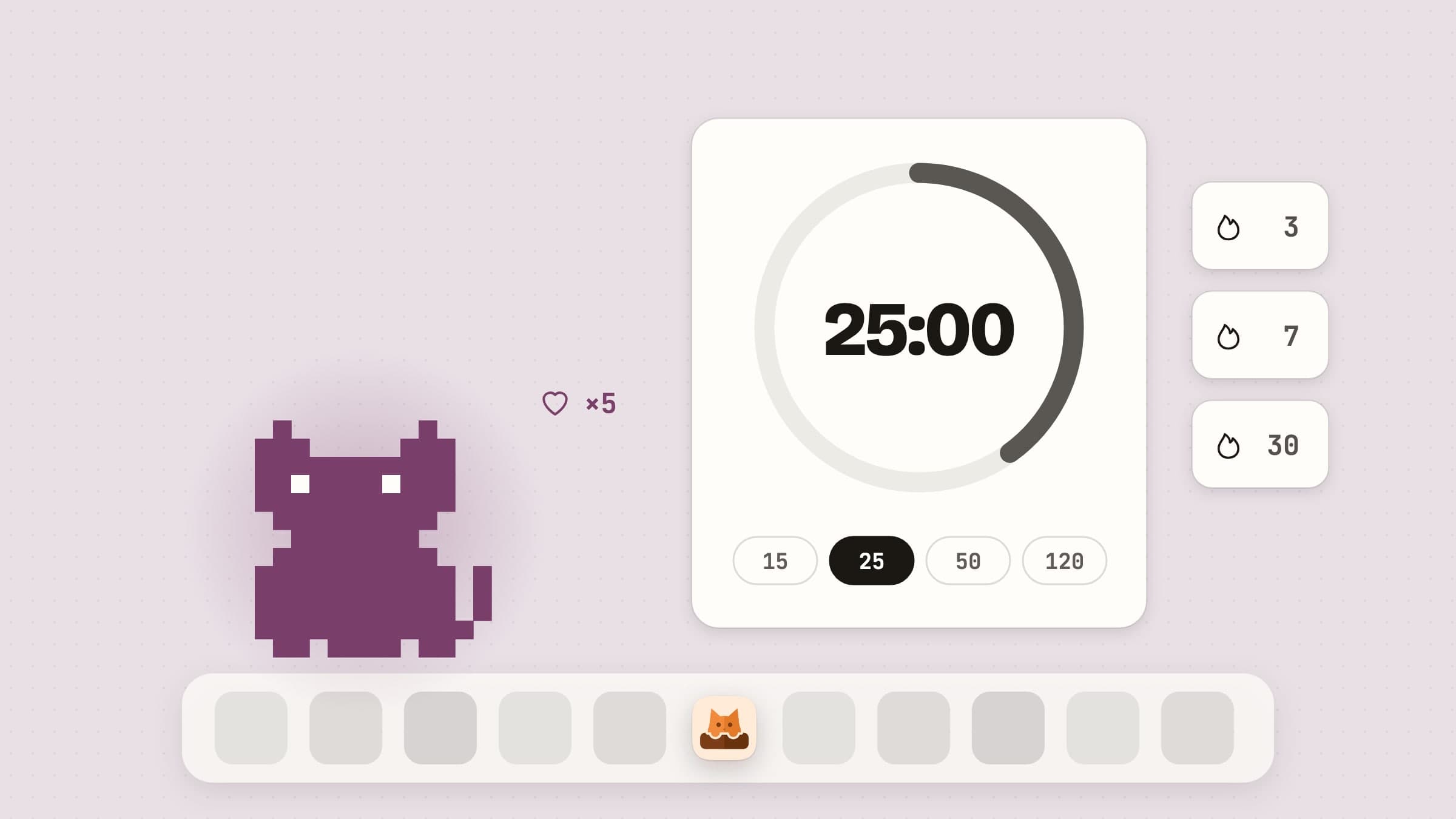
What a virtual pet is doing on a work machine
The desktop pet is one of the oldest ideas in personal computing and it has never quite gone away, because the thing it provides is not productivity. It is company. A quiet room with a small animated creature in the corner of the screen feels different from a quiet room without one, and that is the entire product.
CatPod is a pixel-art cat that lives on macOS, with one addition that changes what it is for: a focus timer whose completed sessions are what feeds the cat. Everything below is in the shipping version.
The cat, and where it lives
The cat lives on your desktop, not in a window you have to keep open, and it has a room in the menu bar. It has moods and animations that shift with two stats it carries - energy and happiness - and it idles, sleeps and reacts rather than looping one animation forever.
Turn on Roam on Desktop and it stops staying put: it wanders along the bottom edge of the screen, above the Dock, picking its own path. It does not wander through a focus session: it walks to the nearer edge and curls up there for the length of it, which is the detail that makes roaming usable at all - a cat crossing your screen is charming right up until it is doing that while you are trying to work. Leave the desk for three minutes and it falls asleep with a Zzz, and coming back earns a stretch. Turn roaming off and the cat leaves the desktop to live only in its room in the menu bar, which is the setting for people who like the company but not the movement. A wandering cat bolts from the pointer, so to pet it, rest the pointer on it while it is curled up or asleep and click, or pet it in its menu bar room. Hearts float up, and after a minute's cooldown that pet also counts for happiness, up to a daily cap - deliberately, so affection cannot be farmed and the cat cannot be maxed out by clicking at it for ten minutes.
Both stats decay slowly, on the order of a point every ninety minutes to two hours, with a floor underneath so the cat is never in real trouble. It is a pet, not a Tamagotchi you can kill by going on holiday.
More cats, and a ball of yarn
One cat is where it starts. Adopt a cat on the Cats page in Settings and up to three roam the desktop together, each with its own name and coat. They share happiness and stats, keep a little distance, and now and then one chases another across the floor or they sit together while one grooms. During a session they curl up side by side.
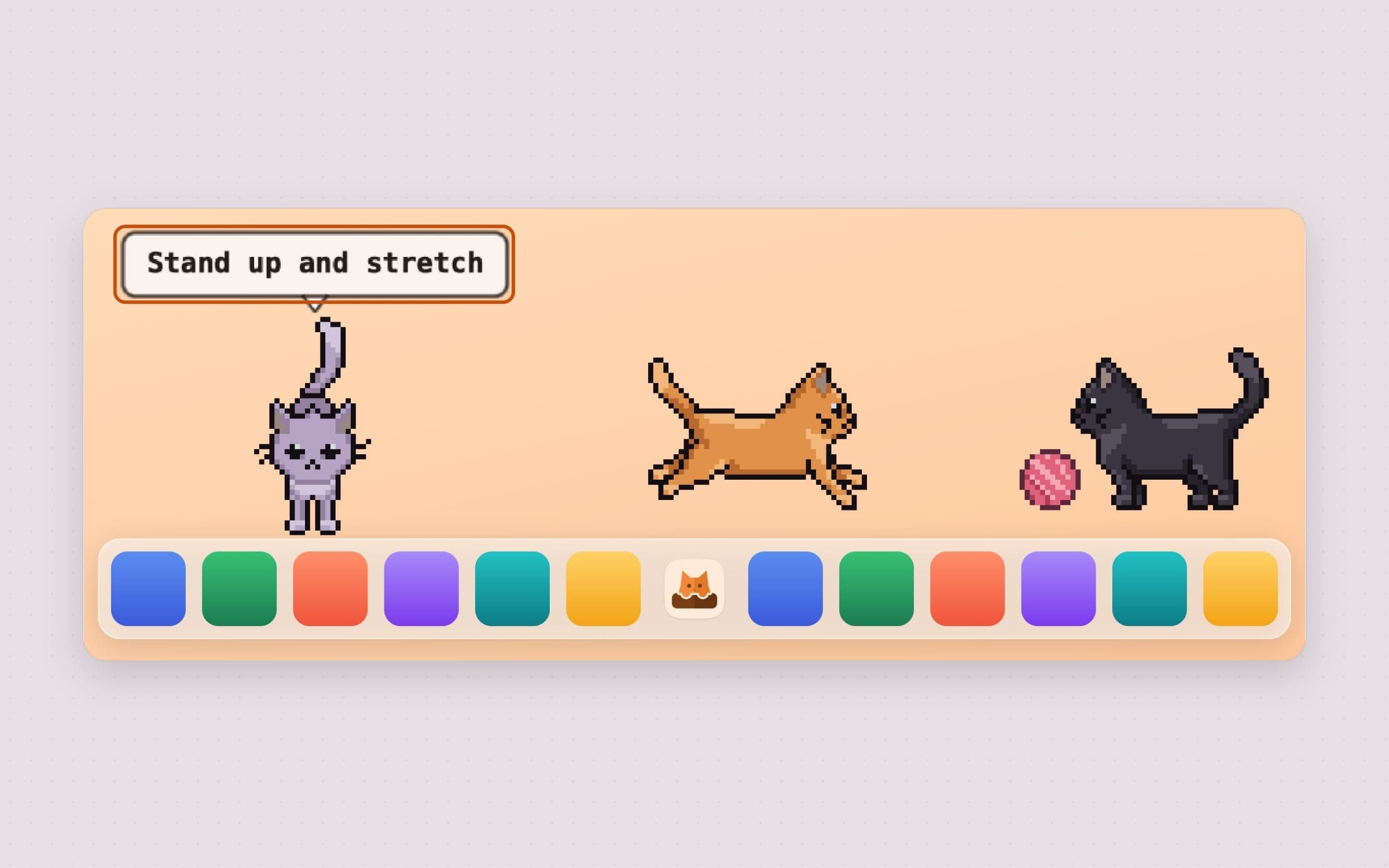
The yarn button in the popup, or Play with Yarn in a cat's menu, drops a ball of yarn on the desktop. Every cat joins in: the nearest goes for it, the others wait their turn, and they bat it to each other for half a minute or so - press the button again to stop sooner. There are no games during a focus session.
The focus timer that feeds it
The timer is where the two halves connect. You start a session, the cat curls up beside you, and finishing the session feeds it energy.
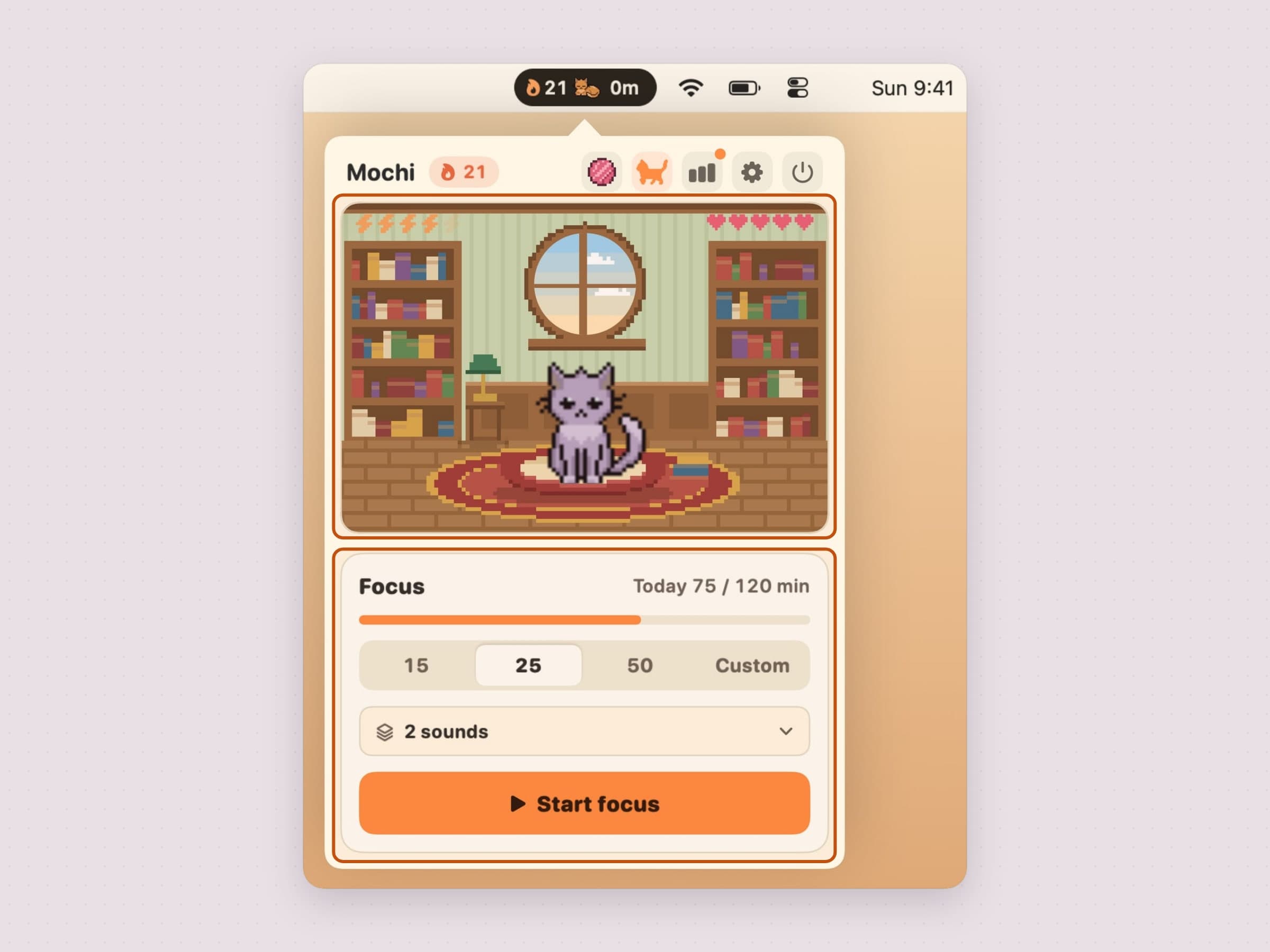
The popup has two halves. The room on top carries the cat, its energy and happiness, and the time left while a session runs. The focus card under it holds every control, in rows that keep their place in every state: what is going on, a progress bar, the length picker, the focus sounds and one wide button - Start focus, Pause, Resume or End break.
Three chips cover most of it - 15, 25 and 50 minutes - and a field after them takes a typed length from 5 to 120, rounded to five minutes, when none of them is the shape of what you are doing. The names come from the length rather than the chip, and you meet them at the end: a session up to half an hour is a Catnap, up to an hour a Deep Purr, and anything longer a Marathon Mew.
Sessions finished on the same calendar day stack a combo, which multiplies what the next one is worth, rising to a cap at the fifth session of the day. The combo resets at midnight. Finish ends a session early and keeps its minutes, as long as five of them ran. Only Cancel costs a couple of points of happiness and clears the combo, which is the only negative feedback in the entire app - and it is small on purpose. Guilt is what makes people uninstall productivity software.
Breaks, and the stretch
A finished session offers its break. The short one follows the session's length unless you pick your own, and the long one comes after every fourth session by default - Long break every on the Focus page moves that anywhere from two to eight.
When a break starts, your cat walks out onto the desktop, stretches and puts up a bubble: stand up and stretch, drink some water, or rest your eyes. It is the one moment the app asks something of you, and it is still only a bubble. Stretch on breaks on the Cats page switches it off.
Notifications carry buttons, so you do not have to open anything: Start break or Skip break when a session ends, Start focus when a break ends. Turn on Start break automatically and Start next session automatically and the cycle runs by itself until the long break, where it rests.
A daily goal
Set a daily goal on the Focus page - from half an hour to five hours - and the focus card shows today's minutes against it. Stats draws it as a ring, and your cat cheers when you get there. Off is a choice too, and the default.
Focus sounds
Rain, fireplace, café, purring and lo-fi music play softly while a session runs. Turn on any of them together, each at its own level, with a focus-sound volume of its own, from the sound menu on the focus card. Listen in that menu plays the mix while it is open, so you hear a change before a session starts.
Streaks, milestones and one forgiven day
A day with a completed session extends your streak, and the streak is the number most people end up caring about.
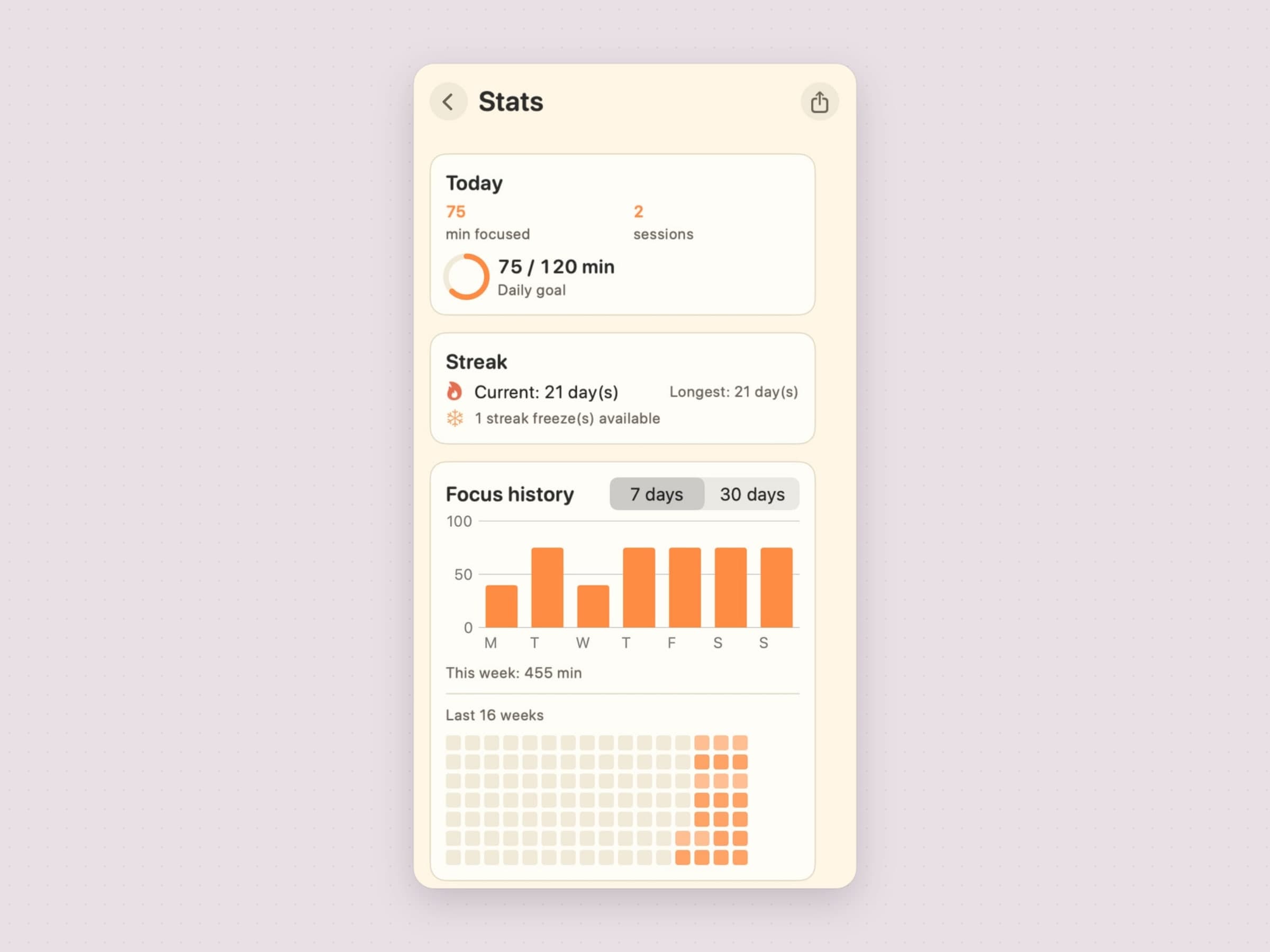
Milestones unlock at 3, 7 and 30 days. More usefully, the cat holds a streak freeze: miss a day and the freeze is spent instead of the streak breaking. It refills on its own over time and caps at one, so it covers the bad Tuesday without turning a streak into something meaningless.
That single mechanic is the difference between a streak that motivates and one that punishes. A chain of forty days that a single fever wipes out does not make you work on day forty-one; it makes you delete the app.
The milestones, and what earns them
Six milestones sit under the streak, and there is nothing else underneath. Three are the streak itself - three days, seven, thirty - and three come from the timer: your first finished session, five sessions finished in one day, and one session of sixty minutes or more. That last one is worth knowing about, because the 50-minute chip does not reach it; it wants a typed length of 60 or more.
They live in Stats, each row showing either the day you earned it or the one line that says how to earn it, and the Stats button carries a dot until you have looked - a milestone normally unlocks with the popup closed, so without it a thirty-day streak would land in silence.
They are badges, not currency - nothing in the app is gated behind them, and there is nothing to spend anything in. Stats also keeps a shelf of 12 gifts the cat sometimes brings back after a session; it fills on its own, and nothing hangs on it either. There are no XP, no levels and no bond score.
All of it is reachable from a menu bar popup, which is the deliberate split: the cat lives on the desktop where you can see it, and everything you might want to adjust lives in the menu bar, where it is not in the way.
The widget
There is a widget in three sizes. It starts, pauses and resumes a session without opening anything, and the large one adds today's goal and your week. Shortcuts can start, pause, resume and finish a session too.
The settings you will actually touch
Settings is a window with a page per subject: General, Cats, Look, Focus, Notifications, Permissions, License and About.
General has Appearance - Auto, Light or Dark, with Auto following the system - the language picker for English, Turkish, German, Spanish and French, launch at login, and the apps you count as distracting.
Cats lists your cats as cards, with a dashed one to adopt the next. Under them sit the switches for life on the desktop. Roam on Desktop and Walk on top of the Dock decide whether the cats move and where their floor is - along the Dock's top edge, or along the very bottom of the screen. Climb onto windows lets a cat leap onto the window you are working in now and then; it is off until you turn it on.
Cat lives on decides which display the cats roam. The default follows the pointer: several seconds on another screen and they walk in from the edge, one by one, keeping whatever they were doing. You can pin them to one display instead, and unplugging that display moves them without rewriting the choice, so reconnecting brings them home.
Step aside for full-screen apps parks the cats while another app runs full screen on their display - a presentation, a film, a game - and puts them back exactly where they were. Hide during calls does the same for Zoom, Teams, FaceTime, Webex and Skype in front, a Meet or Teams web app, a Zoom or Teams screen share, a Slack huddle or a Meet picture-in-picture.
Look dresses each cat in one of eight coats and picks the room from eight, cabin to rooftop. The room can also change by itself - every time you open the popup, every hour or every day.
Focus holds the daily goal, the short and long break, Long break every, and the two switches that chain the cycle. Notifications picks the session-done alerts and the daily streak reminder, and holds the sound settings.
Along the top of the popup sit the CatPod logo, the cat's name and the streak, then Play (while the cats roam), Roaming, Stats, Settings and Quit as small buttons; Stats is a page inside the popup rather than a window, and Esc closes it.
What it deliberately does not do
It does not block anything. It only notices which app is in front - one you listed as distracting, mid-session, or a call - and that stays on your Mac. There is no website list and no report at the end of the week telling you that you spent three hours somewhere.
There are no ads, no account and no third-party tracking. The cat, its stats and its history are Core Data on your Mac and go nowhere.
The animations are deliberately small and quiet. The cat is a few dozen pixels doing very little; if it demanded attention it would be a game, and a game on a work machine is the opposite of what this is for.
What it costs, and what else to look at
CatPod runs on macOS 14 or later, on Apple Silicon and Intel, and takes about 20 MB. It is a one-time $3.99 purchase with a 30-day trial that needs no card and no email. The full specification is on the CatPod page.
CatPod's timer runs short and long breaks too. If what you want is a break that takes the screen, that is Pawodoro, which pays out its own break in cat videos and is covered in a menu bar Pomodoro timer for Mac. If what you want is not a timer at all but the one task you committed to, visible all day, that is Anchored. There is a comparison of all three in the best focus apps for Mac.