The part of the Pomodoro method that fails
The technique is four rules long: work for a fixed interval, take a short break, repeat, take a longer break after a few rounds. People almost never fail at the first rule. They fail at the second.
The timer ends, you think one more minute while this is in my head, and the break silently does not happen. Do that four times and you have worked two hours straight while believing you were on a structured schedule. Every Pomodoro app handles the countdown correctly. Very few do anything at all about the pause.
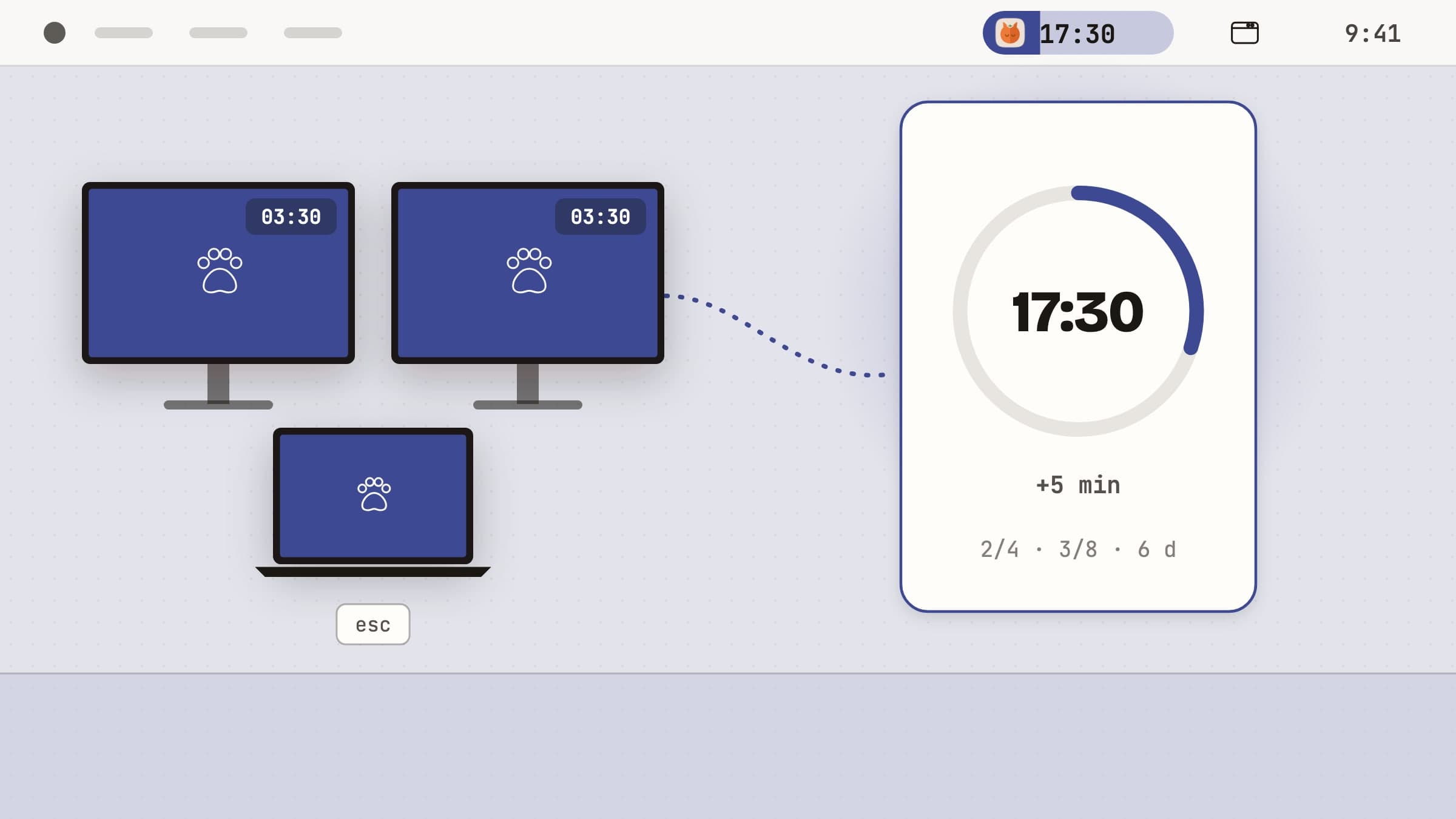
Pawodoro is a menu bar Pomodoro timer whose answer to that is a full-screen cat video. Everything below is in the shipping version.
The timer itself
The countdown lives in the menu bar and in a panel behind it: the phase, a ring with the remaining time, and under it one line that says how far along you are.
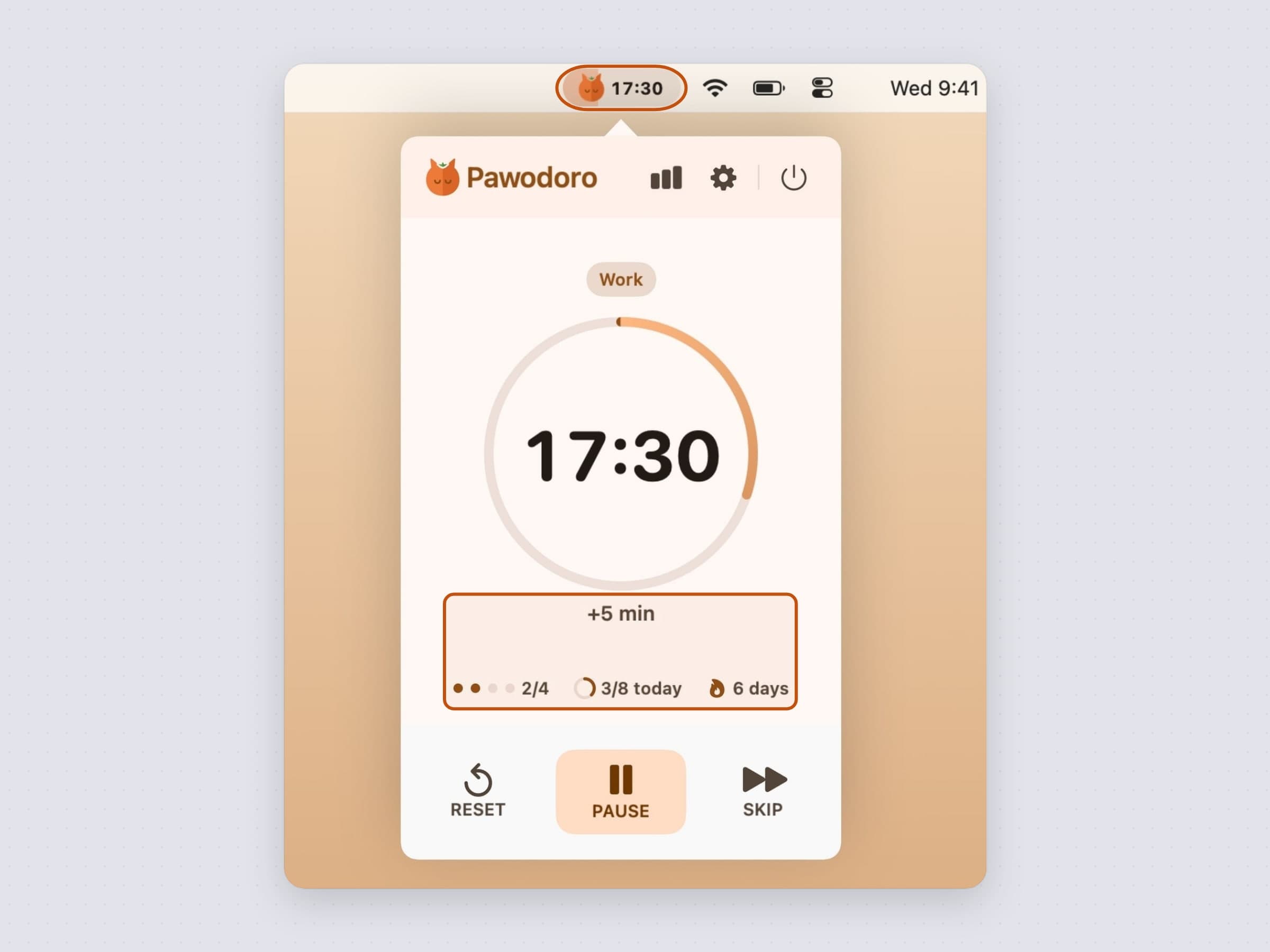
The bottom row has three controls - Reset, Pause and Skip - and that is the entire operational surface. Just under the ring sits a quiet +5 min button that adds five minutes to the phase in flight, work or break: the honest answer to "I am two sentences from the end of this paragraph".
The line below carries three things: dots for the current set with a count such
as 2/4, which tells you how far the long break is; today's pomodoros against
your daily goal, as a small ring and 3/8 today; and a flame with your
streak in days. The goal is 8 a day by default, can be set from 2 to 16 in Timer
settings or turned off, and turns into a check mark once you reach it.
Presets, and the durations underneath them
Three presets cover most working styles, and each is a shorthand for the whole triple of work, short break and long break.
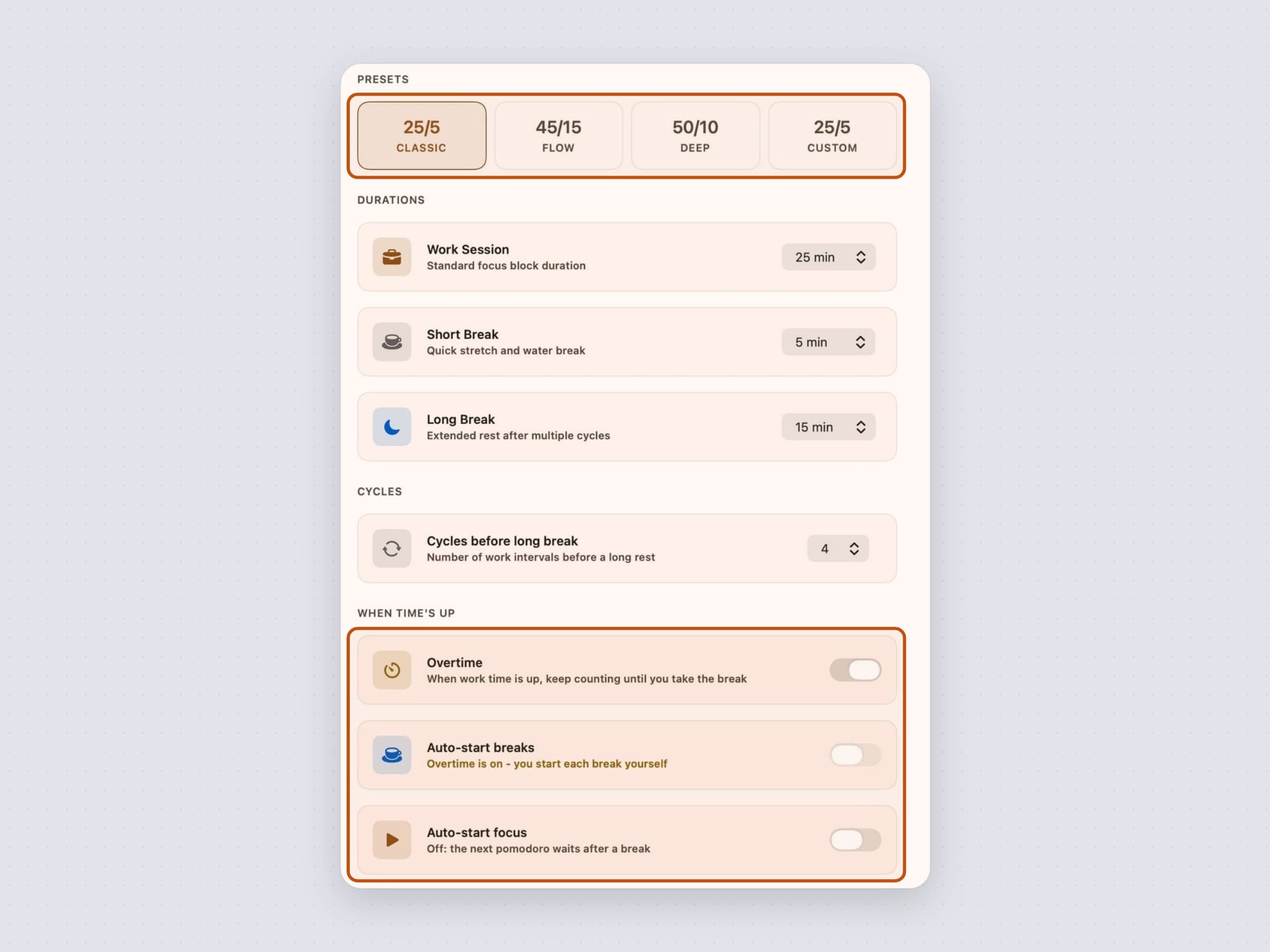
- Classic 25/5 - the canonical Pomodoro, with a 15 minute long break
- Flow 45/15 - for work that needs a longer runway before it gets going
- Deep 50/10 - long blocks, short recoveries
Below them every duration has its own picker, and choosing your own numbers flips the chip to Custom. Cycles before long break decides when the long one lands, and it is 4 by default.
When time's up
The switches worth thinking about are the three under When time's up: they decide what happens at the moment the method usually fails.
Overtime changes what the end of a work phase means. Instead of starting the
break, the timer keeps counting past the plan, as +mm:ss in amber in the menu
bar and the panel. The big button becomes Break, so the one thing left to do
is also the easiest to press. A forgotten overtime does not run forever: an hour
past the plan the timer pauses itself and asks whether you are still working,
because an hour of nobody at the desk would otherwise land in the statistics as
focus.
Auto-start breaks decides whether a break begins by itself; off, it waits for you. While Overtime is on this switch is locked off, since overtime ends on your word rather than the clock's. Auto-start focus asks the same about the next pomodoro after a break. On, the day runs itself; off, every phase boundary is a small explicit choice. Both are defensible, and the app does not pick for you.
A break that waits says so. The menu bar pill turns solid with a cup and Break ready, the panel's big button reads Start break, and a banner offers the same button. With notifications and sound both off nothing else would tell you, so the break screen comes up instead, with a Start break button of its own. Waiting, like pausing, is not counted as focus: a session records only the minutes the timer actually ran.
The break that is hard to skip
When a break begins, a video takes over the screen.
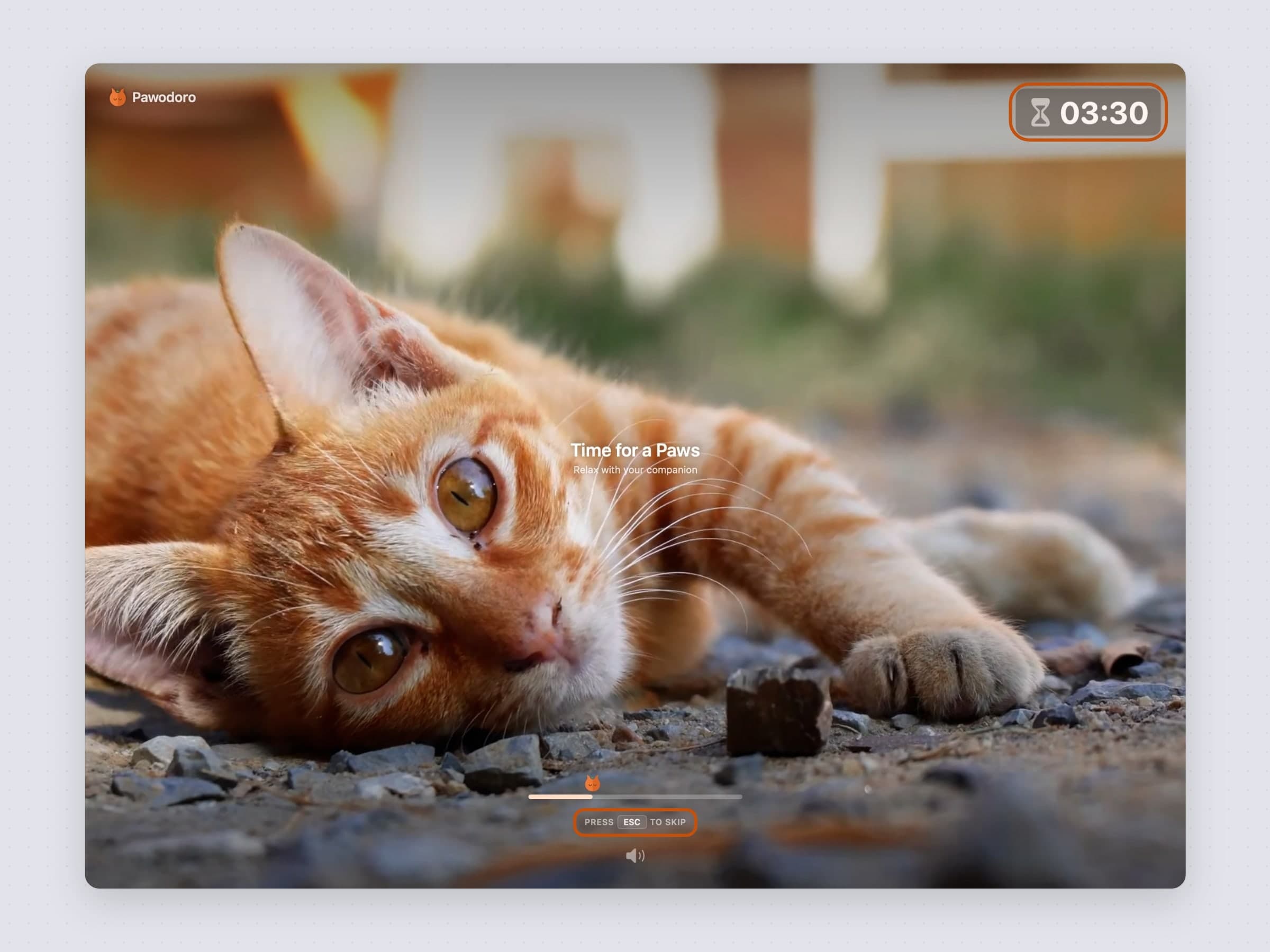
It plays on every connected display, which is the detail that makes it work: a second monitor is exactly where "one more minute" happens, and covering only the main screen would leave the loophole open. The time left sits in a corner, the clip is muted or not as you prefer, a 5 more minutes button stretches the break when you need it, and ESC closes it immediately.
That escape hatch is deliberate. A break you cannot escape is a break you eventually disable, and a disabled break is worth nothing. The goal is to make taking the pause the path of least resistance, not to make skipping it impossible.
The clips come from the Cats page in Settings. A curated cat library arrives with Sync now, and My library takes any MP4 or MOV you drag in yourself. A cat you pick shows Downloading and then Cached, and from then on the break plays with no network at all - on a plane, in a hotel with bad wifi, or on a machine that cannot reach anything. Your own files play in the same rotation, which is the answer for anyone whose reaction to a cat video is not the one the app is counting on, and every clip has a preview button that opens the break screen with it.
What the menu bar shows
Menu bar shows in General has two answers: Countdown, the cat mark and
the time as mm:ss, or Icon only, for a crowded bar or anyone who would
rather not watch the seconds go. Either way the pill behind it fills with the
phase's colour as the phase runs - orange for work, blue for a short break, sage
green for a long one - so a glance says how much is left without reading a
number.
Idle, it does not read 00:00 but the work session you have configured -
25:00 - so it reads as ready rather than as a stopped clock.
The controls are reachable without the panel too. Keyboard shortcuts in General takes three global shortcuts - Start / pause, Skip phase and Add 5 minutes - that work from any app. They are empty by default, so Pawodoro never takes a combination you already use.
Two switches decide how loudly a phase change announces itself. System notifications puts a banner up; Sound plays a chime when work or a break starts. They are separate because the right answer differs by room - a chime in a shared office is the rudest thing on the desk, and a silent banner in a home office is the one you miss. The banners carry buttons where a decision is due: Time's up in overtime offers Take a break and 5 more minutes, a waiting break offers Start break, and the end of a break offers Start working and In 5 minutes. The banner that opens a break has none: the video already covers every display, so a button would be drawn behind it.
The rest of General is short on purpose: launch at login, a theme that takes Auto, Light or Dark, and a language picker covering System, English, Turkish, German, Spanish and French.
What it records
The chart button in the panel header opens Statistics: four ranges - Today, Week, Month and All Time - over total focus time, sessions completed, daily average and current streak, with your best streak under the current one.
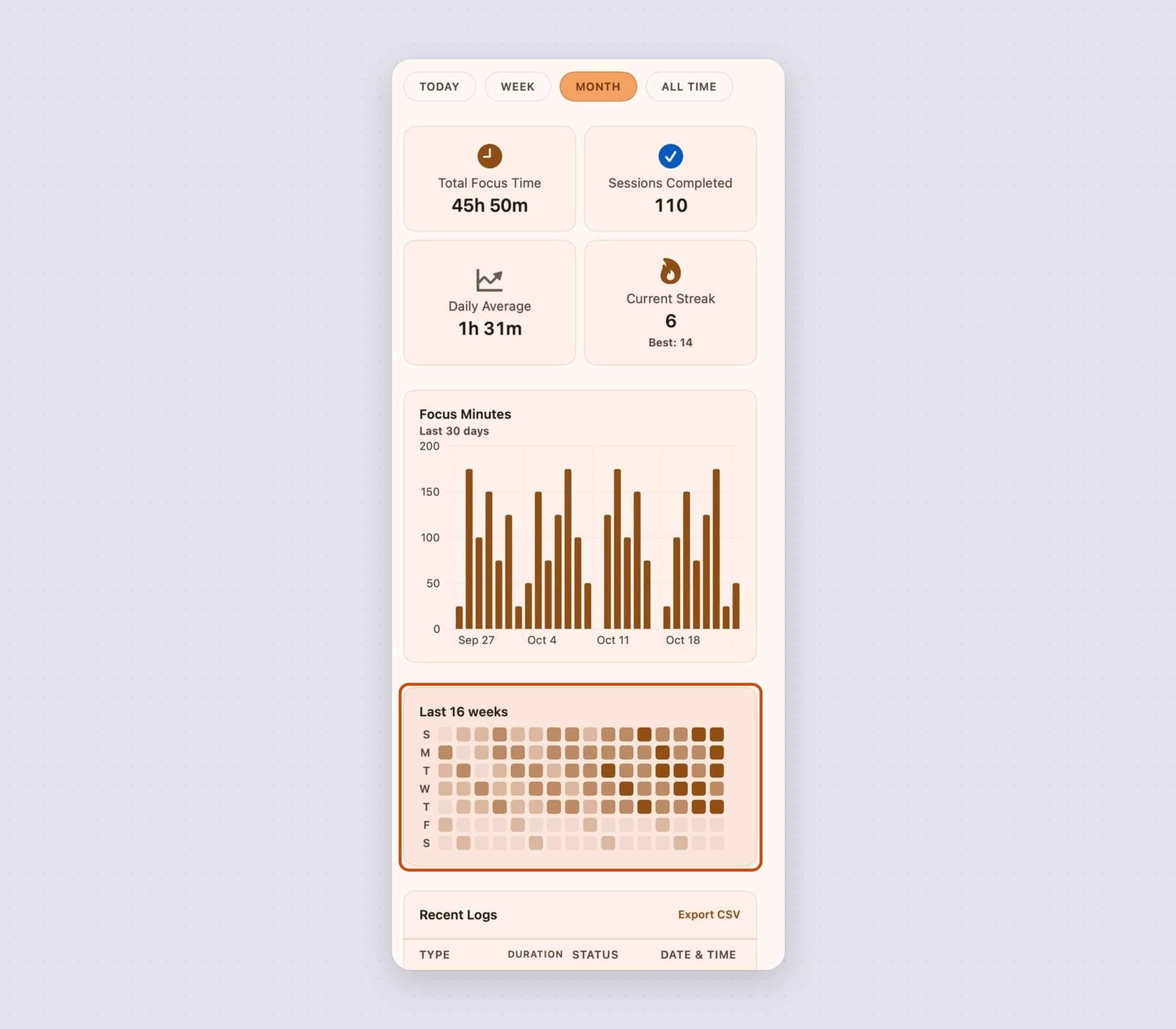
The Focus Minutes chart follows the range: one bar for today, seven for the week, thirty for the month. All Time reaches back to your first session and changes its bars as the history grows - one per day for the first three months, one per month up to three years, one per year after that.
Under it sits a heatmap of the last sixteen weeks, one square per day, darker the more you did. It ignores the range selector on purpose: the shape of a habit over four months is not something Today can show. On a fresh install it stays hidden rather than presenting a hundred blank squares. Recent Logs lists each session with its date, type and duration, and whether it completed, was interrupted or was skipped, and Export CSV writes the sessions of the range you are looking at.
The day also sits on the desktop, in a widget of two sizes: the small one shows the phase, the live countdown and today's goal ring, and the medium one adds today's focus minutes, the set and what comes next.
All of it is stored on your Mac. There is no account, which also means there is no login screen between you and starting a timer.
What it deliberately does not do
It does not block anything. It times work and rest; it does not police what you open during the work half. If drifting mid-session is your actual problem rather than starting, that is a blocker's job - NoMore - and the two run happily side by side.
There is no project or task tracking. A Pomodoro timer that also wants to be a to-do app ends up being a bad version of both. What you are working on is your business; Pawodoro only knows that a block is running.
It asks for one permission, notifications, and works without it.
What it costs, and what else to look at
Pawodoro runs on macOS 14 or later, on Apple Silicon and Intel, and the app itself is around 20 MB - the cats you pick are cached next to it, a few MB each. It is a one-time $3.99 purchase rather than a subscription, with a 30-day trial that needs no card and no email. The full specification is on the Pawodoro page.
Pawodoro's break is a reward on your work rhythm. If what you need is rest on a schedule that has nothing to do with your work - eye and stretch breaks on their own clocks, whether or not you are mid-task - that is Recess, covered in a 20-20-20 rule app for Mac. If the cat is the part you like rather than the intervals, CatPod keeps one on your desktop full time. There is a comparison of the timers in the best Pomodoro timer for Mac.