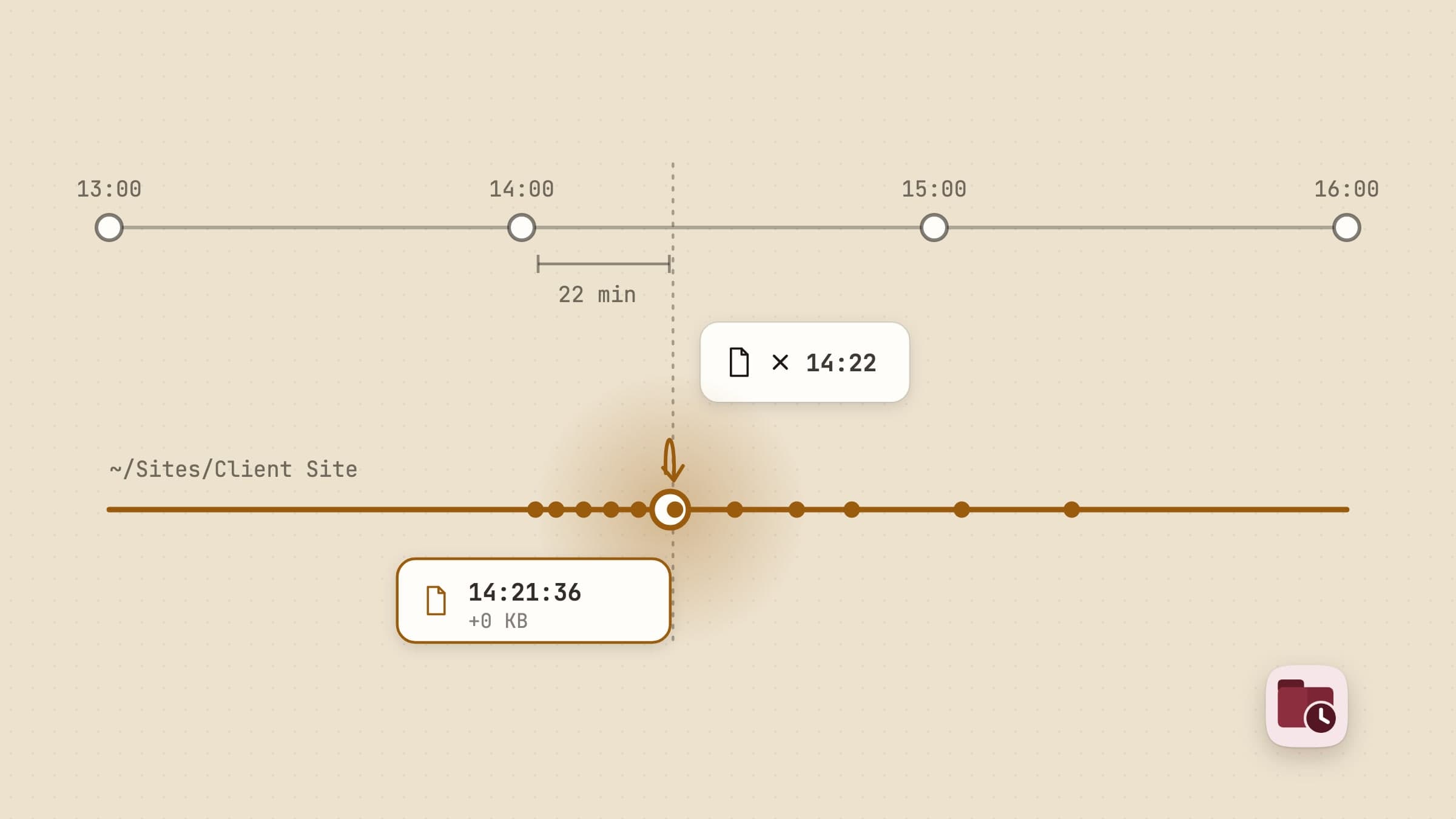
The four places a previous version might already be
Before you install anything, check the four places your Mac may already be holding the file you want. Each covers a different narrow case, and working out which one you are in is most of the job.
File > Revert To, inside the app. macOS has had document versioning built in
for years, and an app that adopts it gets a File > Revert To > Browse All Versions menu putting that one document's past saves on a timeline. TextEdit,
Preview, Pages, Numbers and Keynote have it. Most of what people actually work
in does not: no Adobe app, no Office app, nothing a script wrote.
Time Machine. With Back Up Automatically on, macOS takes a local APFS snapshot of the startup disk roughly every hour and keeps it for 24 hours, plus one of the last successful backup. Two limits decide whether that helps: the granularity is an hour rather than a save, and anything older than a day exists only if the backup disk is attached.
Your cloud folder's version history. Dropbox keeps 30 days of versions on Basic and Plus and 180 on Professional. Google Drive keeps one for 30 days or until 100 newer ones exist, unless you marked it Keep forever. iCloud Drive is the odd one out: its 30-day Recently Deleted recovers files you deleted, not versions you overwrote. All three cover exactly one folder, the synced one.
The app's own autosave. Worth a look, rarely worth counting on. It is undo, and undo dies with the process.
If one of those has your file, stop reading. What follows is for the case none of them covers: a folder that is not synced, edited by an app with no version menu, broken more than an hour ago, or broken across more than one file at once. Retrace is a native macOS app built for that case, and everything below is in the shipping version.
Turning history on is a right-click
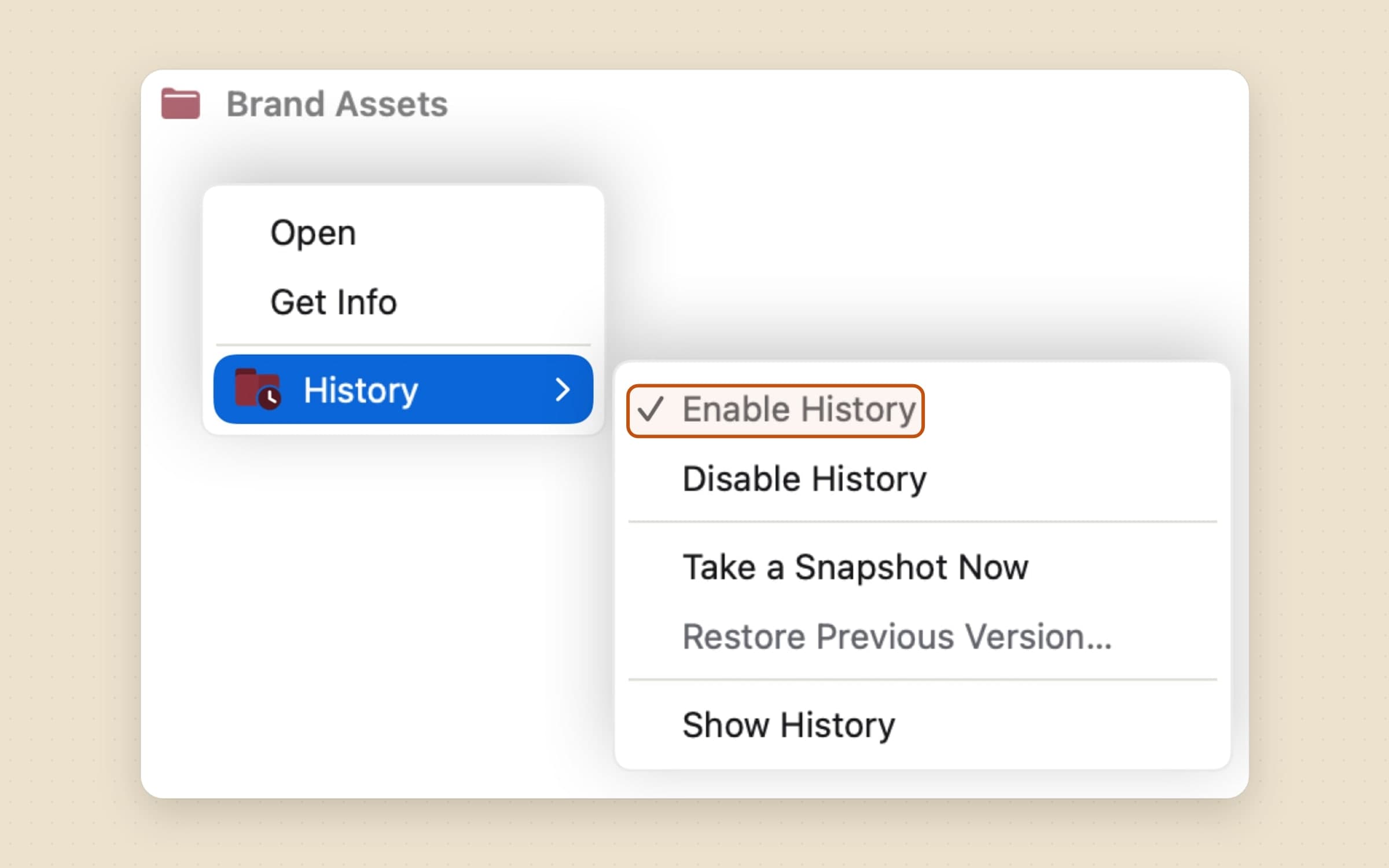
You right-click a folder in Finder, choose History, and switch it on - or add it from the app's own folder list. There is no default folder, and nothing is watched until you pick it. Right-click again to switch it off. Each folder gets its own disk budget, and history is kept for a year by default; both live in Settings -> Storage, covered further down, for when you want them different.
Five items sit under History, in three groups: turning it on or off, acting on what you clicked - take a snapshot of this folder, restore the previous version of this file - and opening the app. They are always all present and always in that order, and whatever is not actionable right now is dimmed rather than removed, so the gesture is the same one every time. That is also how the menu says what it is looking at without a second indicator: the snapshot is live only on a folder that waits to be asked, and the restore only on a file.
Behind the menu is the one real cost of staying inside the App Sandbox. A Finder extension can hand over the path you right-clicked and nothing else, because a path from another process is not permission. So the first run asks once for your home folder and keeps that grant, after which the menu can just work; without it the same action opens a folder picker instead.
A watched folder also needs proof that it is still being watched. A security-scoped grant can quietly stop resolving - a volume goes missing, an OS update invalidates a batch of bookmarks - and nothing in macOS reports it; the stream simply stops delivering. For an app whose whole promise is "you will not lose this" that is worse than a crash, so every folder is re-resolved on a schedule with a real test read, and one that has stopped recording says so in the list instead of looking fine.
Why keeping a copy of everything costs nothing
On APFS, copyfile with COPYFILE_CLONE makes a copy-on-write clone: a new
file that shares the original's data blocks. It costs about zero bytes at
creation and microseconds of wall clock - a 64 MB clone measures around 0.1 ms
and reports zero bytes of its own - and it stays a correct snapshot under both
ways an app can save. An editor that rewrites the file in place allocates fresh
blocks and leaves the clone holding the old ones; an editor that saves
atomically writes a whole new file the clone was never attached to.
That last property is exactly what a hardlink lacks, which is why the classic hardlink-tree approach was never an option: a hardlink is the same file, so an in-place writer would silently rewrite the version you thought you had kept.
Because capturing is free, Retrace captures eagerly and lets a content hash decide afterwards whether the capture counted. What is not free is keeping, and a clone gets more expensive as the original drifts away from it. So the figure the app shows is what deleting the history would actually free, not what the versions add up to on paper: thirty clones of one 40 MB file are 1.2 GB by the naive measure and 40 MB in reality. It is also the figure the delete sheet quotes before you remove a version by hand.
Cloning is a property of the volume rather than of the app, and an external drive formatted HFS+ or exFAT cannot do it at all. Retrace checks up front and refuses the folder, instead of turning every capture into a silent full copy.
Knowing when a file is finished
Nothing on macOS answers this properly. The signal that would - Endpoint Security's "a process just finished writing this file" - needs an Apple-granted entitlement, is incompatible with the sandbox, and is not accepted on the Mac App Store. There is no way to ask whether another process still holds a file open either.
So it is a layered guess, and the layers are allowed to be wrong, because they only decide when to look. Whether a look counts is decided afterwards by the hash. A quiet period of ten seconds per file collapses one editing session's burst of autosaves into a single version - ten is the number VS Code's own local history uses, long enough to merge a burst and short enough that two deliberate saves a minute apart stay two versions. Then a stability probe checks that size, modification date and inode have all stopped moving; a zero-length guard catches a truncating writer mid-flight; a quarantine check catches a download that has not landed. Save a file without changing it and no version appears.
When you would rather say when
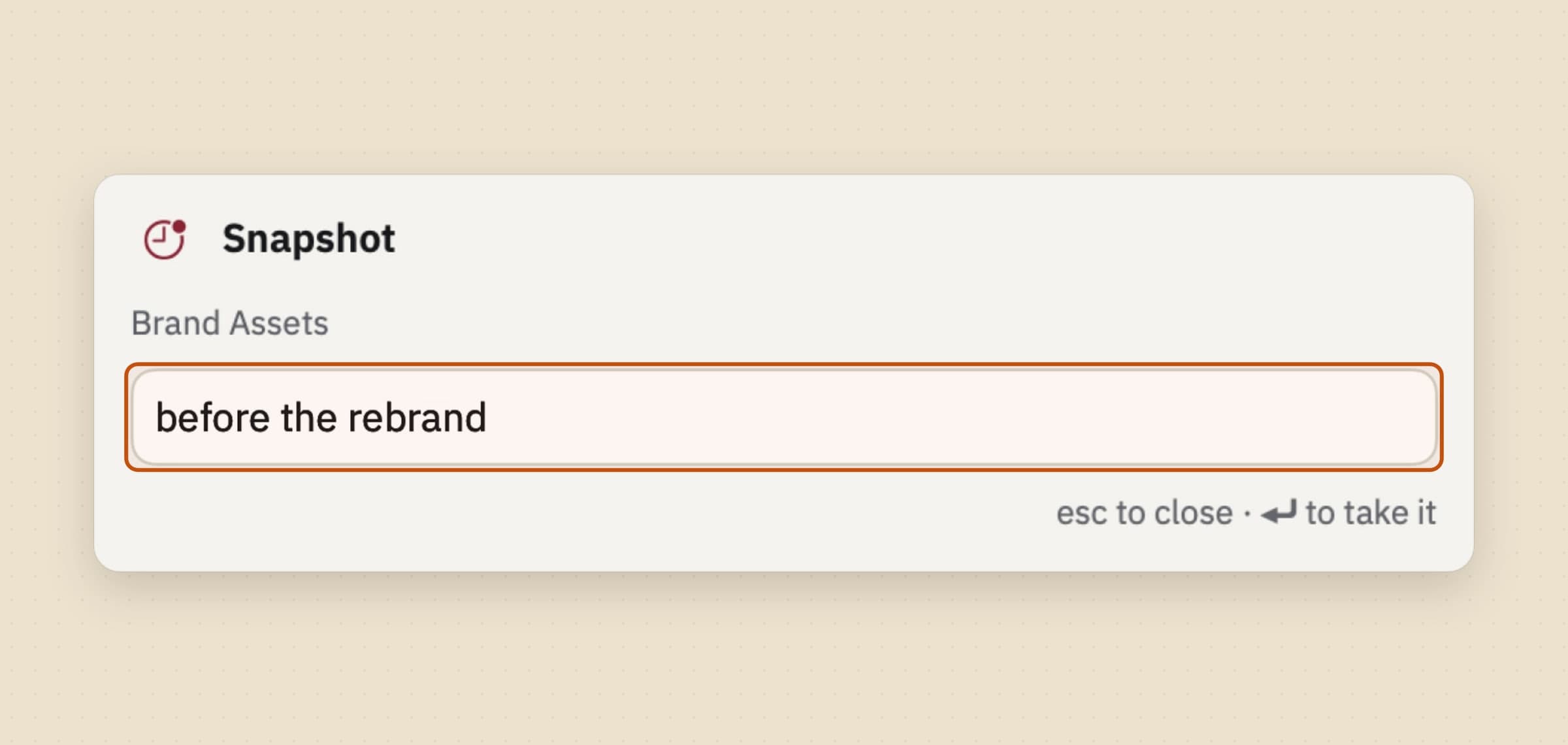
Recording every save is right for a thesis folder and wrong for an eighty-gigabyte render folder, so it is a setting on the folder rather than on the app. A folder told to wait leaves the event stream but keeps its permission open, so it can be walked the instant you ask - and everything one walk stores shares a single instant, which is why a deliberate act arrives on the timeline as one moment rather than as four hundred.
There are three ways to ask. The folder's own screen has a snapshot control, on Cmd-S like a save. The Finder's History submenu offers Take a Snapshot Now. And Ctrl-Opt-Cmd-S raises a small panel over whatever app you are in, takes a name for the moment, captures every waiting folder and gets out of the way. Its companion, Ctrl-Opt-Cmd-R, opens the history window: Retrace has no menu bar item and no Dock icon, so a shortcut is the way back in. Both are rebindable in Settings, and both carry three modifiers on purpose - a global registration that loses a collision is told nothing by macOS, so a default's only defence is being a combination nobody else reaches for.
Retention never thins a snapshot away on age. In a folder that only records when asked, they are the only versions there are.
Telling an overwrite from an edit
A file dragged onto another in Finder and a file saved by its own editor look identical to every API macOS offers. Both leave a file at the path, both mint a new inode - an atomic save renames a temp file over the target, and Finder's Replace renames a copy over it in exactly the same way - and both arrive as the same filesystem events. Nothing in the event says which one happened.
One thing separates them, and it is the file's own modification date. Bytes written to a path carry the moment the event reported; bytes produced somewhere else and moved there carry whatever date they had where they were written. So the test is whether the bytes are older than the event that announced them, with two minutes of slack - comfortably past the longest a large file can legitimately be held back before it is captured.
That catches a Finder replace, an unzip landing on a document, cp -p, rsync, a
sync client writing the server's copy down, a restore from a backup. It does not
catch cp without -p or a browser download, both of which stamp the current
time, and it is deliberately left not catching them: every alternative - hashing
the previous bytes, diffing content, sniffing formats - costs orders of magnitude
more and is wrong in its own ways. Under-claiming is the right failure for a flag
that decides what gets kept.
It has one effect back on the ten-second window, too. A file that was placed does not wait it out. The window exists to fold one file's burst of autosaves into a single version, and a drop is not a burst - holding it there is exactly what lets a second drop land on the first and the two be filed as one.
What you see: the folder list marks each folder with how many of its files something was put on top of, the file list marks those rows and carries a switch that narrows to them, and on the timeline the moment says the file was replaced rather than edited. Retention takes it from there - the version underneath a replacement is held for thirty days whatever else it thins away, because a document written a year ago and buried this morning is exactly the copy somebody opens this app to get back.
Rewinding the folder, and undoing the rewind
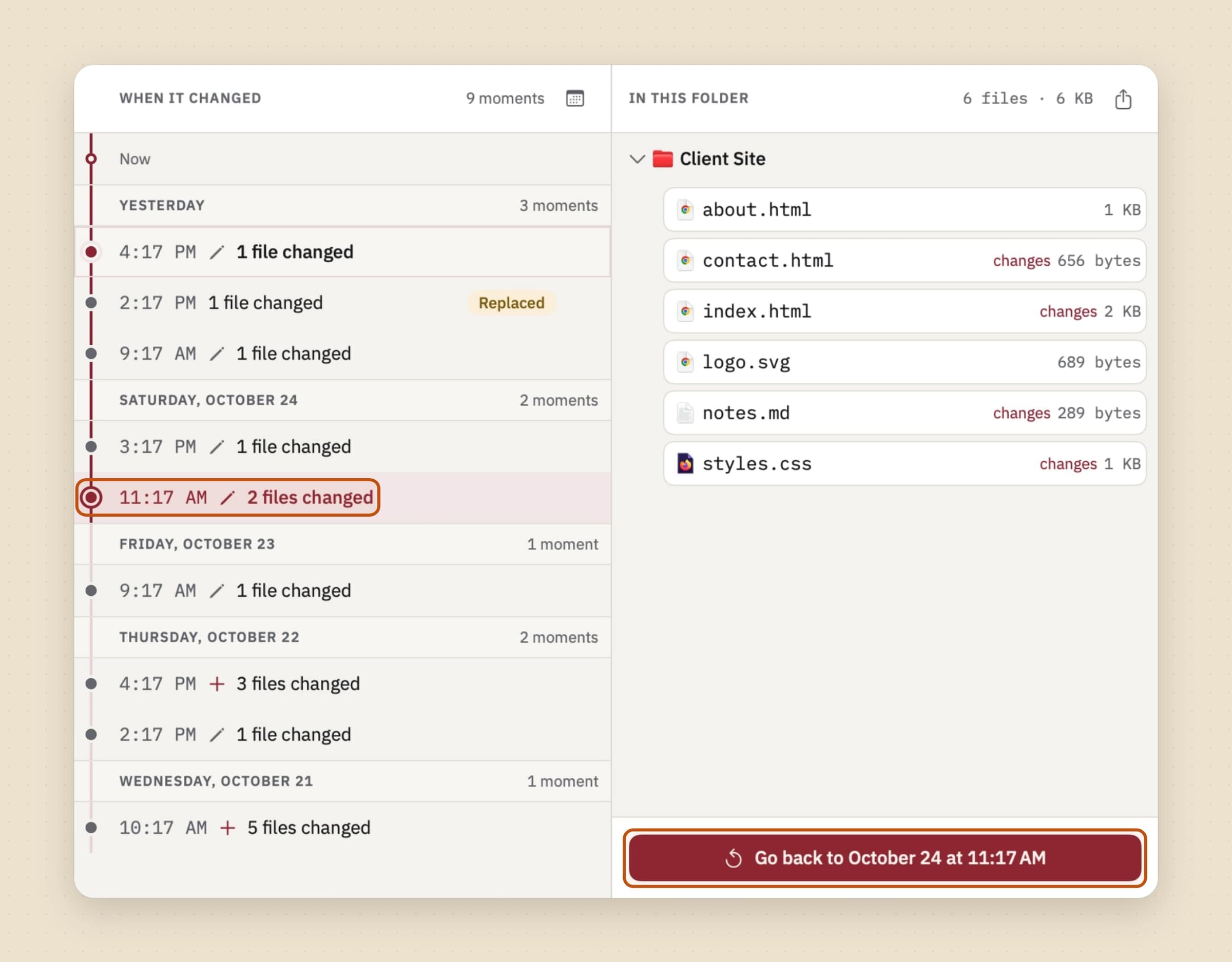
A busy folder produces hundreds of capture instants a day even after the merge window has done its work, so the timeline folds them. Instants less than a minute apart are one moment - saving four documents in the same half-minute is one thing you did, not four - and the moments hang under their day on one spine that runs down from Now. Each moment says what changed in it, and selecting one shows the whole folder as it stood at that point, not only the files that moved, with the stretch of spine a rewind would undo drawn in colour.
Rewinding takes the whole folder back to one of those moments. Every path is vetted before anything is touched, because a plan half of which is allowed and half refused must not run at all: you asked for a state, not for most of one. Then the current state of everything the rewind will touch is captured, and that step is the entire answer to "take me back to now again".
Both halves of that end up on the timeline. The act gets a row of its own saying where it went - "you went back to 13:15" - and the state you left gets a point just before it; neither folds into the work around it. When the rewind finishes the way back is already selected, with its plan built, so "that was not it either" is one press, and it is still there after the banner is gone or the app has been relaunched. Undo is not a separate mechanism here, it is rewinding to that point, and it is as undoable as anything else on the timeline. The row whose state the folder currently holds is drawn differently rather than labelled, so where you are now is something you see rather than work out, and the first save afterwards moves it forward with the folder.
Files the rewind removes go to the Trash rather than being deleted, and so do the folders its own removals emptied, deepest first, so a tree made since the target collapses whole - one still holding something Retrace never captured stays where it is, because a rewind must never take away what it could not put back. A file that cannot be written does not abort the rest: the failures are collected and named in the report. A rewind that silently did eleven of twelve things is worse than one that says so.
Jumping to a day
A year of history is a long scroll. The calendar button at the top of the timeline shows a month at a time with the days that hold history marked, and a day with nothing on it cannot be picked. Picking one lands on the state the folder was left in that day, which is usually what "it was fine on Tuesday" means. Go to newest brings you back to the top.
Taking the folder out as it was
Sometimes you want last Tuesday's folder without giving up today's. Right-click a moment on the timeline and choose Export folder as it was here, or use the button above the folder's contents, and every file as it was at that moment is copied into a new folder wherever you pick. Your folder itself is not touched. The new folder has to sit outside your watched folders - inside one, the copy would be recorded as new history - and an export that cannot finish leaves nothing behind.
Putting one file back, after seeing what changed
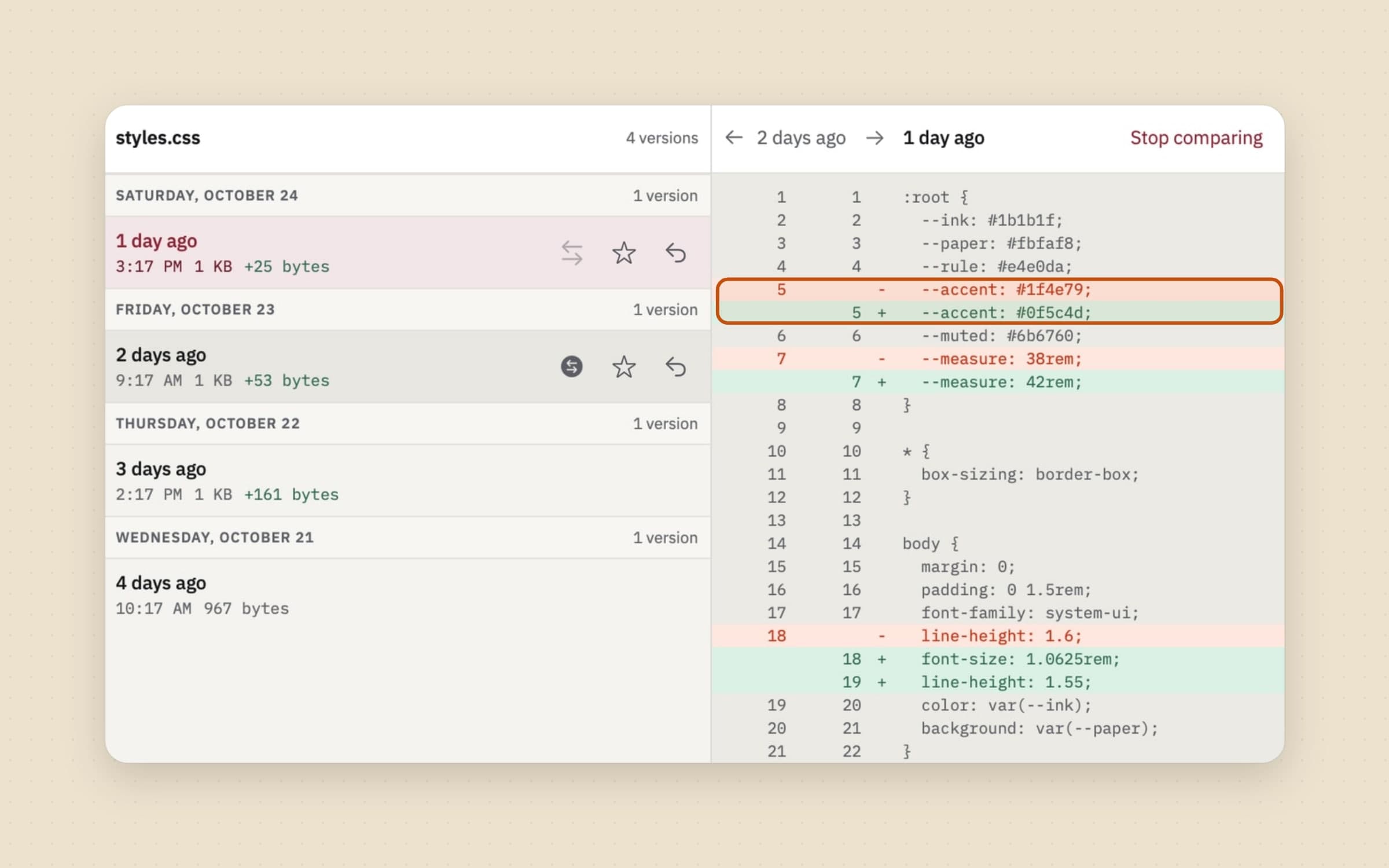
Most recoveries are one file, and for those the folder is the wrong unit. Each row says how many versions it holds and when it last changed, and right-clicking one reaches the file itself - show it in the Finder, or open it. A single version can be restored in place, or written beside the original as a numbered sibling if you would rather compare them first. Restoring in place captures the current file as a version before it overwrites anything, which is what makes the button safe to press; the version the file already holds is not offered at all, it says so instead.
A version can also leave the history as a file of its own. Drag it out of the
list into the Finder, or choose Save a copy and put it anywhere; either way
it arrives named after the file and the moment, like
report (2026-10-25 14.32).docx, so the old draft sits next to the new one and
still opens in the app that made it. The version itself stays in the history.
And when a version should not be in the history at all, right-click it and delete it, or delete every version of a file at once. The sheet says how many versions go and how much disk that frees, and warns before it breaks a promise - a version you chose to keep forever, the copy that makes a restore or a rewind undoable, the last copy of a file that no longer exists. A named moment that loses the version it sat on moves to what is left of it, and one left with nothing at all is removed, which the sheet says before anything goes. The file itself is not touched.
Comparison is per format, because "what changed" has a different useful answer in each. Text compares line by line. Images get a swipe divider, an onion-skin crossfade, and a difference mode that amplifies and false-colors the result, since a raw difference blend of two nearly identical images is a black frame with a dot in it. A PDF is compared by hashing each page's text, which survives the object reordering every re-export produces - a byte comparison would call the whole file changed - and answers at the granularity people ask about, which is "pages 3 and 7".
Finding an old version by what it said
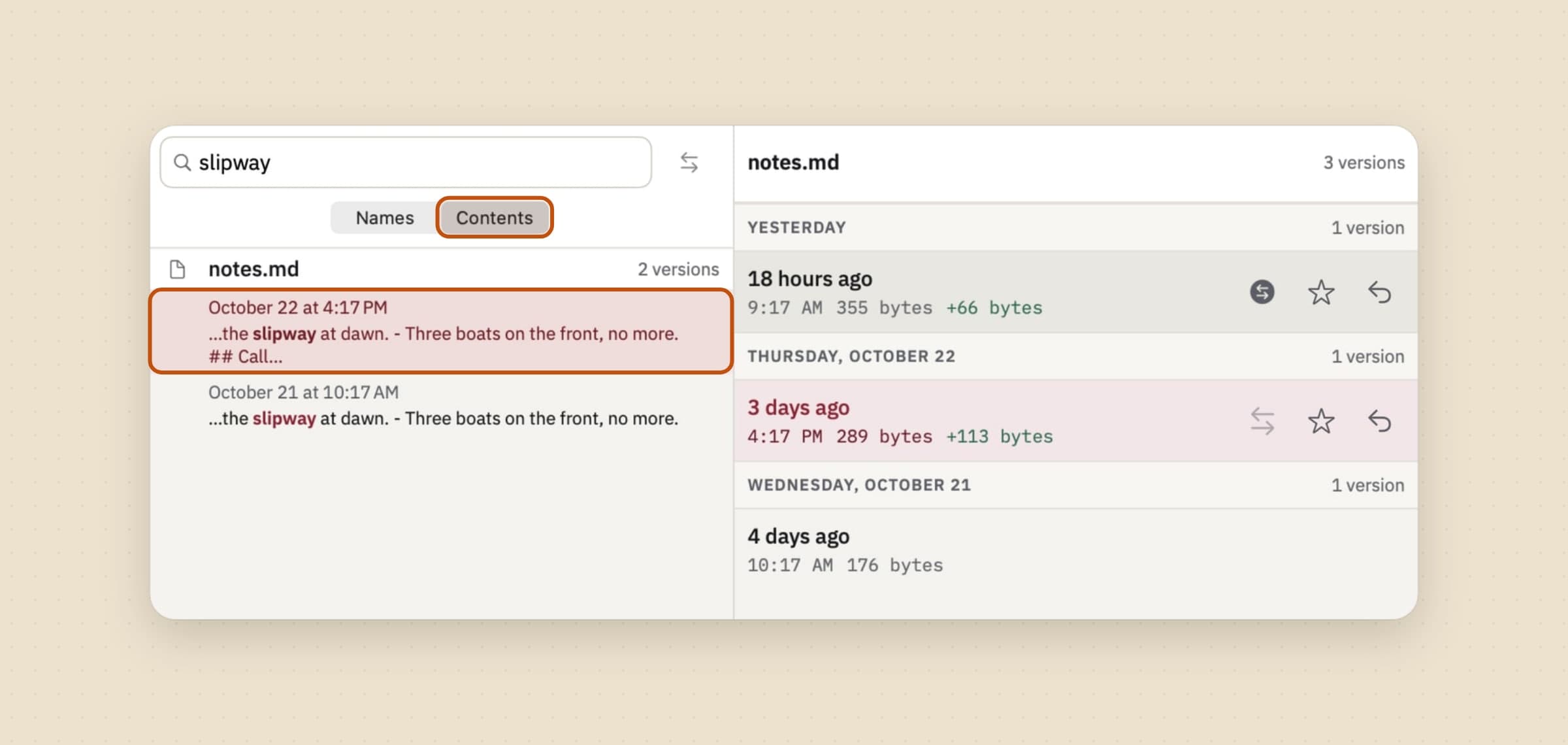
Sometimes you do not know which file it was, only what it said - a paragraph you cut last month, a figure in a quote that has since been revised. Switch the Files tab's search from Names to Contents and type at least two letters: Retrace looks through the words of every saved version, not just the file as it is now, and opening a result opens the version that matched.
It reads plain text, PDFs (the first 200 pages), and RTF, Word and OpenDocument documents through the text system macOS already ships. Images, archives, Pages files and anything else without words it can honestly read are left out rather than guessed at, and a file over 20 MB is not read at all. The index is built in the background and stays on the Mac; Search inside files in Settings -> Storage shows its size, and switching it off deletes it.
What it deliberately does not do
It is not a backup. The history lives on the same disk as the folder, so a failed drive takes both. That is the deliberate trade for capturing seconds after a save rather than once an hour, and it is why Time Machine or an offsite copy is still the other half.
There is no sync, no iPhone app and no account, and it works with the network off. Files that live only in the cloud are skipped rather than downloaded, so switching history on for a folder full of evicted placeholders cannot quietly pull gigabytes back onto the disk.
Some trees are excluded by default: node_modules, DerivedData and .build
because they regenerate, .git and .svn because they are already a version
history, photo and video libraries because they are multi-gigabyte databases
that rewrite themselves constantly. Every default is visible and editable, since
the only thing worse than a bad exclusion is an invisible one.
History thins with age rather than growing forever: everything from the last 24 hours, hourly for a week, daily for a month, then weekly for as long as you keep it - 1, 3 or 6 months, a year (the default) or forever, one choice for every folder in Settings -> Storage. Under that sits an always-keep list no setting overrides: the ten newest versions of every file, anything you chose to keep forever, every snapshot you asked for, the last version of a file that no longer exists, whatever an overwrite replaced for thirty days after it, and the way back from a rewind for thirty days after that. A moment you give a name to is kept for good, and naming one never erases what a rewind wrote there.
Each folder also has a disk budget, and old versions retire against it, oldest first. Automatic is 5 GB or a tenth of your free space, whichever is smaller; you can pick a fixed size from 1 to 50 GB instead (1, 2, 5, 10, 25 or 50), or no limit. When what Retrace promised to keep is already more than the budget, it says so rather than breaking the promise - raise the budget, remove a folder, or delete some history yourself.
What it costs, and what else to look at
Retrace needs macOS 14 or later, runs on Apple Silicon and Intel, and takes about 25 MB. It is a one-time $4.99 purchase with a 30-day trial that needs no card and no email. The full specification is on the Retrace page.
If the question behind all this is which backup layer you are actually missing, there is a survey in Time Machine alternatives for Mac - version history and backup are different jobs and most people need both. And if what is really wrong is that the disk is too full for any of it, Sweep is the neighbor - it files a folder by rules you write, in sorting files automatically on a Mac, and the space it frees up is in free up disk space on a Mac.