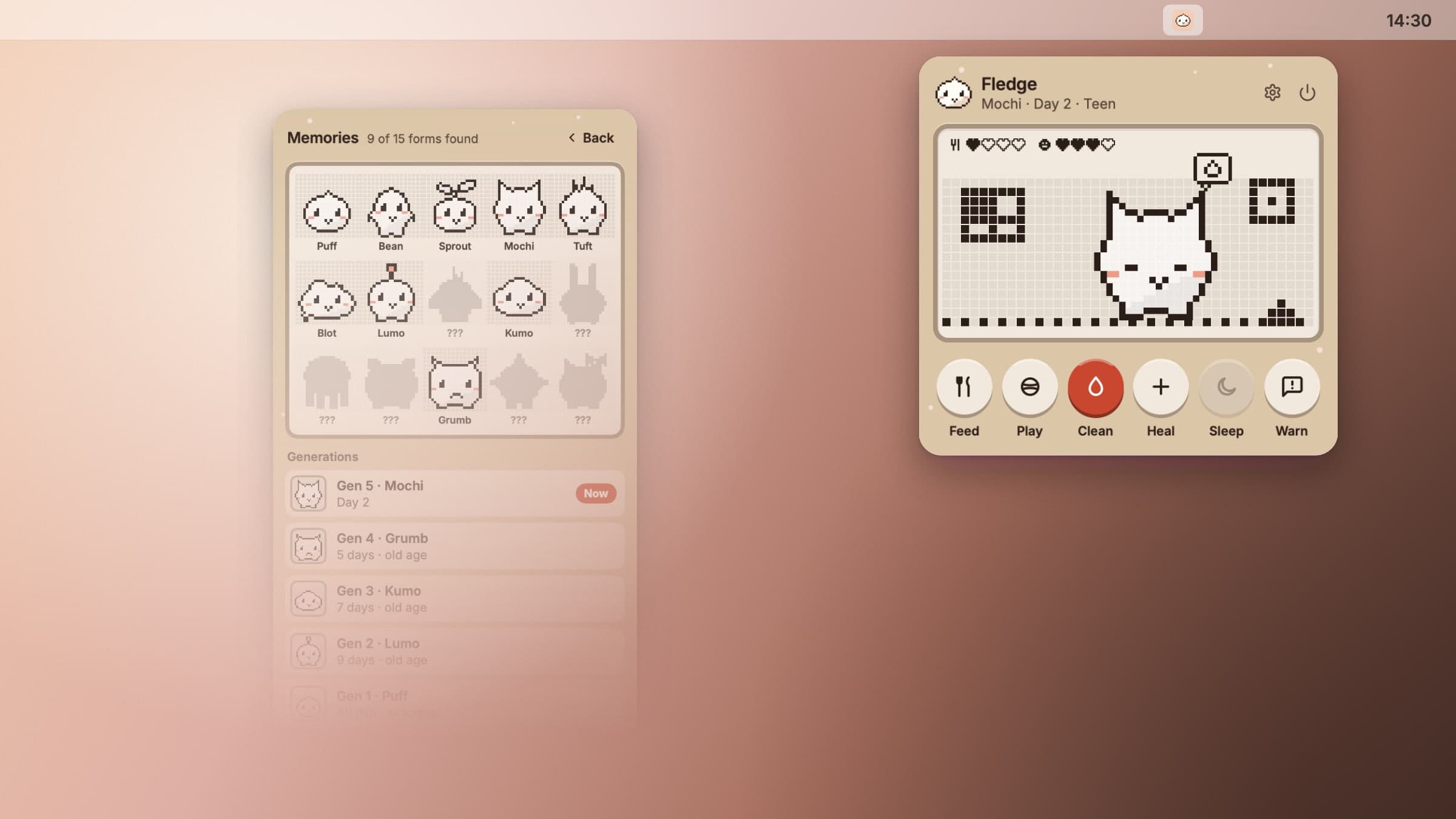
A pet that lives in the menu bar
A menu bar pet for Mac is a small creature you look after from the top of the screen while you work. It gets hungry, bored and messy, and it grows up if you answer. Fledge keeps one pixel pet in a tiny room behind its menu bar icon. It hatches from an egg, lives about a week of desk time and turns into a different form each life.
There's no window on the desktop and no Dock icon. The icon is the pet itself, and it shows a red dot when something is wanted.
From an egg to an adult
The egg hatches in about five minutes. After that the pet is a baby for two hours, a child for eight, a teen for a day and then an adult. A well-kept adult leaves of old age after about a week, and a new egg takes its place.
All of that counts active time only: Fledge running, the Mac awake and the screen unlocked. Quit the app, close the lid or lock the screen and the pet's clock stops with you.
Six keys and a bubble
Click the icon and the room opens. Hearts for hunger and happiness sit at the top of the screen, and six keys sit under it: Feed, Play, Clean, Heal, Sleep and Warn.
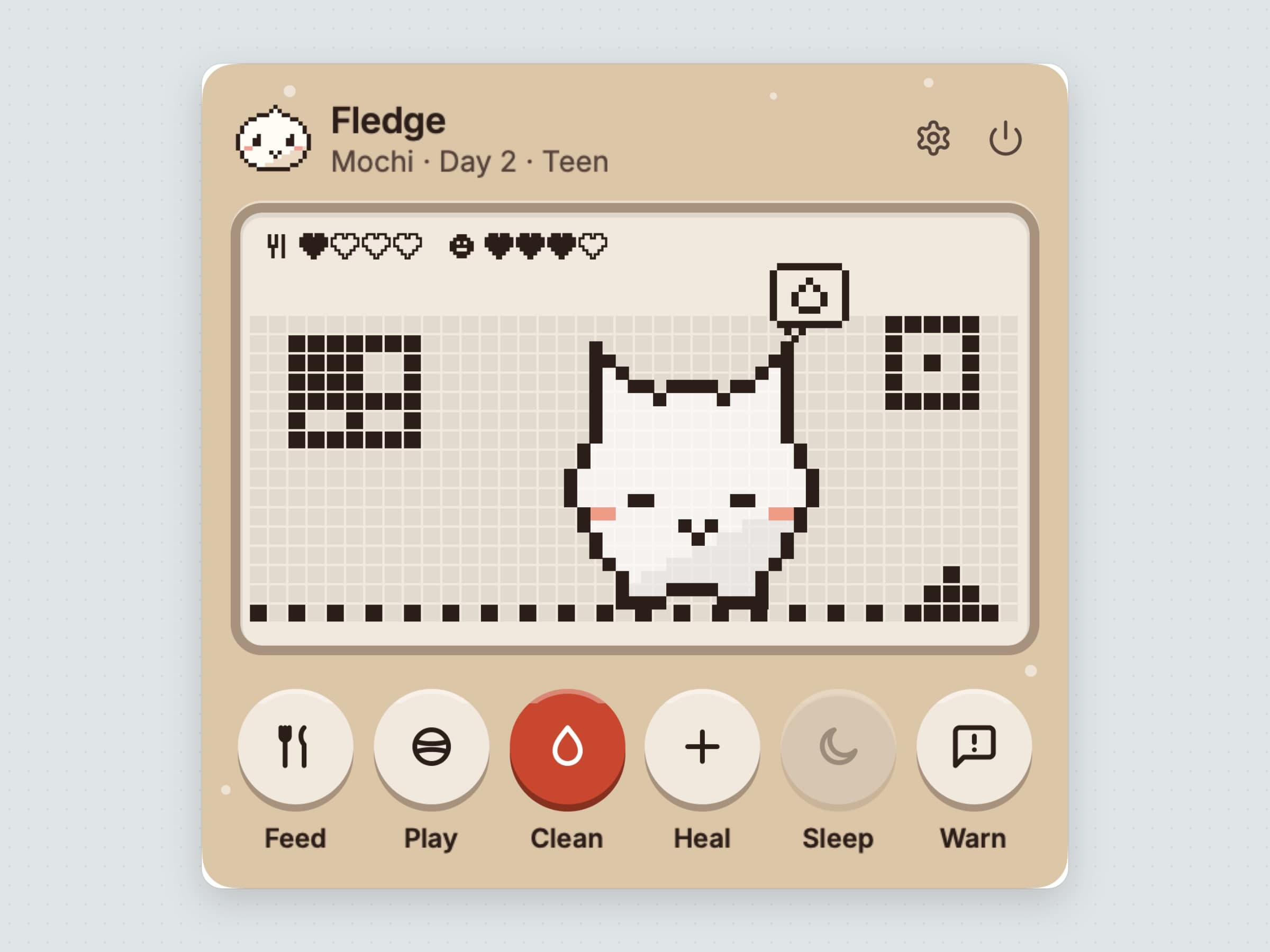
When the pet wants something, a bubble over its head shows the glyph of the key that helps, and that key turns red. A notification can say it too, so you don't have to keep checking.
Meals, snacks and three games
Feed offers a meal or a snack. A meal fills a heart of hunger. A snack makes the pet happier and heavier, and a pet that's far over its weight can fall ill from one more.
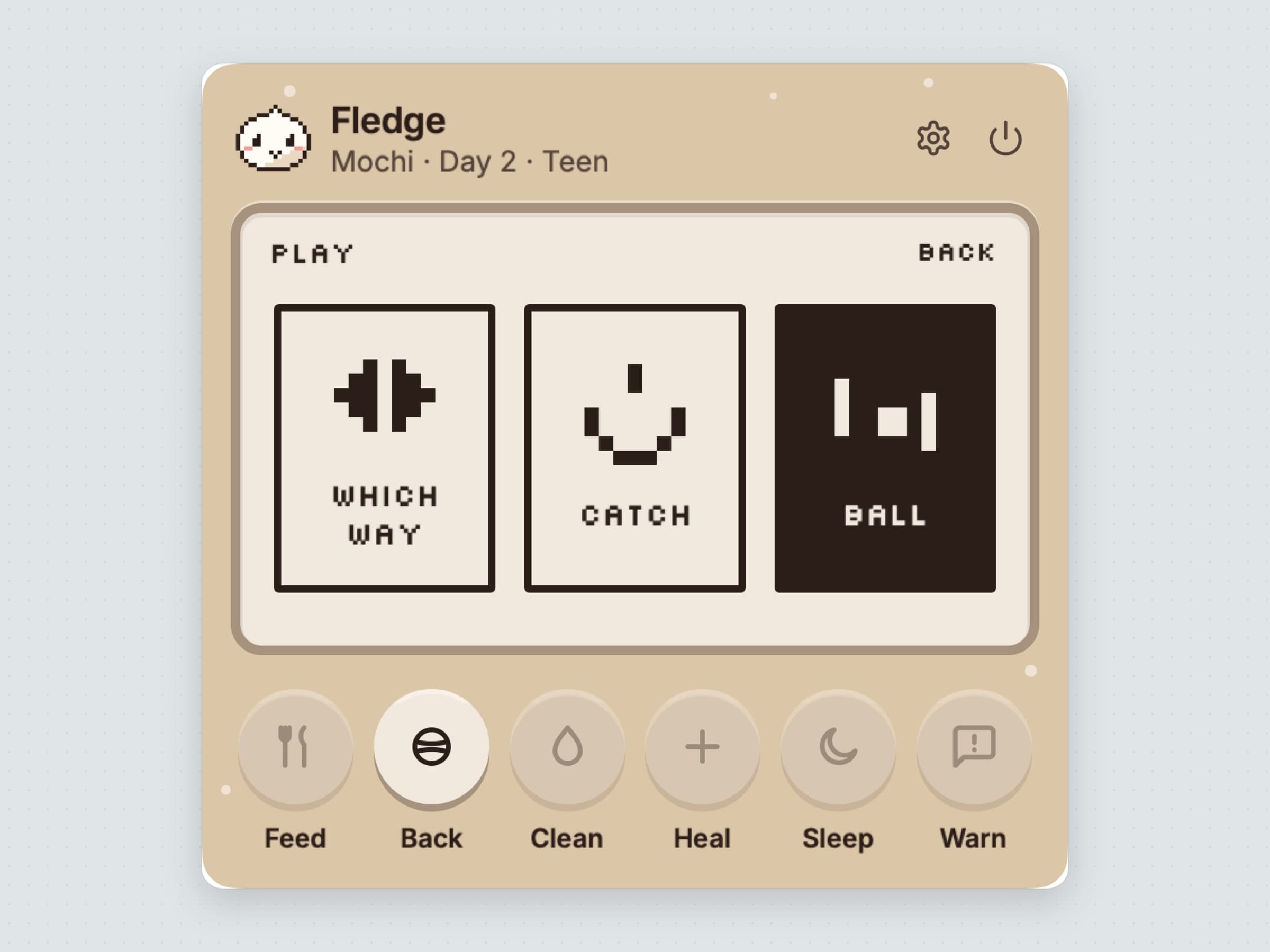
Play opens three games: Which way, where you guess left or right three times out of five, Catch, where you catch falling snacks and dodge the poop, and Ball, a rally that gets harder as it speeds up. Games burn weight.
Your care picks the form
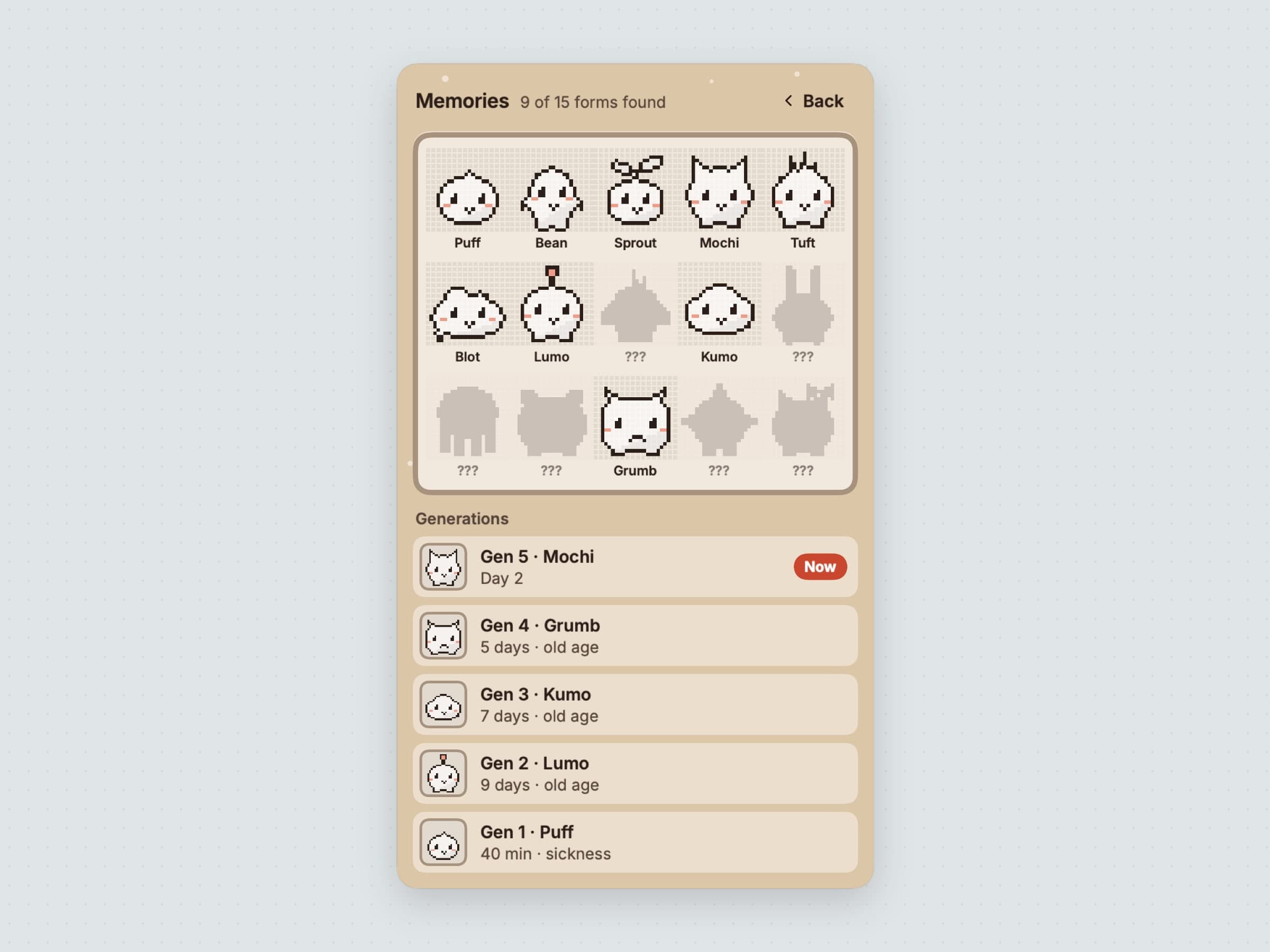
There are fifteen forms after the egg, and two of them are secret. A need left unanswered for 20 minutes counts as a care mistake. Now and then the pet calls for nothing, and pressing Warn then builds discipline.
At the end of each stage, the mistakes and the discipline decide what it grows into. A careful run leads to a tidy, long-lived adult. A neglected one ends up somewhere grumpier. Hearts open a status screen with the pet's age, weight, hunger, happiness and discipline.
Memories keeps every life
The frame on the room's wall opens Memories. Every form you've raised is drawn there. The ones you haven't found yet stay as grey silhouettes. Below, each generation gets a line with its last form, how long it lived and how it said goodbye.
If a pet is left hungry and sick for an hour, it gets one last chance: an hour to look after it. If that runs out it says goodbye, and a new egg arrives for free.
Bedtime, full screen and alerts
Settings > General sets a bedtime, 11 PM to 7 AM to start with. In those hours the pet sleeps and asks for nothing. While a full-screen app is in front, new needs wait until you leave it.
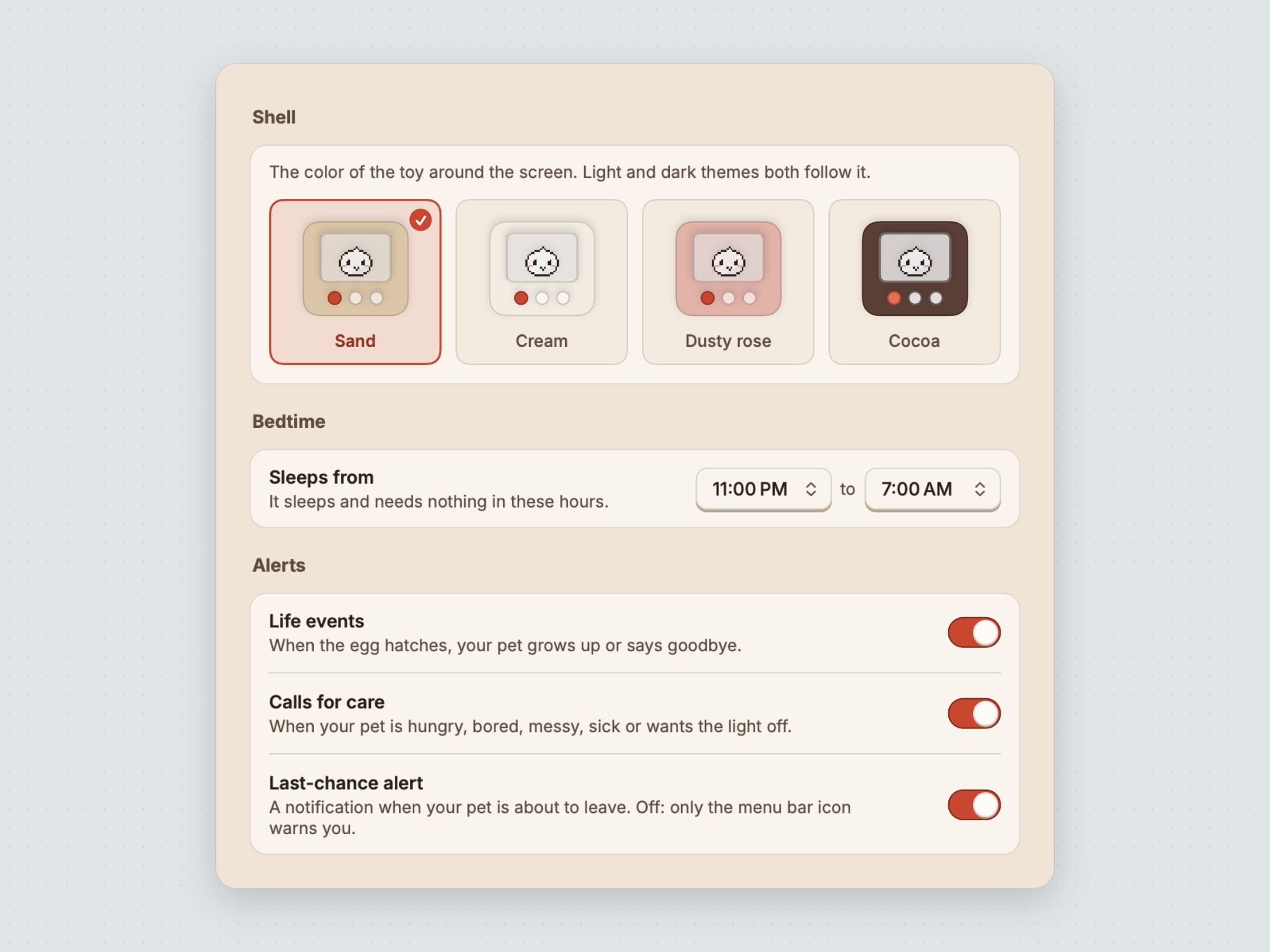
Three switches control notifications: Life events for hatching, growing up and farewells, Calls for care, and the Last-chance alert. The same pane picks one of four shell colours for the toy around the screen.
No catch-up, and one pet at a time
Fledge doesn't simulate the hours it wasn't running. That keeps a weekend away from killing the pet, but it also means a pet only grows while the app is open.
There's one pet at a time, with no trading and no second device. Fledge makes no sound of its own. Alerts use the normal notification sound, and only if you allow notifications.
The pet and its memories stay on your Mac. The direct download still goes online for license and update checks, crash reports and anonymous usage counts.
$3.99 once, and a cat for the desk
Fledge runs on macOS 14 or later, takes about 10 MB and costs $3.99 once, with 14 days to try it free. The details are on the Fledge page.
If you'd rather have a pet that roams the desktop and rewards focus sessions, CatPod is our pixel cat for that, covered in a virtual pet app for Mac. Pawodoro plays a full-screen cat video on every pomodoro break.