What Sleeve is actually good at
Sleeve is a now playing accessory for the Mac desktop: the album cover, the song and the artist, sitting on your wallpaper or floating over your windows, with play, pause, skip, shuffle, repeat, a like button and volume. It follows Apple Music, Spotify and Doppler, including Apple Music radio stations. Replay Software, the studio of Alasdair Monk and Hector Simpson, makes it, and Sleeve 3 has had steady updates since it launched on 30 January 2026, the latest being 3.3.1 in July.
Customization is the strongest part. Sleeve ships with seven themes, and almost everything in them can be changed: the artwork's size, corners, shadow, lighting and shelf, the font, weight, size and colour of each line of text, the layout, a backdrop layer and whether the controls show at all. Version 3.3 added worn artwork and plastic sleeves for a record-shop look. Themes can be exported as files and sync between Macs through iCloud. Sleeve can be pinned to any corner or edge of any display, kept above or below windows, made to float up only when the track changes, and hidden while playback is paused. Custom keyboard shortcuts control playback, likes and volume with an on-screen HUD, and Last.fm scrobbling is built in.
Sleeve costs $5.99 once bought from Replay directly; the US Mac App Store listing showed $7.99 on the day we checked. There is no subscription and no in-app purchase. Sleeve 3 needs macOS 26 Tahoe; on earlier versions, Sleeve 2.3.5 is the final release of the previous version. The app is in English, and its App Store privacy label says no data is collected.
If you listen in Apple Music or Spotify, run macOS Tahoe and want to design exactly how your desktop now playing looks, Sleeve is the obvious choice. The Sleeve alternative for Mac this page is about, Waltz, does not let you design a theme.
Why people go looking anyway
The current version needs macOS 26. Sleeve 3 runs only on macOS Tahoe. Anyone on macOS 14 Sonoma or macOS 15 Sequoia, by choice or because of an older Mac, is left on Sleeve 2.3.5, which Replay calls the last planned release of Sleeve 2.
It follows three apps. Sleeve shows what plays in Apple Music, Spotify and Doppler. Music in a browser tab, such as YouTube Music, SoundCloud or Spotify's web player, does not appear, and neither does a podcast app or a game.
Some long-time users report it got less stable. One App Store review says "with each release, the app's behavior has gotten more and more flaky", and another calls it "very buggy" and says radio sets are not scrobbled unless they are live. Version 3.3.1 deals with Spotify connections that now expire every six months because of changes on Spotify's side.
Some people want more than a picture. Sleeve shows the cover beautifully, and that is its purpose. People who want the desk to feel like a record player, or want something to play when the music runs out, are asking for a different kind of app.
What macOS already does for free
macOS already shows what is playing. The Now Playing module in Control Center, and in the menu bar if you add it there, shows the song and the app and has play, pause and skip for whatever is playing, Safari tabs included. Since macOS 14 Sonoma, widgets can sit on the desktop, and with an iPhone nearby you can place its widgets there too.
Where it stops: Now Playing lives behind a click, not on the desk, and its cover is small. Spotify has no widget for the Mac desktop, and its users still ask for one in Spotify's community forum. Nothing built in plays music for you when nothing is playing.
Waltz: a small machine on the desk that plays along with any source
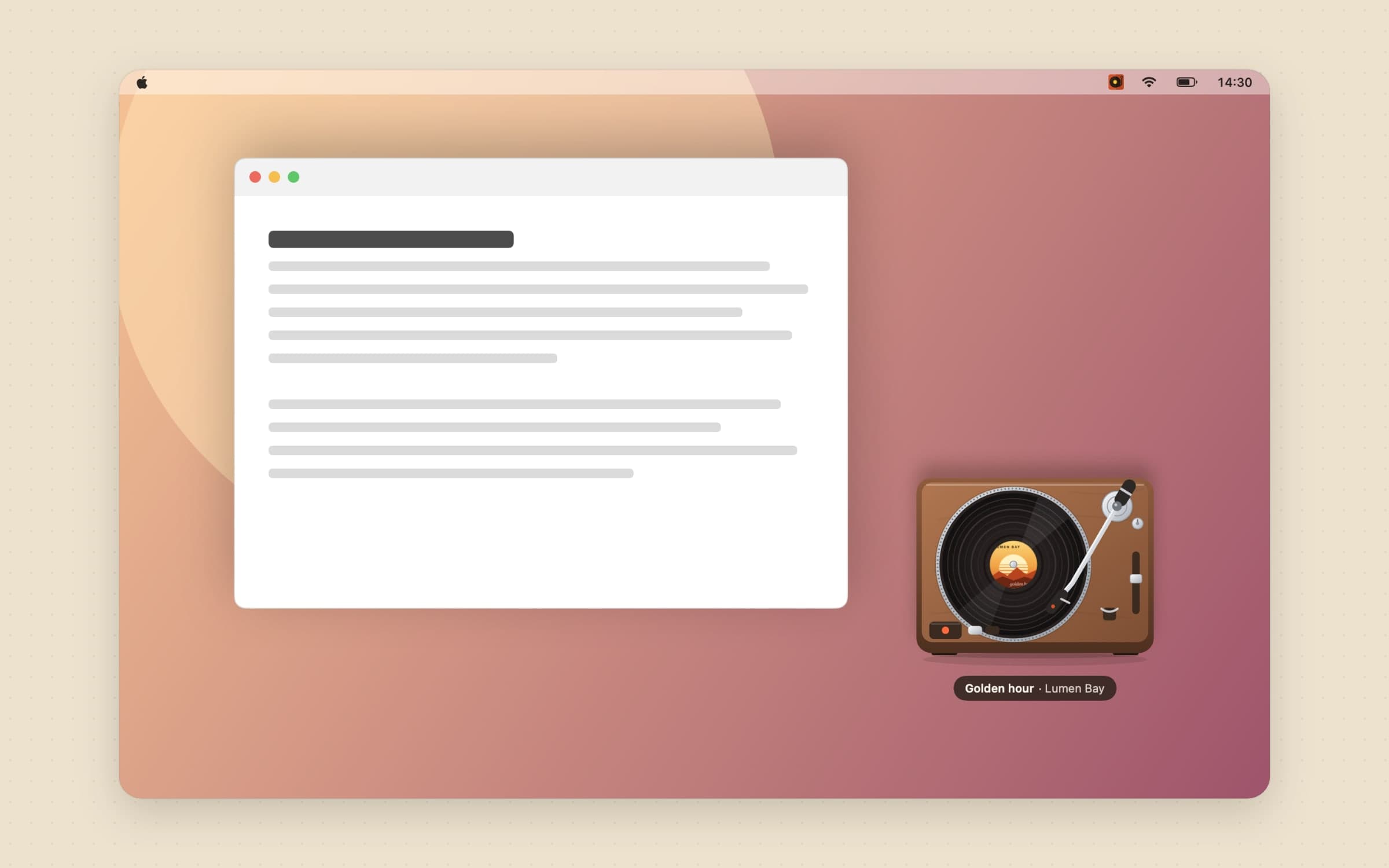
Waltz is a desk player for macOS 14 and later. Instead of a cover in a frame, it puts a small machine on the desktop - a turntable, a cassette deck, a jukebox or one of five other models - that turns while music plays and wears the song's cover on its record, tape or disc. A record in the menu bar opens the controls. The Waltz guide walks through every setting; this section covers where it differs from Sleeve.
It follows browser tabs and any app, not only three players
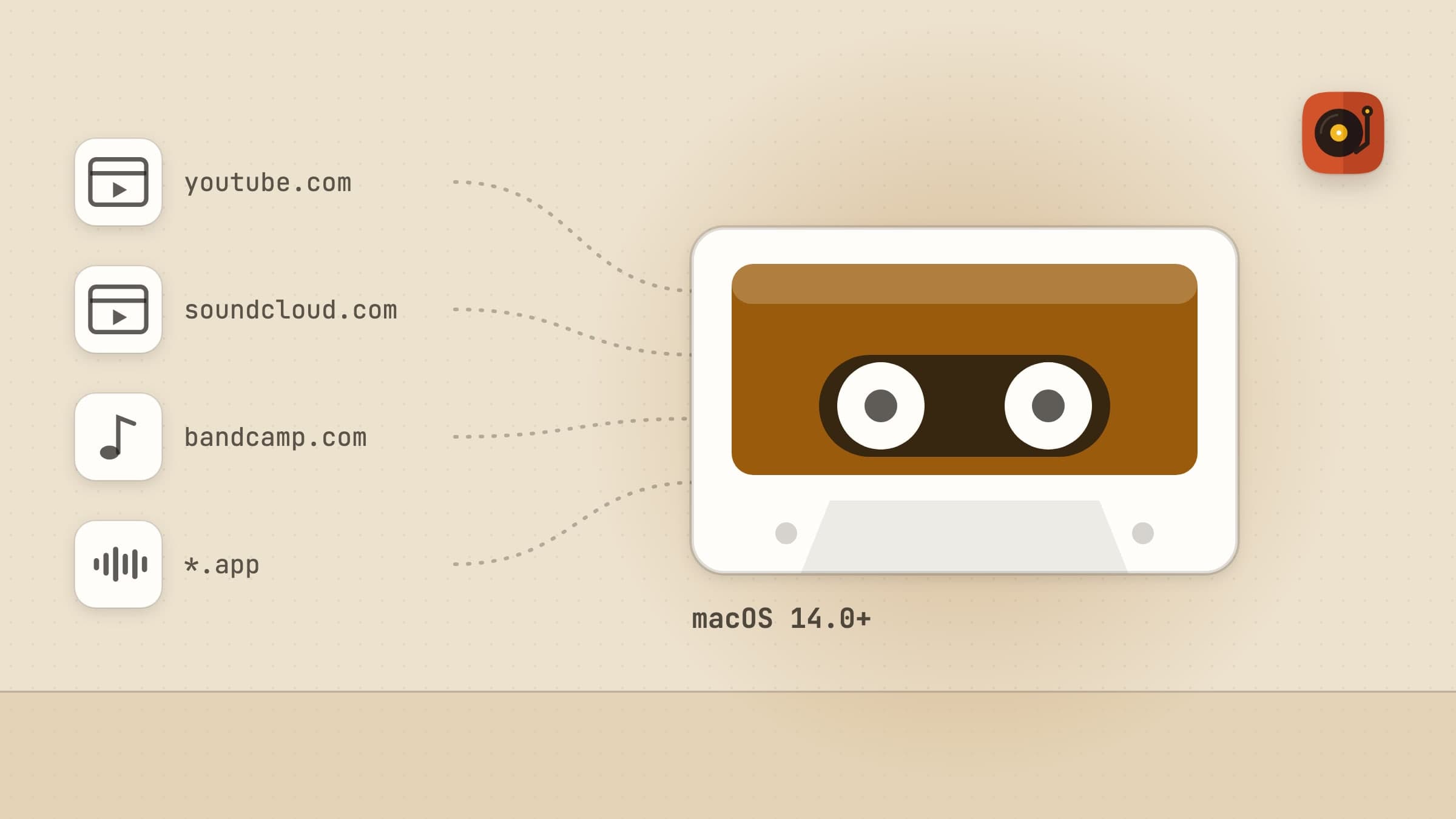
Waltz follows Spotify and Music in full, with title, artist, cover and every control, seeking included. It also reads seven browsers tab by tab: Safari, Chrome, Edge, Brave, Arc, Opera and Vivaldi. YouTube Music, Spotify's web player and SoundCloud tabs give the song's name; YouTube, Bandcamp, Deezer, Apple Music on the web, Tidal, Amazon Music and Qobuz make the player spin for music, and not for a video in the next tab.
Under Settings > Player, Any app that plays sound is a switch: turn it on and a podcast app or a game also makes the player turn, with Waltz's own label on it. Not during calls is on by default, so FaceTime, Zoom and Teams never start it. The Recent list in the popover shows where each song came from.
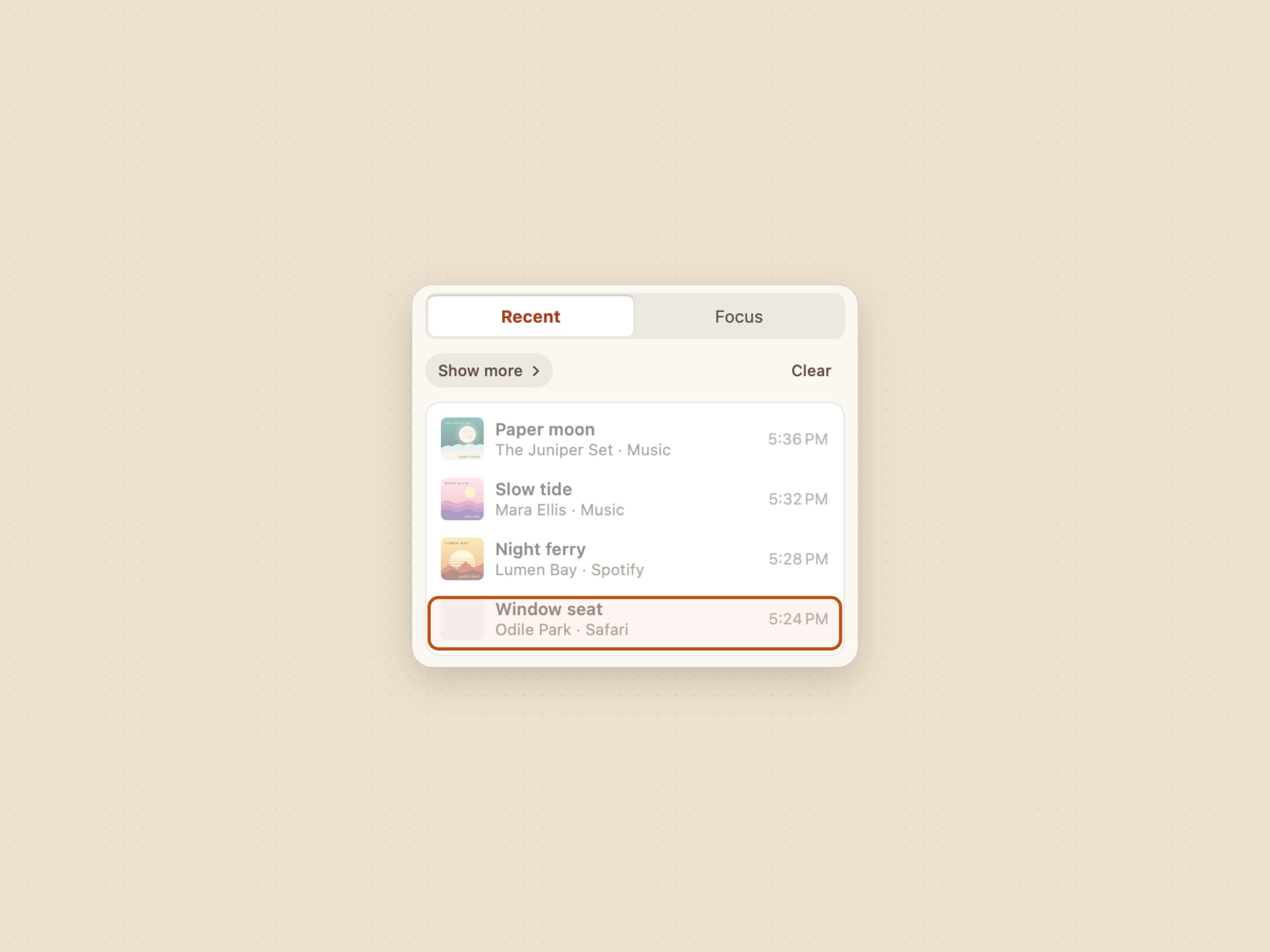
The honest limit: Waltz cannot read song titles from apps other than Spotify, Music and those browser tabs. macOS keeps that behind a private interface, so another app gets the player's motion and Waltz's label, not its song name. Doppler is not one of Waltz's sources.
Eight models, and their parts work
Waltz has eight models: turntable, cassette, gramophone, radio, CD player, boombox, jukebox and reel-to-reel. Each is drawn as the real thing, and its parts work. On the turntable, drop the tonearm and the song starts where the needle lands; on the cassette, wind a reel to seek and tap the A or B side for the next song; on the jukebox, drop a coin. The cover goes where it would on a real one, and with Colors from the cover on, lights, neon and tape stripes take the song's colours. From 8 pm to 7 am the Night look dims it a shade and lights its lamps.
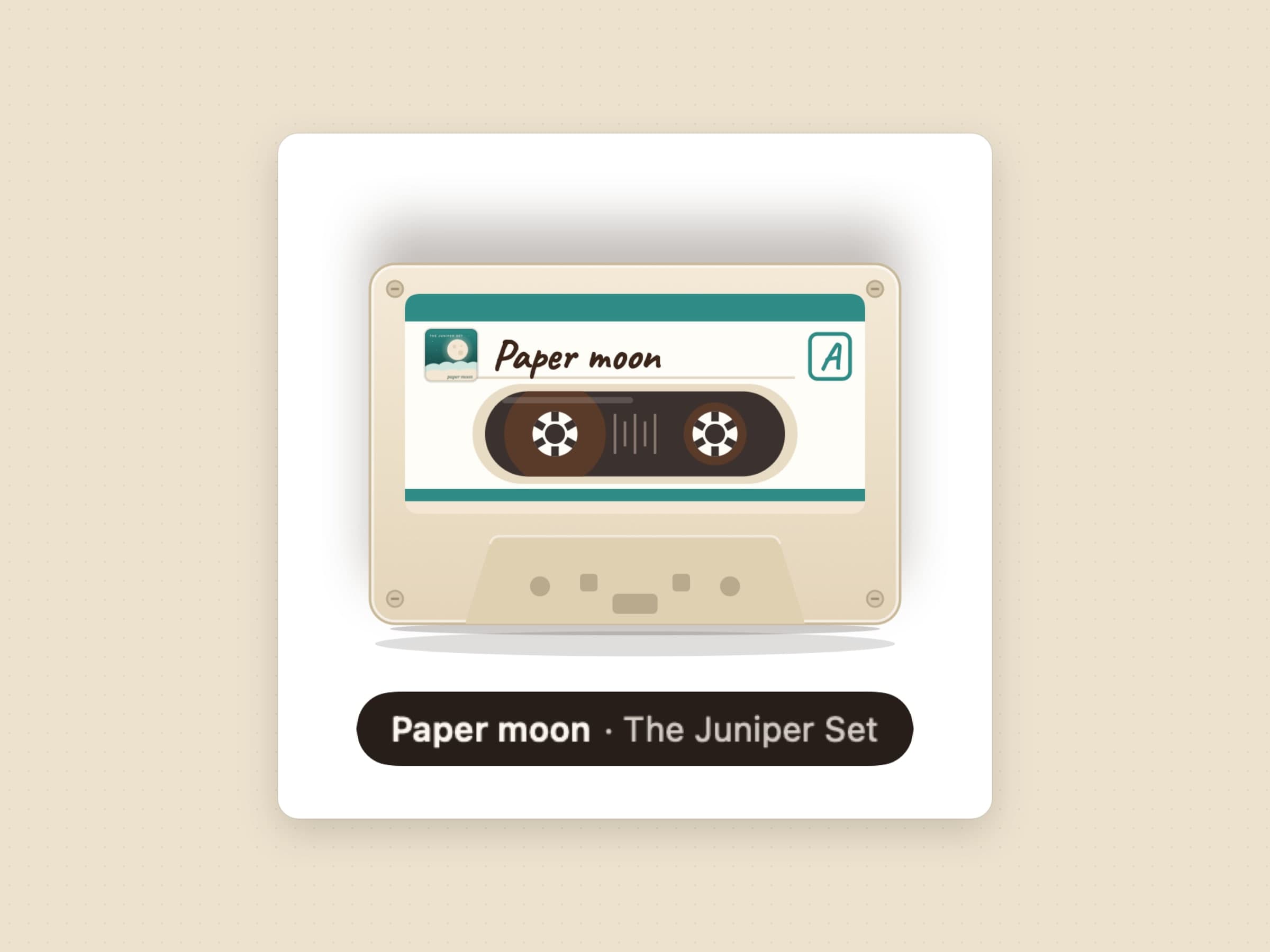
The honest limit: the look comes from the model you choose, not from a theme you design. There is a size from 120 to 420 points, an opacity, the song title on or off, a picture disc for the turntable and the night look, but no fonts, layouts or shelves to edit and no theme files to share. If designing the look is the point, Sleeve does that far better.
Music of its own when nothing is playing
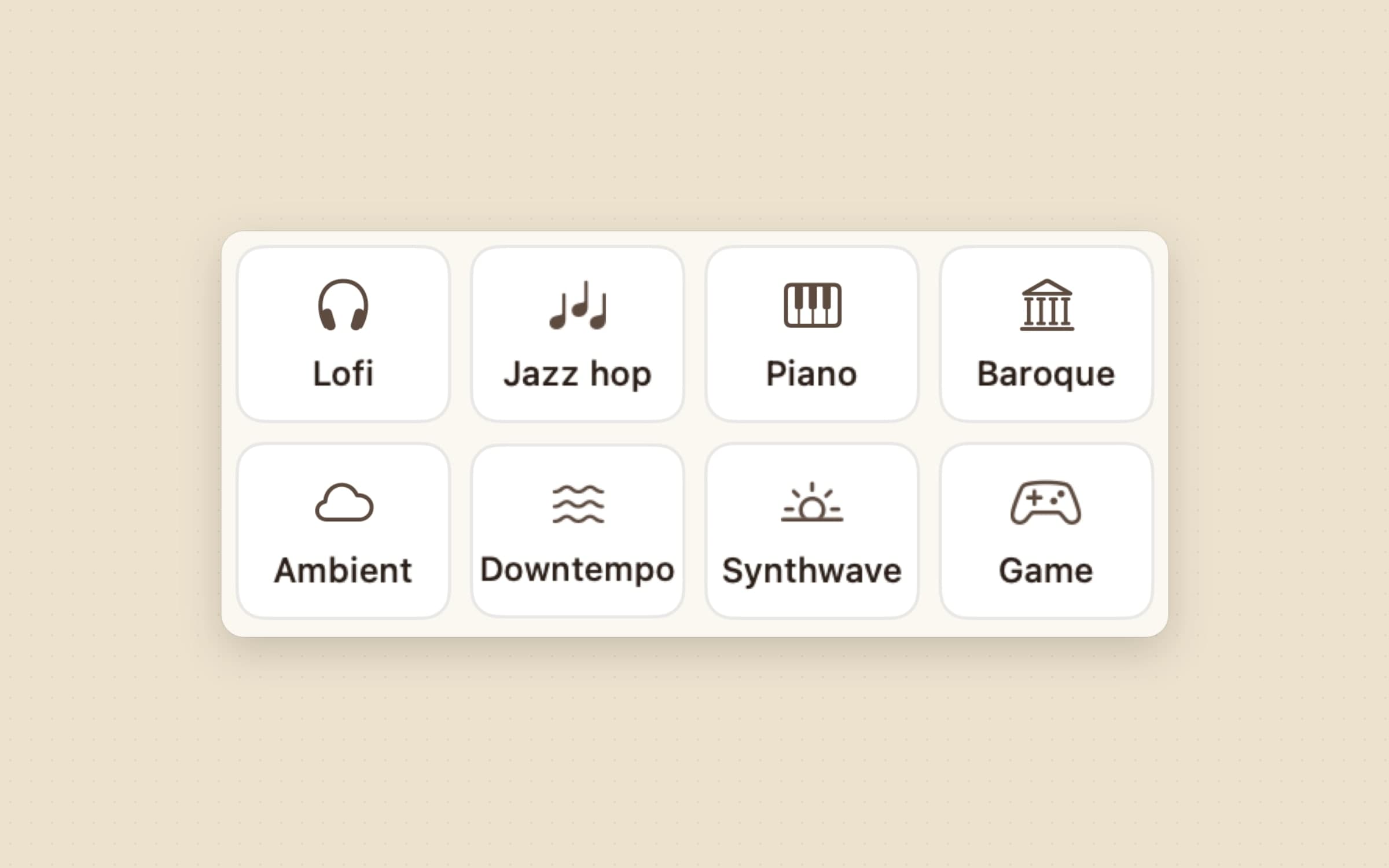
Press play when nothing is playing and Waltz puts on wordless music to work to, in eight genres: lofi, jazz hop, piano, baroque, ambient, downtempo, synthwave and game music. Play focus music from picks the source: Spotify playlists, free internet radio, or Waltz's tracks, ten tracks built into the app that play without a connection. Auto takes the best available and falls back to the built-in tracks when the Mac is offline.
The honest limit: the built-in set is ten tracks, which is enough for a working session but not a library; Spotify and radio carry the variety. If you already have a focus playlist, Waltz simply plays along with it like any other song. For timed work sessions rather than music, Pawodoro is the sibling app.
Listen mode names the songs no app reports
Listen mode hears the sound your Mac is already playing, only while it is switched on. It names a song Waltz cannot read with Shazam - a radio stream, a video, a DJ mix - moves the models with the beat, and stops the record as soon as a browser tab pauses. Nothing is recorded or saved; only a short signature of the sound goes to Shazam to find the match.
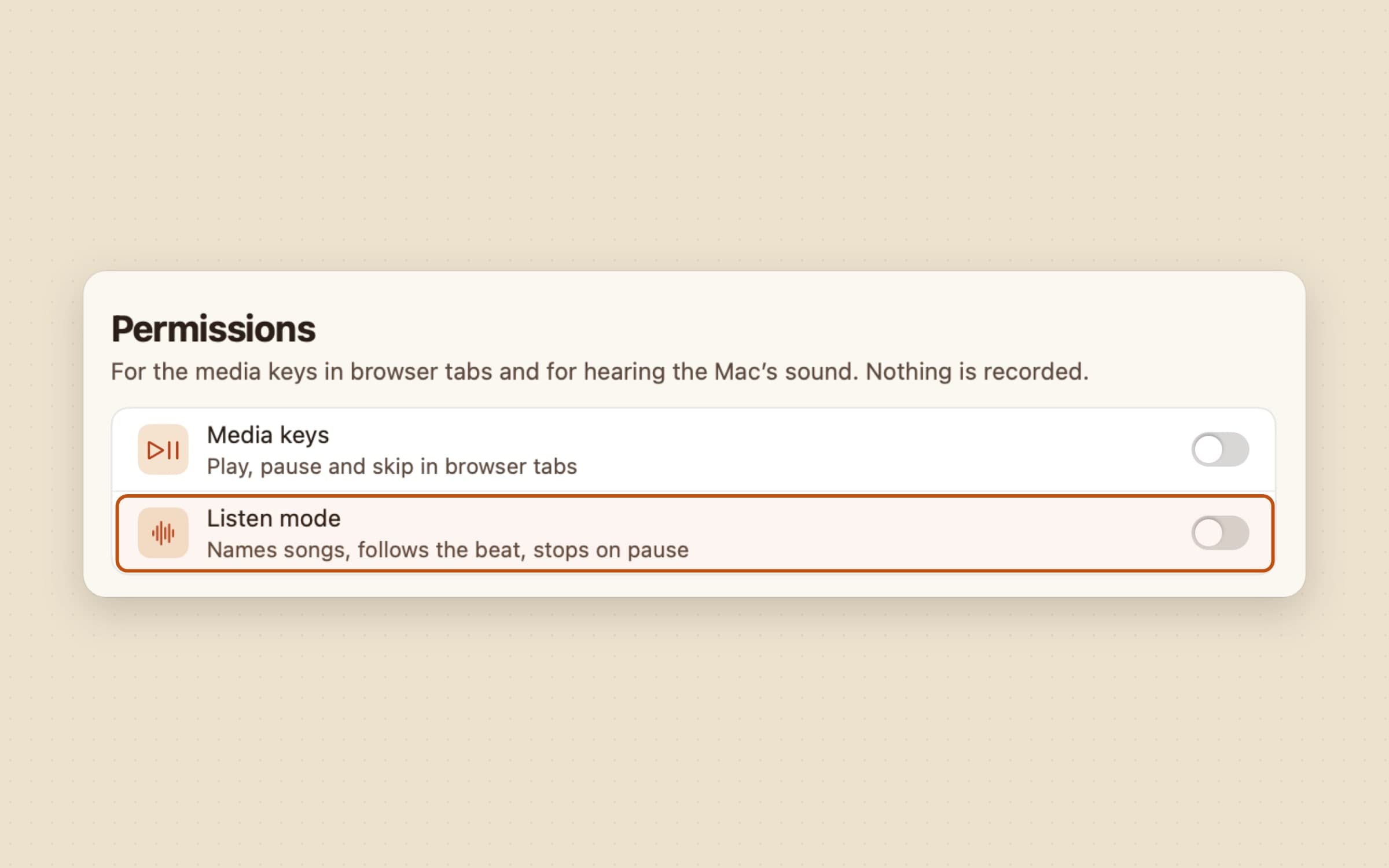
The honest limit: listen mode needs macOS 14.2 or later and the System Audio Recording permission (why each permission), and Shazam can only name what it knows. A song Shazam does not match stays unnamed, though the player keeps spinning.
Runs from macOS 14, in six languages, with a trial first
Waltz runs on macOS 14 Sonoma or later, on Apple silicon and Intel, so it fits a Mac that cannot or will not move to Tahoe. It is in English, Turkish, German, Spanish, French and Japanese. It costs $4.99 once, after a 14-day trial that needs no card and no email, and the license is permanent. There is no account: recently played stays on your Mac and is erased when you switch Keep recently played off.
The honest limit: Waltz is sold from its own site, not the Mac App Store yet, so there is no Family Sharing. It also has no Last.fm scrobbling and no custom keyboard shortcuts; the media keys work, and Media keys in Settings extends them to browser tabs.
Sleeve vs Waltz, feature by feature
| Sleeve | Waltz | |
|---|---|---|
| Price | $5.99 once direct, $7.99 on the Mac App Store | $4.99 once, 14-day trial |
| macOS | Sleeve 3 needs macOS 26 Tahoe; 2.3.5 for earlier versions | macOS 14 or later |
| Music apps followed | Apple Music, Spotify, Doppler | Spotify and Music, seven browsers tab by tab, any app's sound as a switch |
| What sits on the desk | The cover and the song's text, in a theme | One of eight drawn models with the cover printed on it |
| Customization | Seven themes, fonts, layout, artwork effects, shareable theme files | Model, size, opacity, title, picture disc, night look |
| Controls | Play, pause, skip, shuffle, repeat, like, volume | Play, pause, skip, shuffle, repeat, seek, volume, sleep timer, the models' own parts |
| Keyboard | Custom shortcuts with a HUD | Media keys, extended to browser tabs |
| Last.fm | Scrobbling built in | None |
| Music when nothing plays | None | Focus music in eight genres, ten tracks offline |
| Unknown songs | Not named | Listen mode names them with Shazam (macOS 14.2+) |
| Languages | English | English, Turkish, German, Spanish, French, Japanese |
| Where to buy | Replay's site or the Mac App Store | swiftfox.studio |
Sleeve wins on design and on listening habits: a desktop you can style down to the font, scrobbling, keyboard shortcuts and the App Store. Waltz wins on reach and play: more sources, older macOS versions, music of its own, songs named by ear, and a model that feels like an object rather than a picture.
Other alternatives worth knowing
Tuneful, by Martin Fekete, is a player that lives in the MacBook's notch, the menu bar and small mini players, for Spotify and Apple Music, with Last.fm scrobbling. It is $4.99 on the Mac App Store and needs macOS 15 or later. Its own release notes from November 2025 warn that a Tahoe change stopped third-party apps from reading streamed Apple Music tracks, so check the current notes if you stream Apple Music.
Silicio, by Jan Bolz, is free on the Mac App Store and runs back to macOS 10.13. It has a mini player with album art, desktop widgets on Sonoma and later, themes, global shortcuts and Last.fm, and works with Apple Music, Spotify and more. It is the place to start if price is the deciding factor.
NowPlayingWidget floats a now playing card over your windows with synced lyrics and a local play history, and docks by the notch or the screen edges. It reads what apps and browsers share with macOS Now Playing and needs macOS 13. It comes with a Setapp subscription or as a standalone app from $5.99.
If you want the menu bar itself to do more, the best menu bar apps for Mac sorts the field, and the best focus apps for Mac covers tools that shape a working session around what you hear, and the Mac utility apps roundup collects small tools for everyday annoyances.
When Sleeve is still the right choice
Stay with Sleeve if the look is the point: you want to choose the font, the artwork's corners and shadow, a shelf under the record, and share the theme with a friend. Stay if you scrobble every song to Last.fm, control music from the keyboard with your own shortcuts, or listen in Doppler. Stay if you already run macOS Tahoe and only ever play Apple Music and Spotify, where Sleeve covers everything you need. And stay if buying through the Mac App Store with Family Sharing matters to you.
Switching from Sleeve
- Note your Sleeve setup. If you made your own theme, export it as a file first; Waltz cannot import it, but you keep it if you go back.
- Quit Sleeve and remove it from Login Items, so two players do not sit on the desk at once.
- Install Waltz and start the trial. It needs no card and no email.
- Turn on your sources in Settings > Sources and allow Automation when macOS asks, once for Spotify, Music and each browser you use, so Waltz can show the cover and the controls.
- Pick a model and a place. Drag the player where Sleeve was and choose On the desktop or On top under Keep the player.
- Decide on the extras: Any app that plays sound under Player, Listen mode under Permissions, and Hide when nothing plays if the desk should be empty between songs.
Your themes, Last.fm connection and shortcuts do not carry over, and there is no history to move. Setup takes about five minutes.
Side by side
| Tool | What it shows | Sources | macOS | Cost |
|---|---|---|---|---|
| Sleeve | A themed cover and song text on the desktop | Apple Music, Spotify, Doppler | Sleeve 3: 26 Tahoe | $5.99 once direct |
| Tuneful | A player in the notch, menu bar or mini window | Spotify, Apple Music | 15 or later | $4.99 once |
| Silicio | A mini player and desktop widgets | Apple Music, Spotify and more | 10.13 or later | Free |
| NowPlayingWidget | A floating card with lyrics | What apps and browsers share with Now Playing | 13 or later | Setapp, or from $5.99 |
| Waltz | A drawn turntable, cassette or jukebox with the cover on it | Spotify, Music, seven browsers, any app | 14 or later | $4.99 once |
Pick by what fails. If your desktop now playing looks wrong, a configurable cover like Sleeve fixes it. If it misses half of what you listen to, sits on a Mac that cannot run Tahoe, or goes quiet when the playlist ends, a player that follows every source and plays music of its own is the fix.
Prices and features checked on 7 November 2026.

