The part of the Pomodoro method that fails
The technique is four rules long: work for a fixed interval, take a short break, repeat, take a longer break after a few rounds. People almost never fail at the first rule. They fail at the second.
The timer ends, you think one more minute while this is in my head, and the break silently does not happen. Do that four times and you have worked two hours straight while believing you were on a structured schedule. Every Pomodoro app handles the countdown correctly. Very few do anything at all about the pause.
Pawodoro is a menu bar Pomodoro timer whose answer to that is a full-screen cat video. Everything below is in the shipping version.
The timer itself
The countdown lives in the menu bar and in a popover behind it: a ring, the remaining time, the current phase, and a row of dots showing where you are in the cycle.
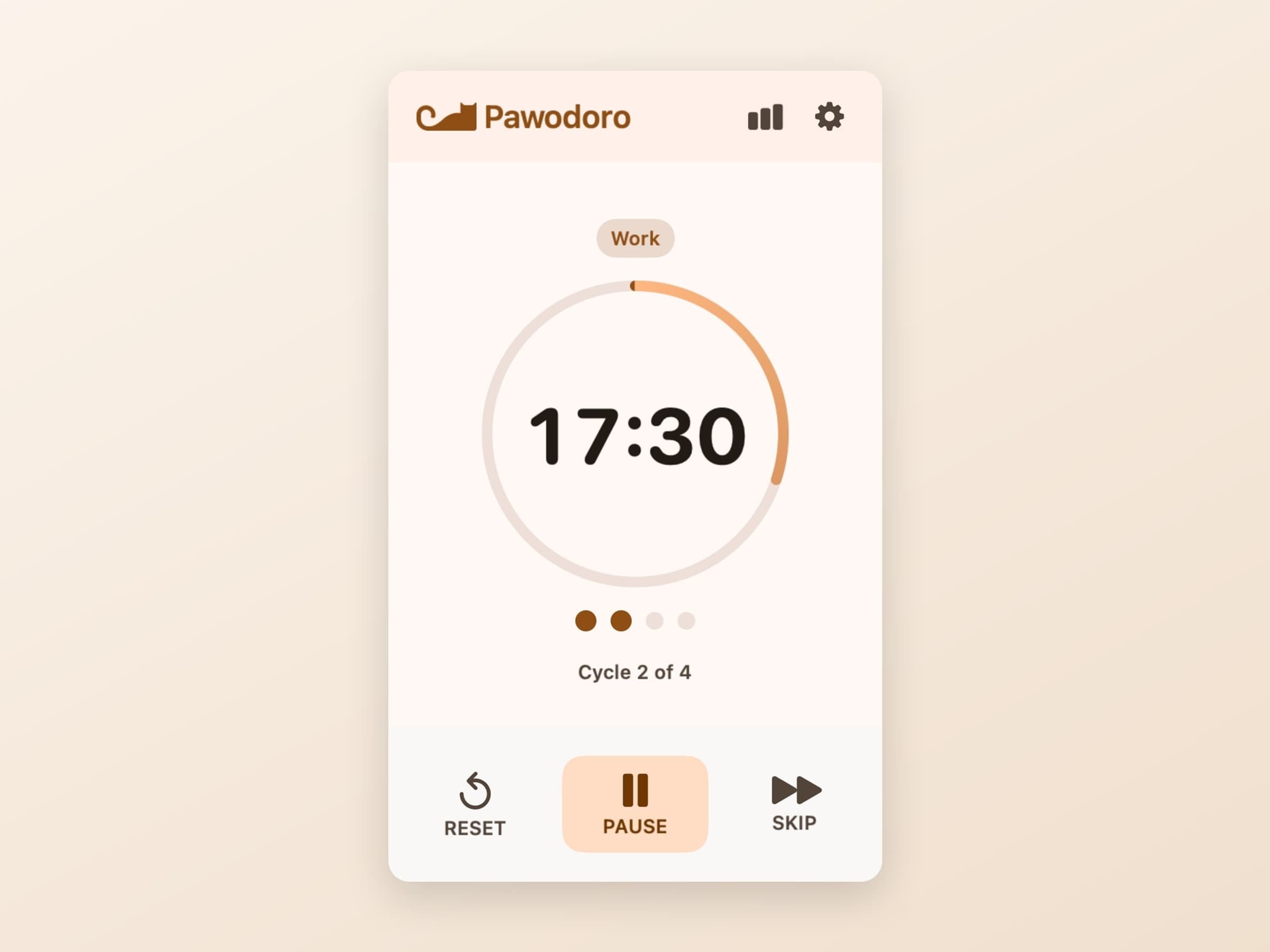
Underneath are three controls - Reset, Pause and Skip - and that is the entire operational surface. The line under the dots says Cycle 2 of 4, which is the number that actually tells you how far you are from the long break.
Presets, and the durations underneath them
Three presets cover most working styles, and each is a shorthand for the whole triple of work, short break and long break.
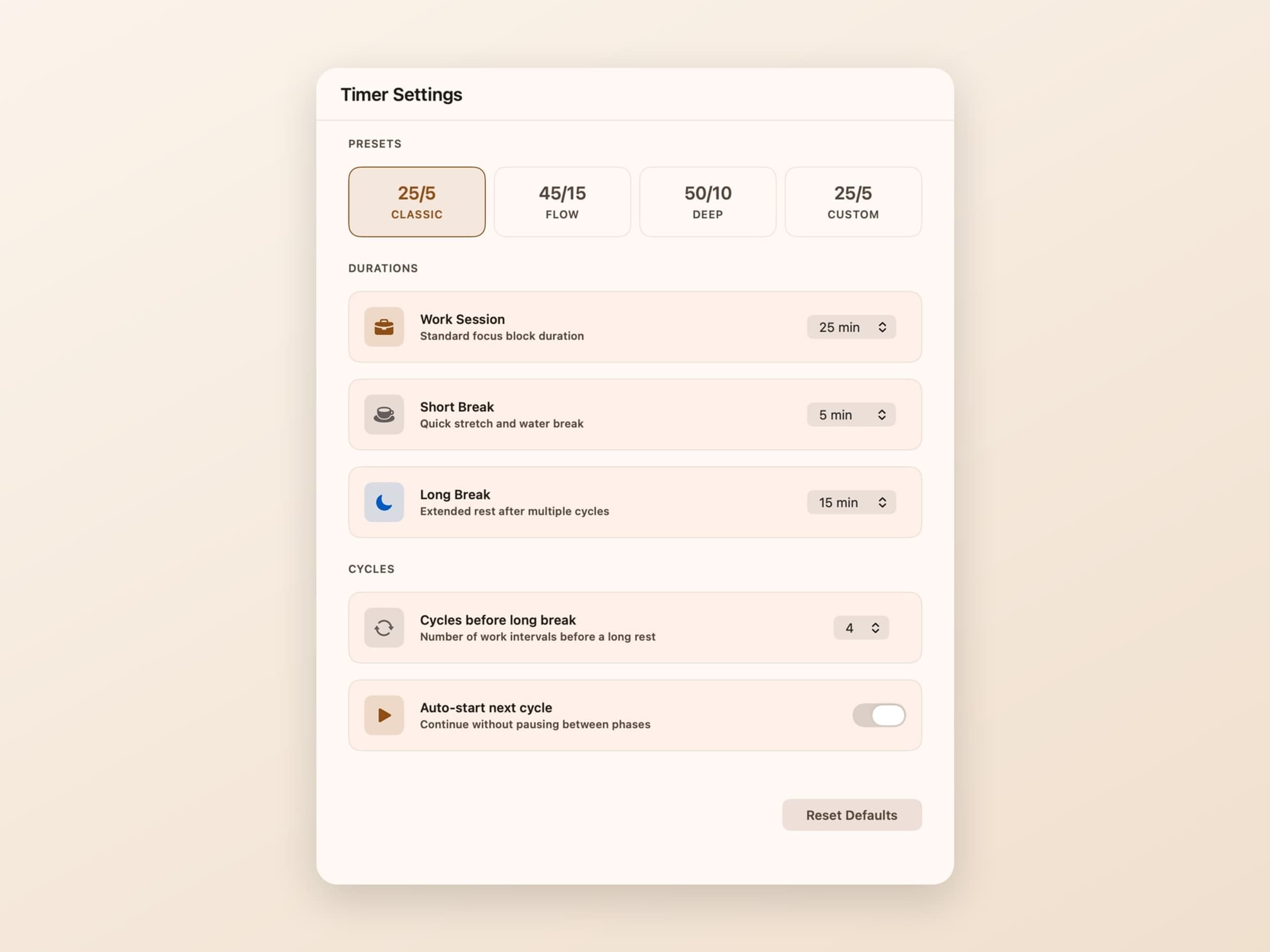
- Classic 25/5 - the canonical Pomodoro, with a 15 minute long break
- Flow 45/15 - for work that needs a longer runway before it gets going
- Deep 50/10 - long blocks, short recoveries
Below them every duration is editable directly - work session, short break, long break - and picking your own numbers flips the chip to Custom. Two more settings decide the rhythm: cycles before long break, which is 4 by default, and auto-start next cycle, which continues without waiting for you to press anything between phases.
Auto-start is the switch worth thinking about. On, the day runs itself and you never decide to keep going. Off, every phase boundary is a small explicit choice. Both are defensible; the app just does not pick for you.
The break that is hard to skip
When a break begins, a video takes over the screen.
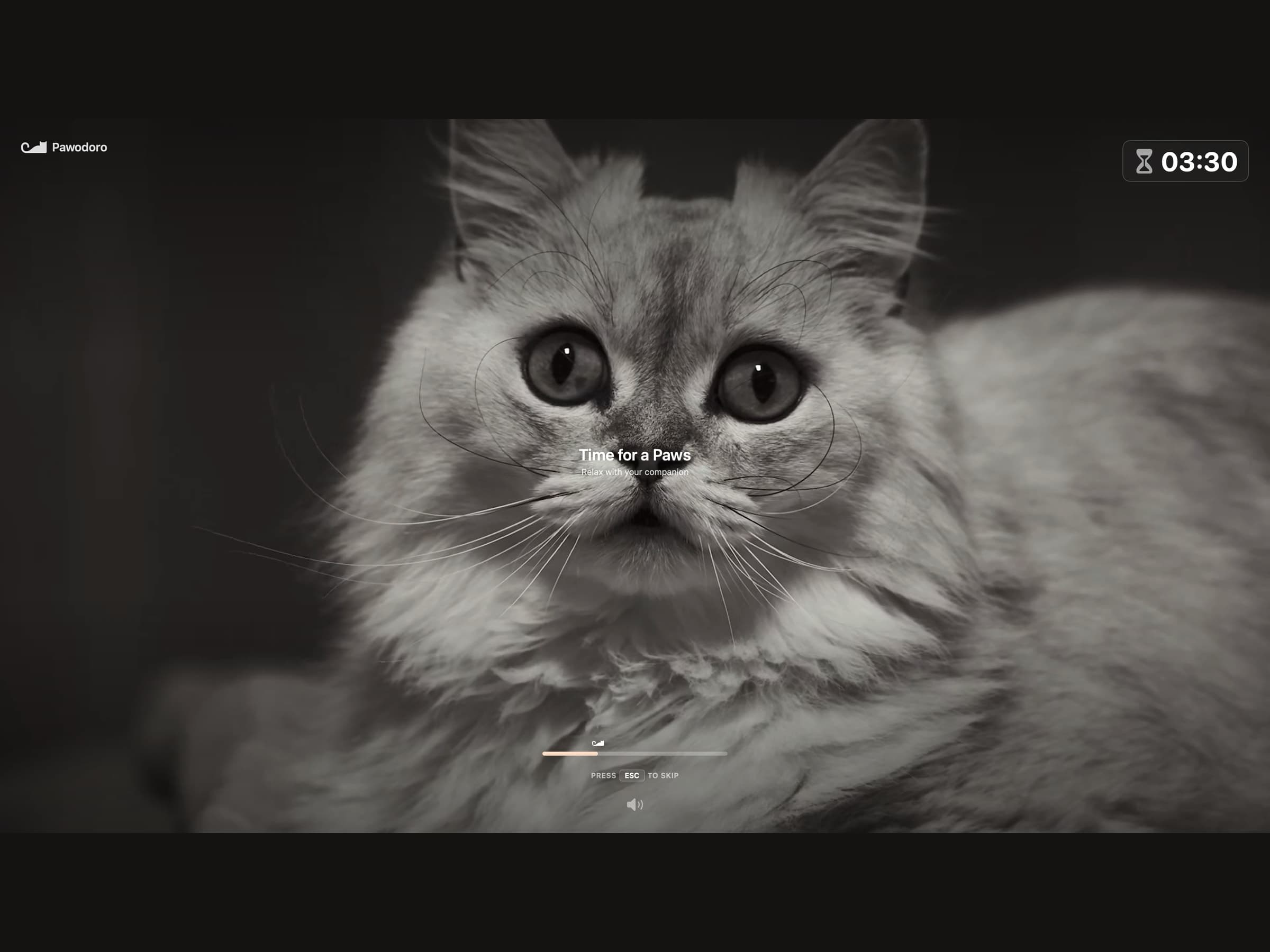
It plays on every connected display, which is the detail that makes it work: a second monitor is exactly where "one more minute" happens, and covering only the main screen would leave the loophole open. The remaining break time sits in a corner, the clip is muted or not as you prefer, and ESC closes it immediately.
That escape hatch is deliberate. A break you cannot escape is a break you eventually disable, and a disabled break is worth nothing. The goal is to make taking the pause the path of least resistance, not to make skipping it impossible.
The video library is bundled inside the app. That is why the download is around 75 MB, larger than the rest of the portfolio, and it is also why breaks work on a plane, in a hotel with bad wifi, and on a locked-down machine that cannot reach a CDN.
What the menu bar shows
The status item carries the countdown as mm:ss, and there is one detail in it
worth noticing: before you start anything, it does not read 00:00. It shows the
length of the work session you have configured - 25:00 - so an idle bar reads
as ready rather than as a stopped clock. The same string drives the large
countdown inside the panel, so the two can never disagree.
The controls are reachable from there too. Pausing, skipping and resetting never need the window, which is the whole reason a Pomodoro timer belongs in the menu bar rather than in an app you have to keep switching to.
What it records
Daily and weekly statistics with a bar chart, plus CSV export if you want the numbers somewhere else. Notifications fire at each phase change, so the transition is announced even when the popover is closed and you are in another app.
All of it is stored on your Mac. There is no account, which also means there is no login screen between you and starting a timer.
What it deliberately does not do
It does not block anything. It times work and rest; it does not police what you open during the work half. If drifting mid-session is your actual problem rather than starting, that is a blocker's job - NoMore - and the two run happily side by side.
There is no project or task tracking. A Pomodoro timer that also wants to be a to-do app ends up being a bad version of both. What you are working on is your business; Pawodoro only knows that a block is running.
It asks for one permission, notifications, and works without it.
What it costs, and what else to look at
Pawodoro runs on macOS 14 or later, on Apple Silicon and Intel, and takes about 75 MB because of the video library. It is a one-time $4 purchase rather than a subscription, with a 14-day trial that needs no card and no email. The full specification is on the Pawodoro page.
Pawodoro's break is a reward on your work rhythm. If what you need is rest on a schedule that has nothing to do with your work - eye and stretch breaks on their own clocks, whether or not you are mid-task - that is Recess. If the cat is the part you like rather than the intervals, CatPod keeps one on your desktop full time. There is a comparison of the timers in the best Pomodoro timer for Mac.