What a water reminder app actually has to do
Two things, and they pull against each other. It has to interrupt you often enough that you notice you have not drunk anything since breakfast, and it has to cost so little attention that you never turn it off. Almost every app in this category fails the second half: it nags on a fixed schedule, it fires during meetings, and logging a glass takes four taps in a window you have to go and find.
Aqumi is the one this article walks through. It lives as a droplet in the macOS menu bar, keeps its log on the machine, and everything below is in the shipping version.
The droplet in the menu bar
The status item is the whole interface most days. It is a droplet mark with a progress bar underneath it, and the bar fills as you get closer to the day's goal. There is no percentage to read and no number competing with the clock - the bar is either nearly empty at four in the afternoon, which tells you something, or it is not.
Clicking it opens the popover. Pressing Command Shift W opens the same popover from anywhere on the Mac, and Command Shift L logs your last drink without opening anything at all. Both use Carbon hotkey registration, so Aqumi needs no Accessibility permission to make them work.
Logging, in one tap or one keystroke
Logging is the part that has to be nearly free, so the popover leads with it: a row of drink presets, each a name, a volume and an icon, sitting one tap away.
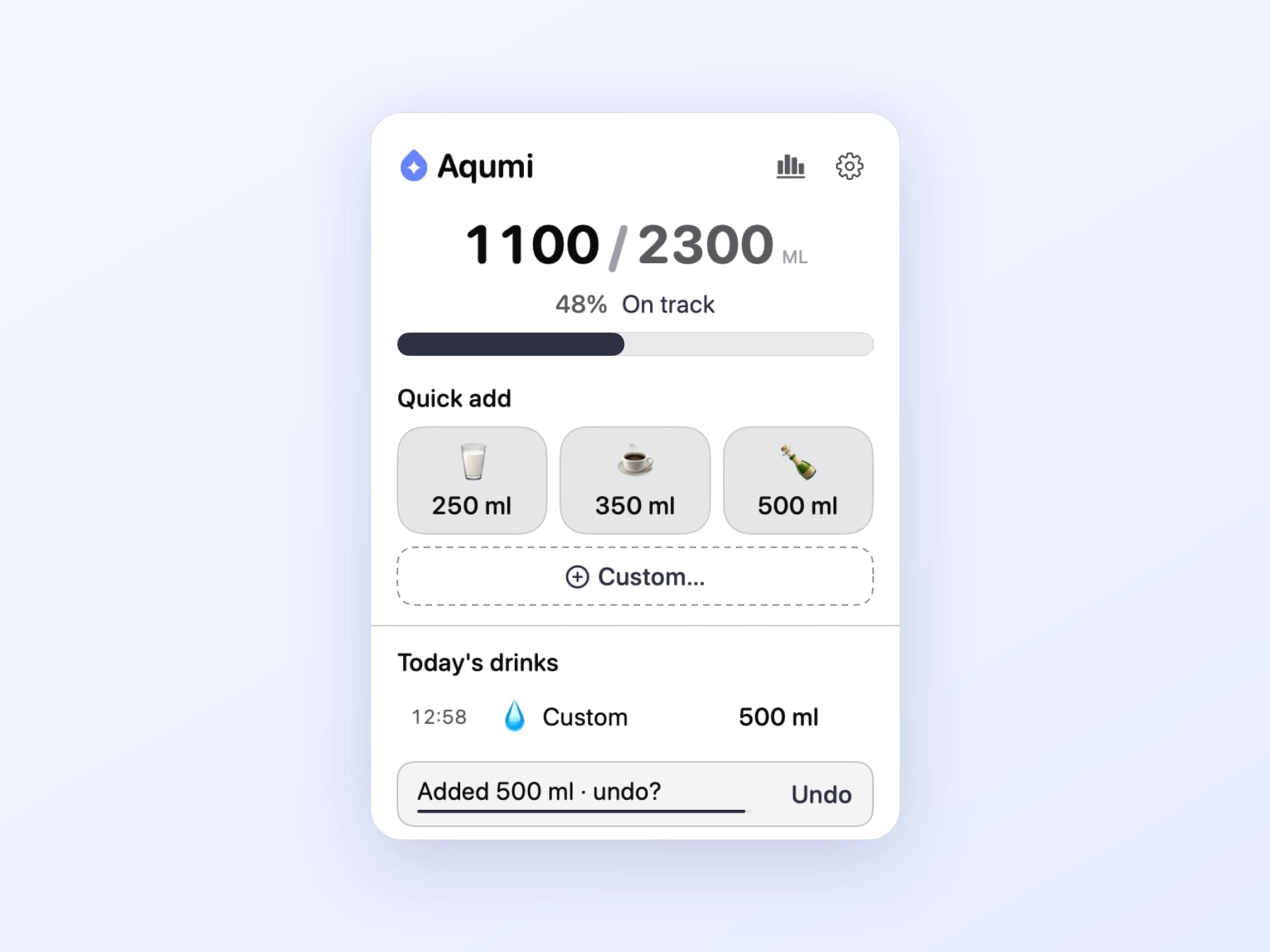
The presets are yours to shape. Aqumi seeds a few on first launch, and you add, edit, reorder and pin your own in Settings - a 250 ml glass, the 750 ml bottle on your desk, the coffee you were going to count anyway. Whichever ones you pin show up in the popover's quick-add row; the rest stay in the list a scroll away.
Units are metric or imperial, and the choice is a display concern rather than a data one, so switching does not rewrite your history.
Where the daily goal comes from
You fill in a short profile once - weight, age, sex and activity level - and Aqumi turns it into a daily volume. If you already know your number, type it in and the profile stops mattering.
That escape hatch is deliberate. The precise figure is the least important part of hydration tracking: the gap between a calculated 2.4 litres and the 2 litres you would have guessed changes nothing about your day, whereas noticing at 4pm that you have logged one glass changes it a lot. The goal exists to give the progress bar a top end, not to be medical advice.
Reminders you can live with
Reminders run on an interval you set - 90 minutes out of the box - and in one of two modes. Notification posts a banner. Silent posts nothing at all and simply lets the menu bar droplet be the reminder, which is the mode people who dislike reminders end up using.
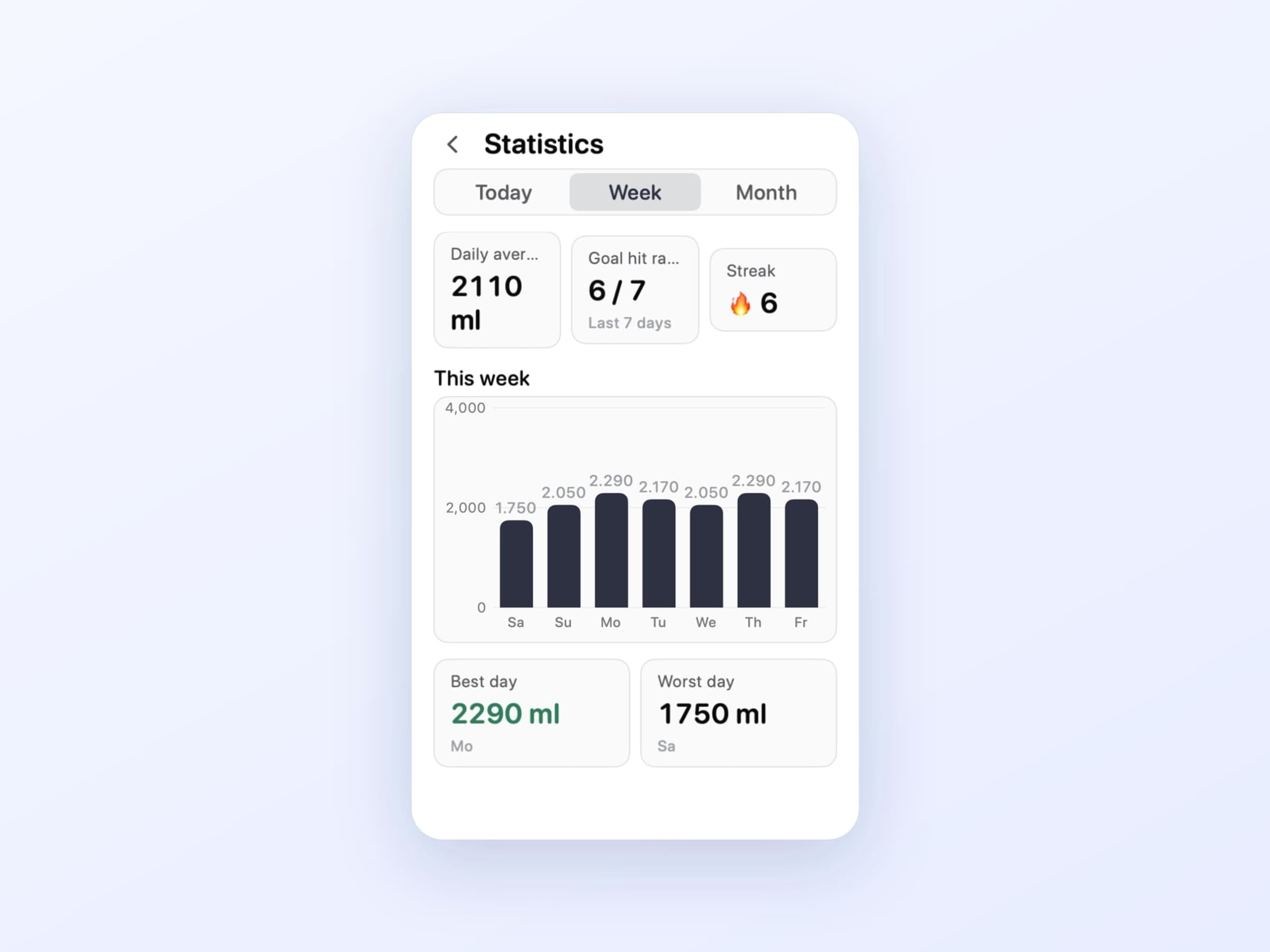
The banner carries its own actions, so responding to it never means opening the app. Log records a drink and dismisses. Snooze 30 minutes and Snooze 1 hour push the next one back. Mute for today stops them until tomorrow, which is the button that keeps the app installed - an app you cannot silence for an afternoon is an app you uninstall on the afternoon you needed to.
Quiet hours cover the rest. They default to 23:00 through 08:00 and take a range of your own, so nothing arrives while you are asleep. On top of that, these are ordinary macOS notifications, so a Focus or Do Not Disturb schedule holds them back the way it holds back everything else.
What a month of it looks like
The statistics screen answers the only question worth asking after a few weeks: is this actually working.
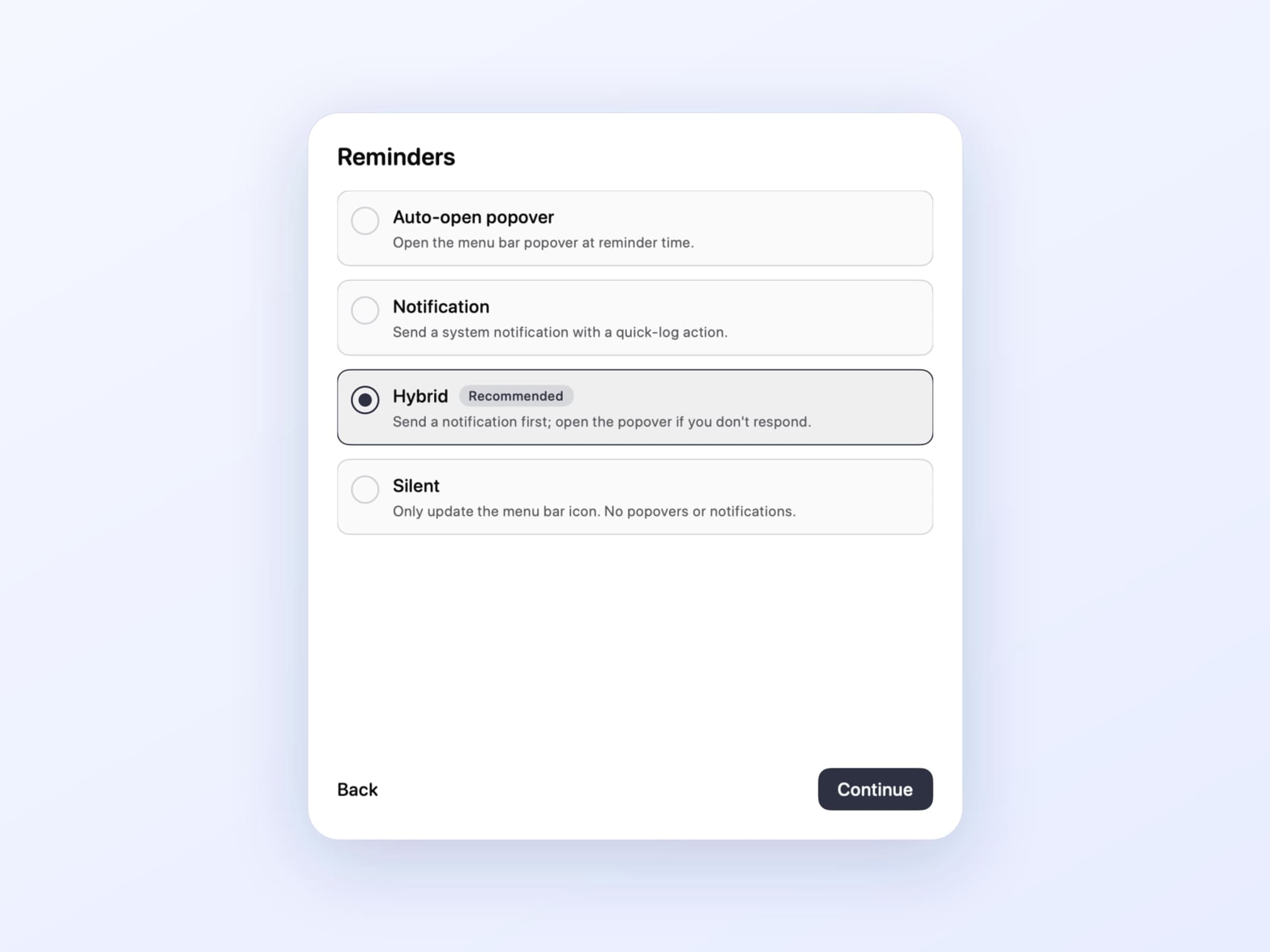
There is a weekly bar chart, a 30-day trend and a streak counter for days you hit the goal. All of it is computed from a log stored on your Mac. Nothing is written to Apple Health, nothing is uploaded, and there is no account to create before the first glass.
That last point is not a privacy flourish so much as a friction one. A hydration app that opens with a sign-up form is asking for more commitment than the problem deserves.
What it deliberately does not do
There is no phone app and no sync. Your log lives on one Mac, which is a real limitation and worth saying plainly: if you drink two litres away from your desk, Aqumi will not know.
There is no coaching layer - no scores, no badges, no daily summary email, no gamification beyond the streak. The interesting number is whether the bar is full, and everything else would be padding around it.
It asks for one system permission, notifications, and works without it in silent mode. No HealthKit, no location, no file access. The app is sandboxed, signed and notarised, and the only network traffic is licence checks and update requests.
What it costs, and what else to look at
Aqumi runs on macOS 14 or later, on Apple Silicon and Intel, and takes about 25 MB. It is a one-time $5 purchase rather than a subscription, with a 14-day trial that needs no card and no email. The full specification is on the Aqumi page.
Hydration is one of the three things a desk quietly costs you, and the other two have their own cadence. If your eyes ache by six and you sit for three hours without moving, that is Recess, which runs eye-rest and stretch timers on separate clocks. There is a wider look at both in desk health apps for Mac.