What a virtual pet is doing on a work machine
The desktop pet is one of the oldest ideas in personal computing and it has never quite gone away, because the thing it provides is not productivity. It is company. A quiet room with a small animated creature in the corner of the screen feels different from a quiet room without one, and that is the entire product.
CatPod is a pixel-art cat that lives on macOS, with one addition that changes what it is for: a focus timer whose completed sessions are what feeds the cat. Everything below is in the shipping version.
The cat, and where it lives
The cat sits in a window on your desktop. It has moods and animations that shift with two stats it carries - energy and happiness - and it idles, sleeps and reacts rather than looping one animation forever.
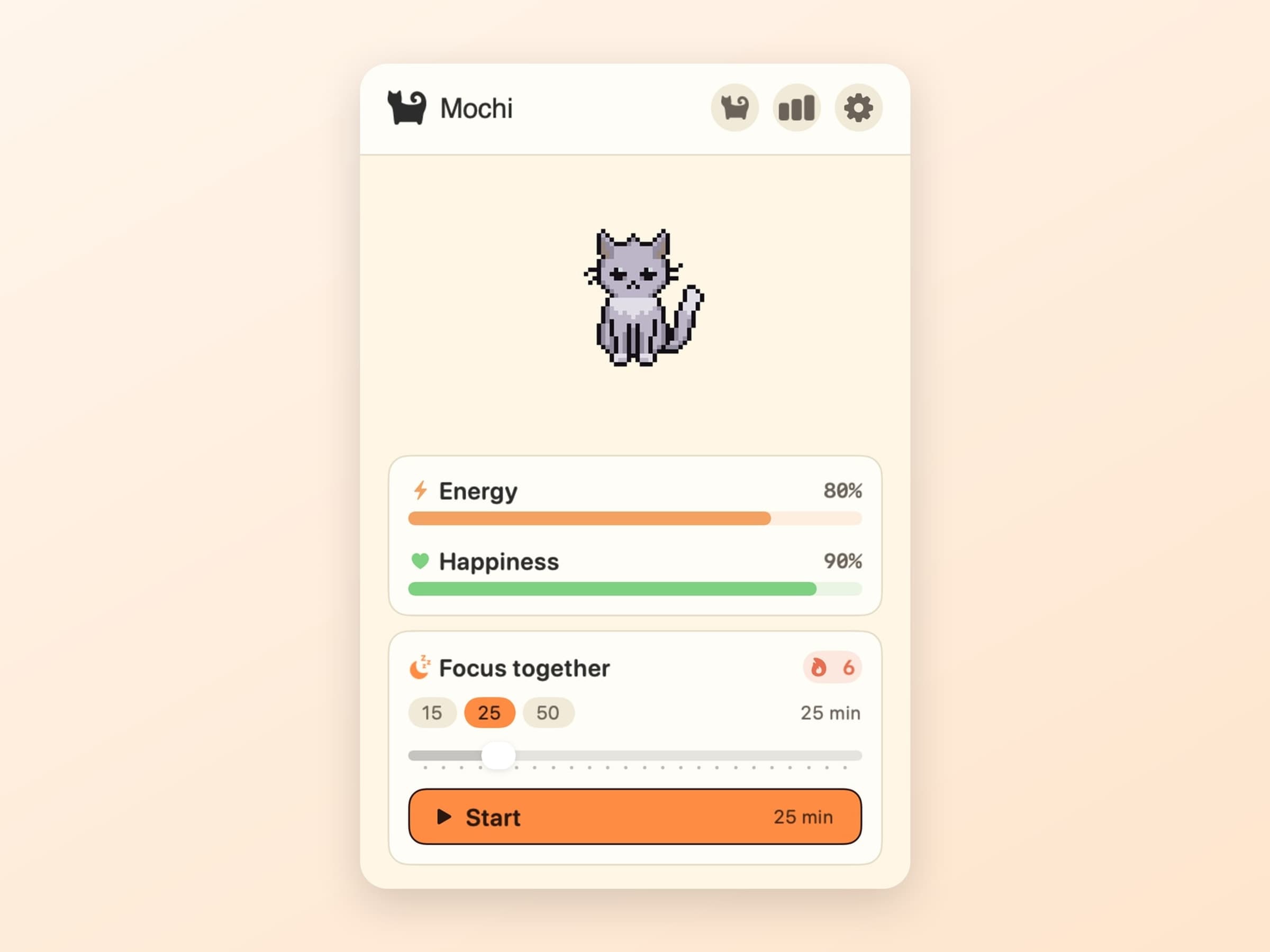
Turn on roaming and it walks the desktop instead of staying put, picking its own path across the screen. Turn it off and it stays where you left it, which is the setting for people who like the company but not the movement. Clicking it pets it, hearts float up, and after a minute's cooldown that pet also counts for happiness, up to a daily cap - deliberately, so affection cannot be farmed and the cat cannot be maxed out by clicking at it for ten minutes.
Both stats decay slowly while you are away, on the order of a point every forty five to ninety minutes, with a floor underneath so the cat is never in real trouble. It is a pet, not a Tamagotchi you can kill by going on holiday.
The focus timer that feeds it
The timer is where the two halves connect. You start a session, the cat curls up beside you, and finishing the session feeds it energy.
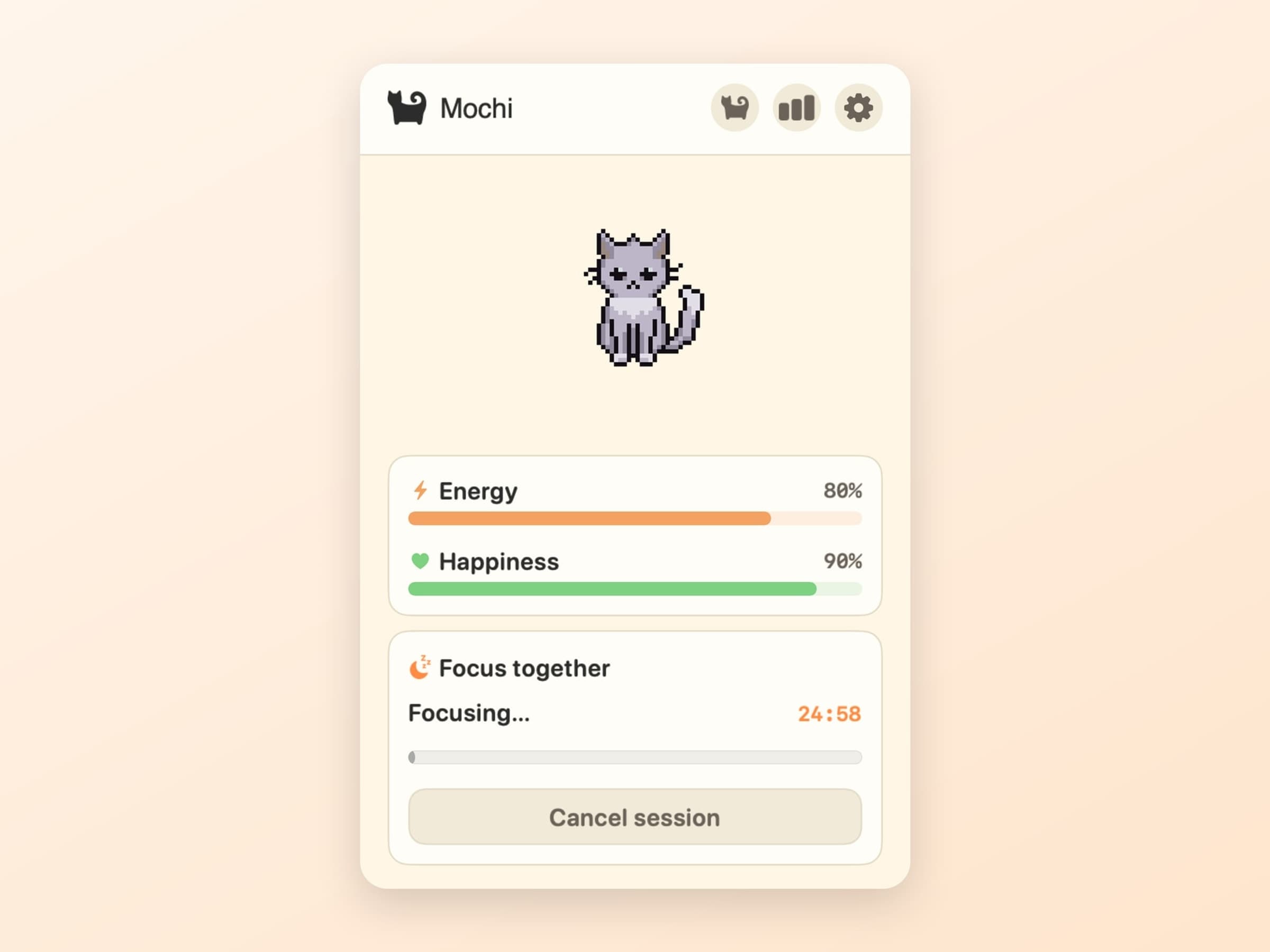
Three presets cover most of it - Catnap at 15 minutes, Deep Purr at 25 and Marathon Mew at 50 - and a slider runs anywhere from 5 to 120 minutes when none of them is the shape of what you are doing.
Sessions finished on the same calendar day stack a combo, which multiplies what the next one is worth, rising to a cap at the fifth session of the day. The combo resets at midnight. Abandoning a session part-way costs a couple of points of happiness and clears the combo, which is the only negative feedback in the entire app - and it is small on purpose. Guilt is what makes people uninstall productivity software.
Streaks, milestones and one forgiven day
A day with a completed session extends your streak, and the streak is the number most people end up caring about.
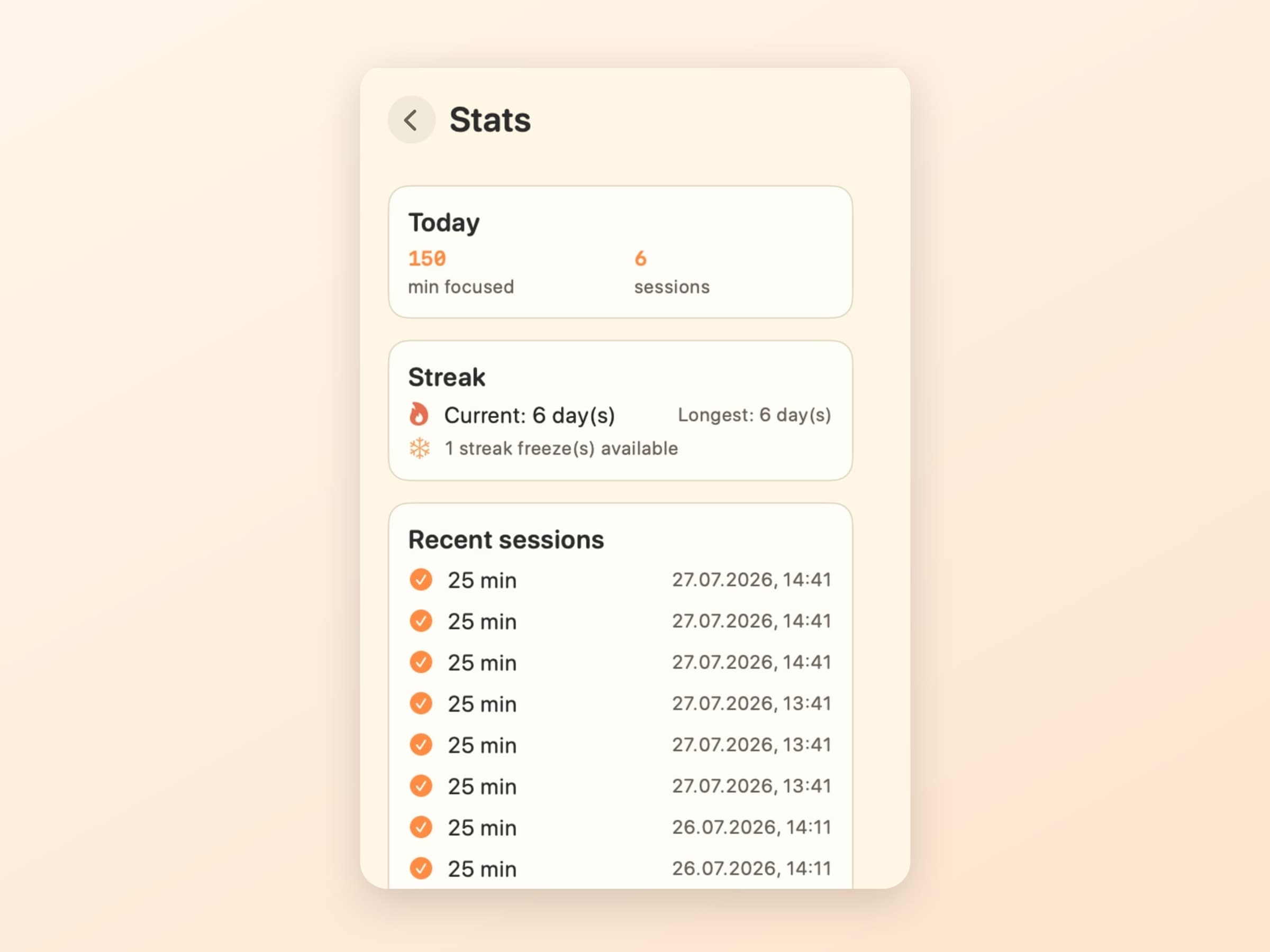
Milestones unlock at 3, 7 and 30 days. More usefully, the cat holds a streak freeze: miss a day and the freeze is spent instead of the streak breaking. It refills on its own over time and caps at one, so it covers the bad Tuesday without turning a streak into something meaningless.
That single mechanic is the difference between a streak that motivates and one that punishes. A chain of forty days that a single fever wipes out does not make you work on day forty-one; it makes you delete the app.
Levels, badges and skins
Underneath the streak sits a small progression layer that mostly stays out of the way. The cat earns XP and levels up, and a separate bond level rises the more you interact with it, which is the number that reflects attention rather than work.
A handful of achievements unlock at specific moments: your first feeding, your first completed session, reaching level five, finishing a Marathon Mew, hitting a five-session combo, and each of the three streak milestones. They are badges, not currency - nothing in the app is gated behind them, and no screen asks you to collect the set.
Skins change how the cat looks. You pick one from a grid and it applies immediately, with the choice stored alongside everything else on the machine.
All of it is reachable from a menu bar popup, which is the deliberate split: the cat lives on the desktop where you can see it, and everything you might want to adjust lives in the menu bar, where it is not in the way.
What it deliberately does not do
It does not block anything and does not watch what you do. There is no website list, no app monitoring, no report at the end of the week telling you that you spent three hours somewhere. The timer only knows whether a session you started was finished.
There are no ads, no account and no third-party tracking. The cat, its stats and its history are Core Data on your Mac and go nowhere.
The animations are deliberately small and quiet. The cat is a few dozen pixels doing very little; if it demanded attention it would be a game, and a game on a work machine is the opposite of what this is for.
What it costs, and what else to look at
CatPod runs on macOS 14 or later, on Apple Silicon and Intel, and takes about 40 MB. It is pay what you want with a suggested price of $3, and that genuinely includes zero. The full specification is on the CatPod page.
CatPod's timer is a reward loop, not a method. If what you want is the actual Pomodoro structure - work, short break, long break, cycles - that is Pawodoro, which pays out its own break in cat videos. If what you want is not a timer at all but the one task you committed to, visible all day, that is Anchored. There is a comparison of all three in the best focus apps for Mac.